






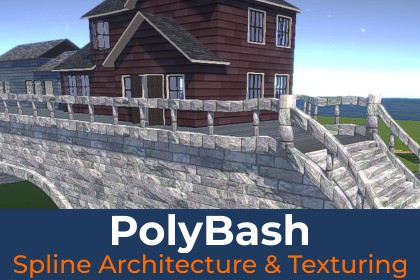
PolyBash takes a spline and builds stairs, paths, bridges and buildings along it, and generates tileable, recolorable textures for them from 3D blocks.Documentation | Discord | EmailPolyBash turns Unity splines into level geometry. Draw a spline, and PolyBash builds a walkable stair path or a complete building along it. Move a knot and the result rebuilds right away. The output is ordinary GameObjects with meshes, materials and colliders, so it works with standard Unity tools.Two spline generatorsSpline Stair Path Generator: sections that rise become stairs, and level sections become flat paths. Step heights and depths stay inside the limits you set. Add side walls, tunnels with arch frames, edge trims, handrails, balusters, newels, and smooth ramp colliders for character controllers.Spline Building Generator: builds outer and inner walls, floors, ceilings and gable roofs over one or more levels. Define door, window, and floor openings, and then generate frames, glass panes, and door leaves to fill them.Texture generation from 3D blocks: A Texture definition lays out bricks, stones, boards or roof tiles and captures them into tileable albedo, lit albedo, normal and ambient occlusion maps, then creates a material for you. Surface variants recolor the blocks through two gradients, so one set of blocks gives stone, brick, wood siding and roof tile in many color schemes. Drag a slider and the generator updates with the new colors.Customizable and genre-flexible: Every width, height, level, opening and material is editable, and optional stages turn on and off with a checkbox. Bake a finished result into a standalone prefab with Save to Prefab. PolyBash suits fantasy villages, medieval towns, stylized and low-poly worlds, platformers, dungeons, bridges, and quick greyboxing for any genre.The included BridgeHouse sample scene shows two houses on a bridge with stairs, ready to explore in URP, HDRP or the Built-In Render Pipeline.Key featuresSpline-driven procedural geometry built on the Unity Splines packageInstant full rebuild on spline edit or inspector changeOutput as standard GameObjects with meshes, materials and mesh collidersSave to Prefab: save the generated meshes and materials as a standalone prefabModular stage pipeline where each optional stage can be toggled on or offPer-knot corridor widths and per-section overridesScene handles for editing openings in the Scene viewInfo section that reports build results and warnings, such as steps outside your limitsDesigned for creating assets in the Editor, but built for working at Runtime in the futureSpline Stair Path GeneratorAutomatic stair vs. flat path classification from spline slopeMin/max step height and depth limits with tolerance warningsSide walls with per-knot base offsets and wall openingsTunnels with arch framesEdge trims and handrailsBalusters and newels with per-side and per-section controlMesh colliders, plus optional smooth ramp colliders with a bottom wedgeArc-length UV mode for consistent texture scale on curvesSpline Building GeneratorMultiple levels, with top and bottom levels set per sectionOuter walls, inner walls, floors, ceilings and top capsGable roof with eave and end overhangs, clipped against taller runs, with roof collider modesDoors, windows, floor openings and wall openingsGenerated window frames, panes, door frames and door leaves with adjustable pivotsDoor knob prefab and double insertsSeparate materials for every part, with a fallback Default MaterialTexture generationFour texture definitions: Wall, Path, Stair and Roof TileCaptures Albedo, AlbedoLit, Normal and Ambient Occlusion maps as PNG filesTileable output with wrapped offsets and wrapped occlusionReproducible seeded random layoutsLive preview using RenderTexturesCreates a lit material for the active render pipeline (URP, HDRP, or Built-In)Surface variantsGradient-map recoloring in LAB color spaceTwo target gradients with an interpolation sliderExtract a palette from an existing textureSave a recolored texture to diskTexture Definition Applier and Surface Variant Applier components link the materials to the generatorsIncluded content9 texture definitions (walls, floor, trim, wood path, roof tiles, blue and red wood siding, stairs)Surface variants in stone, wood and roof colorsBlock prefabs with normal maps: 9 bricks, 9 worn stones, 3 wooden boards, 9 beveled and 9 jagged roof tilesStone and wood surface texture sets (base color, normal, AO, height, roughness)Door knob prefab and FBX modelsBridgeHouse sample scene and two sample prefabsFull documentationCompatibilityUnity 2022.3 and Unity 6URP, HDRP and Built-In Render PipelineRequires com.unity.splines 2.8.4, com.unity.collections 2.6.8, com.unity.burst 1.8.29, com.unity.mathematics 1.3.2, and com.unity.shadergraph 14.0.12The Physics Material fields require Unity 6 or newerThird-partyIncludes Clipper2 (Boost Software License 1.0) and Cutear (ISC License). See Third Party Notices.md in the package.AI such as Github Copilot were used to help develop this software package. No AI was used to create any art assets.

