






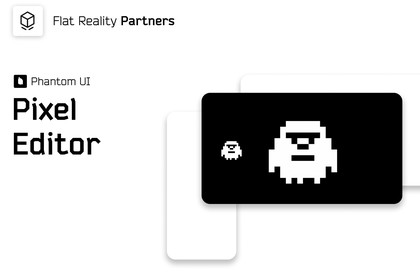
Phantom UI: Pixel Editor - Select. Paint. Save. Never leave Editor
Flat Reality Partners
$23.09
$32.99
30%OFF
(no ratings)
Jump AssetStore
A lightweight, zero-friction correction workflow. Edit pixel-art textures directly in Unity with grid-based painting, familiar tools, recent colors, undo/redo, and a safe save workflow.Phantom UI Pixel Editor is a lightweight Unity Editor extension designed for quick sprite, sprite sheet and texture editing directly inside Unity.Built for pixel-art, retro, horror and 2D projects, the editor lets you open an existing texture from its Inspector or the Assets menu and work on the complete source image. Choose a paint-cell size, edit with familiar painting tools, sample colors, undo changes and save the result directly into your project.Saved textures are automatically reimported by Unity, making the editor useful for small production changes, placeholder adjustments, sprite sheet cleanup and fast color variations.Features:Open textures directly from the Unity InspectorAssets menu shortcut for selected texturesFull-texture and sprite sheet editing16×16, 32×32, 64×64 and 128×128 paint-cell presetsCustom paint-cell width and heightBrush tool with adjustable sizeConnected-area Fill toolEraser with transparency supportEyedropper for fast color samplingUnity RGB/Alpha color pickerRecent color history with up to eight colorsRecent colors saved between Unity sessionsUndo and Redo historyPixel-perfect point-filtered previewTransparent checkerboard previewOverwrite the original PNG or save a new PNG copyJPG/JPEG source support with Save as PNG CopyAutomatic Unity asset reimport after savingNo Read/Write Enabled requirementDemo scene and guided setup workflow includedEditor-only implementationZero runtime overheadNo third-party runtime dependenciesIdeal for:Pixel-art gamesRetro and low-resolution projectsHorror and atmospheric games2D gamesSprite sheets and tilesetsUI textures and iconsPlaceholder asset editingSolo developersTechnical game designersIndie teams and small studiosPhantom UI Pixel Editor works with existing project textures and does not introduce a custom texture asset type. The package is focused on fast grid-based editing of source images inside the Unity Editor.Supported source files:PNG - open, edit, overwrite or save as a new PNG copyJPG / JPEG - open, edit and save as a PNG copyPackage behaviour:Editor-only extensionNo runtime scripts requiredNo visual scripting requiredNo node graph setup requiredNo third-party runtime dependenciesWorks with existing Unity texture assetsRender-pipeline independentCompatible with Built-in Render Pipeline, URP and HDRP workflowsSource control is recommended before overwriting production assets.AI was used for quick text review, QA validation of the documentation, and assisting with commenting code lines to improve clarity and consistency.

