






Keyboard Adapter - Layout-Aware Input
AnkleBreaker
$10.99
$21.99
50%OFF
(no ratings)
Jump AssetStore
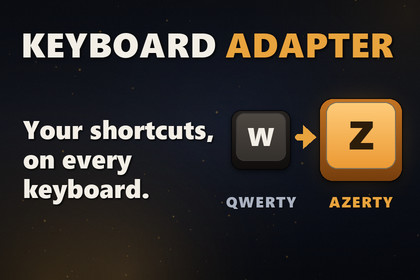
Your players came to play. Not to dig through the settings. Keyboard Adapter follows the player's keyboard and offers matching keys, and lets each binding follow the position or the printed letter.💬 Join the AnkleBreaker Community! 💬Got a question, feedback, or a feature you'd love to see? Join our Discord - we actively improve our assets based on your input, and it's where we drop our latest announcements and run giveaways.👥 Discord: 👉 https://discord.gg/2D36VUmsYN🌐 Website: 👉 https://anklebreaker-consulting.com🌍 Your Shortcuts, On Every Keyboard 🌍Unity's Input System binds keys by where they sit on a US keyboard. For movement that is exactly right: WASD lands on ZQSD for a French player. For shortcuts it is wrong: on AZERTY, M for the map ends up on the comma key, and on a German keyboard Z for zoom sits under the printed Y.Keyboard Adapter detects the player's keyboard, offers them keys that match the letters printed on it, and lets you decide, binding by binding, what follows the position and what follows the letter. Your players on AZERTY, QWERTZ, Dvorak, Colemak or BÉPO press the key they read.🔍 Reads The Keyboard, Not The Language 🔍Keyboard Adapter looks at what the keyboard actually prints, never at the system language: Swiss French is QWERTZ, Canadian French is QWERTY, and each gets the right keys.Six layout families: QWERTY, AZERTY, QWERTZ, Dvorak, Colemak and BÉPO.It follows the player during play: switch the layout mid-game and the new keys are offered.In WebGL builds it reads the layout straight from the browser.🎯 Position Or Letter, Binding By Binding 🎯Position for movement and grouped keys: WASD stays under the left hand on every keyboard.Letter for mnemonic shortcuts: I stays I, M stays M, wherever the keyboard puts them.The keys of every family are generated from that choice, and you can still hand-pick any of them.🔔 The Player Decides 🔔Nothing changes behind the player's back. When a new layout shows up, a ready-made popup asks: "AZERTY keyboard detected. Some shortcuts can follow the letters printed on your keyboard. Use keys adapted to it?"An optional preview lists every change before it applies (Map: , → M).No puts the default keys back, and Don't ask again keeps that choice for the whole layout family.Keys the player rebound in your own options menu are never overwritten. Keyboard Adapter saves the keys it applied and the player's answers; your game's own rebinds stay yours.Prefer your own UI? Answer the same events from UI Toolkit, uGUI or IMGUI; a uGUI and an IMGUI example are included.🎨 The Profile Editor 🎨One grid for your whole Input Actions asset: a row per keyboard binding, a column per layout family. Click a key to change it: press it on your own keyboard, click it on a drawn keyboard, or search by the character it prints. The drawn keyboards show the real layout in its real physical shape, with the QWERTY board docked beside it so you see where every key went. Every edit supports Undo.🔤 Key Names That Read Right 🔤The Input System names a dead key in the layout's own language: the French ^ key reads "Accent Circonflexe", the German one "Zirkumflex". Keyboard Adapter gives your prompts the character instead.🎮 See It, Then Play It 🎮Basic Example: the detected keyboard, the key each action uses, a rebind button per action, a keyboard simulator and a key test.Custom Popup Example: the same question answered by a game's own popup, in uGUI and in IMGUI.Playable Example: a small top-down game. Move, jump, open the chest, the inventory (I), the map (M), the quests (Q), zoom (Z), and switch your layout to watch the shortcuts follow.📚 Documented Inside The Editor 📚A Welcome window walks you through the first steps, Setup Scene puts Keyboard Adapter in your scene in one click, and the documentation window holds the full manual, searchable, with links that open the windows and scenes they name. A skill for AI coding assistants ships alongside, so yours learns the real API instead of inventing one.📦 What You Get 📦Layout detection for 6 families, with the ready-made suggestion popupThe Profile Editor and its key picker4 example scenes, a playable mini-game among them, plus an optional Managers Loader sampleFull C# source, with the unit tests includedIn-editor documentation, the manual as Markdown, and a skill for AI coding assistantsEverything Keyboard Adapter asks of your project is in the Technical details.🔧 Setup 🔧Keyboard Adapter runs on Unity 6 with the Input System, on any render pipeline. Import this package, then click Install in the Welcome window that opens. The free AnkleBreaker packages install themselves through Unity's Package Manager, which needs Git installed on your computer to install them in one click.🛠️ And also quality & productivity tools for Save Systems, Character Customization, Ballistic Systems, Popups & Notifications, Minimaps, Maps & Compasses, and more.Unity: 6000.0.41f1 or newer. Checked on 6000.0.68f1 and 6000.6.0f1.
Required (free): Input System, AnkleBreaker Core and AnkleBreaker Utils Inspector, installed in one click from the Welcome window. Until then the package stays out of the compilation, without errors. Active Input Handling: Input System Package (New) or Both.
Git: Git 2.14 or newer on PATH is required to install the free dependencies in one click. Free, installed once: git-scm.com/downloads. Without Git you install them by hand.
Optional: AnkleBreaker Managers Loader, detected automatically; the manager then boots through it. The uGUI popup example needs the uGUI package.
Model: a profile set gives each keyboard binding a mode (position or letter) and a key per family, applied as Input System overrides.
Layouts: 6 families (QWERTY, AZERTY, QWERTZ, Dvorak, Colemak, BÉPO) across 28 named layouts. 23 measured on Windows; Colemak, Japanese (JIS) and the three Mac layouts come from published tables, marked unverified.
Platforms: detection tested on Windows and in WebGL under Chrome. Runs on macOS and Linux, not tested there, so not guaranteed. In WebGL on Firefox and Safari the layout is learned from key presses: nothing changes until the player has pressed the Q, W, Z and A positions, plus Y except for BÉPO (Firefox and Safari not tested yet).
Saving: the keys Keyboard Adapter applied and the player's answers, in PlayerPrefs under a key you choose. Your game's own rebinds stay with your game and are never overwritten.
Render pipeline: any. The default popup uses UI Toolkit; examples also demonstrate uGUI and IMGUI. No dependency on a specific render pipeline.
Examples: 4 scenes (Basic, Custom Popup in uGUI and in IMGUI, Playable). Optional Managers Loader sample, imported on demand.
Documentation: Welcome window, searchable in-editor documentation (4 tabs), Markdown manual, a skill for AI coding assistants.
Source: full C# source, no DLLs. EditMode tests included.
Limits: keyboard only: no gamepad, no key icons, no rebinding menu. Latin layouts only. In local multiplayer, players 2 and later keep the default keys.The promotional trailer uses an AI-generated voice-over created with Google Gemini TTS and music generated with Suno. AI coding assistance was used during development and review. The package source code was reviewed and tested in Unity.

