






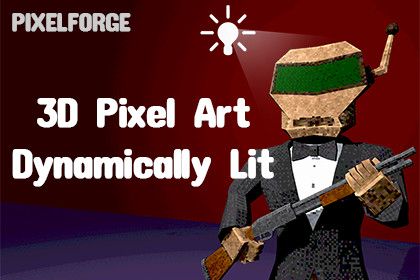
Create 3D pixel art with real-time pixelated lighting, dynamic shadows, and stylization controls for Unity URPMinimum requirement is Unity 2022.3.0f1PixelForge — 3D Pixel Art Lighting & ShadowsPixelForge is a real-time 3D pixel art rendering solution for Unity URP, designed to bring pixelation, lighting, and shadows together into one cohesive visual system.Instead of simply applying a pixelation effect to the final image, PixelForge renders your 3D materials with pixelated textures, real-time lighting, and dynamic shadows working together within the same pixelated style.Create stylized 3D visuals inspired by pixel art, retro games, PS1-era graphics, horror, and other low-resolution aesthetics — while keeping direct control over the final look.PixelForge Overview | Documentation━━━━━━━━━━━━━━━━━━━━━━━━━━━━━━━━━━━━━━⭐ FEATURES ⭐✔ 3D Pixel Art Rendering — Render 3D models with a configurable pixelated texture resolution.✔ Real-Time Pixelated Lighting — Lighting is integrated directly into the pixelated rendering style, allowing individual rendered pixels to respond to scene lighting.✔ Dynamic Shadows — Real-time shadow casting and receiving while maintaining the pixelated visual style.✔ Directional, Point & Spot Lights — Supports the three standard URP light types, including colored lighting.✔ Base Map & Normal Map Support — Use Base Maps and Normal Maps with real-time pixelated lighting.✔ Global Resolution — Control pixel resolution across PixelForge materials from a single global setting, while individual materials can be excluded when local control is needed.✔ Quantization & Cel Shading — Control color depth and lighting steps to create different stylized and retro-inspired looks.✔ Dithering — Add dithering patterns for distinctive pixel art transitions and shading.✔ Vertex Jitter — Add controlled vertex movement for stylized and retro-inspired visual effects.✔ Color & Stylization Controls — Adjust brightness, contrast, saturation, color, and other rendering parameters.✔ Color Cleanup & Smoothing — Refine pixel colors and transitions for different visual styles.━━━━━━━━━━━━━━━━━━━━━━━━━━━━━━━━━━━━━━🛠 EDITOR TOOLSPixelForge includes editor tools designed to make the workflow faster when working with existing Unity scenes.✔ Automatic Texture Setup — Configure texture import settings for PixelForge materials.✔ Mass Material Conversion — Convert materials across an entire GameObject and its children.✔ Preset Application — Quickly apply different visual styles without manually configuring every parameter.━━━━━━━━━━━━━━━━━━━━━━━━━━━━━━━━━━━━━━🎨 READY-TO-USE PRESETSPixelForge includes 6 ready-to-use presets for quickly exploring different visual styles:• 16-Bit Horror• Monochrome Retro• Clean Indie Pixel• Painterly Cel-Shaded• PS1 Classic• VHS Retro HorrorUse the presets as a starting point or customize the parameters to create your own style.━━━━━━━━━━━━━━━━━━━━━━━━━━━━━━━━━━━━━━⚙️ EASY WORKFLOWPixelForge is designed to keep the workflow simple.Create a PixelForge material, assign it to your model, add your textures, and start adjusting the rendering parameters.The included Editor tools make it easier to work with existing scenes by providing material conversion, preset application, and texture setup workflows.━━━━━━━━━━━━━━━━━━━━━━━━━━━━━━━━━━━━━━🚀 UNIVERSAL RENDER PIPELINEPixelForge is designed specifically for the Unity Universal Render Pipeline (URP).✔ Forward✔ Forward+✔ No additional package dependencies━━━━━━━━━━━━━━━━━━━━━━━━━━━━━━━━━━━━━━📦 INCLUDED DEMO CONTENTThe package includes a complete DemoScene with multiple 3D models, materials, textures, Normal Maps, prefabs, lighting setups, and all six PixelForge presets.Explore the included examples and start experimenting with PixelForge immediately after installation.━━━━━━━━━━━━━━━━━━━━━━━━━━━━━━━━━━━━━━📖 DOCUMENTATIONFull documentation covers:• Installation• Initial setup• Material workflow• Texture setup• Global Resolution• Lighting & shadows• Quantization• Dithering• Vertex Jitter• Stylization parameters• Presets• Editor tools• Troubleshooting• FAQRead the full PixelForge Documentation━━━━━━━━━━━━━━━━━━━━━━━━━━━━━━━━━━━━━━🎬 SEE PIXELFORGE IN ACTIONExplore the videos and examples to see how PixelForge behaves with different models, lighting conditions, and parameter settings.PixelForge Overview━━━━━━━━━━━━━━━━━━━━━━━━━━━━━━━━━━━━━━💬 SUPPORTHave a question, found a problem, or have feedback?Feel free to get in touch:nedparadog@gmail.comRendering Pipeline• Universal Render Pipeline (URP)• URP 3D Renderer• Forward and Forward+ rendering pathsSupported Unity Versions• Unity 2022.3 LTS +• Unity 6 +Rendering Features• Real-time 3D pixel art rendering• Pixelated real-time lighting• Dynamic shadow casting and receiving• Directional, Point, and Spot Lights• Colored lighting• Base Map support• Normal Map support• Pixel resolution controls• Global Resolution system• Color and lighting quantization• Cel shading steps• Dithering• Vertex jitter• Color adjustment controls• Color cleanup and smoothingEditor Tools• Material Mass Conversion• Preset Application• Automatic Texture Setup• PixelForge Material Workflow ToolsIncluded Presets• 16-Bit Horror• Monochrome Retro• Clean Indie Pixel• Painterly Cel-Shaded• PS1 Classic• VHS Retro HorrorIncluded Content• PixelForge shader• 2 Editor scripts• DemoScene• Demo scene controller script• Guard Robot model• Hospital Bed model• Crate model• Textures and Normal Maps• Prefabs• 6 PixelForge material presets• README.md documentationDependenciesNo additional Unity package dependencies are required.Not Supported• Built-in Render Pipeline• HDRP• URP 2D Renderer

