






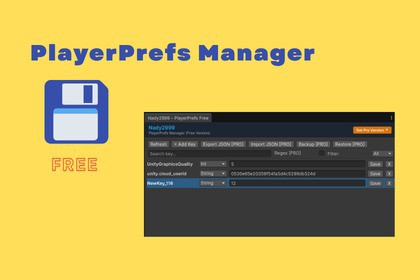
A clean, light, and reliable Unity Editor tool to view, edit, add, and delete `PlayerPrefs` data directly inside the Unity Editor.## 🌟 Features- **Read & Write Keys**: Fetch all standard `PlayerPrefs` keys from your registry/system files.- **In-Editor Editing**: Instantly modify string, integer, and float values without writing debug code.- **Add & Delete Keys**: Create new custom keys on the fly or remove individual entries.- **Basic Search & Filter**: Filter keys by query or by type (`All`, `String`, `Int`, `Float`).- **Modern UI Elements**: Built using Unity's `UIElements` framework for high performance and clean styling.Unity Version Support: Works with Unity 2020.3 LTS and all newer versions.Supported Operating Systems: Windows, macOS, and Linux (Editor side).UI Technology: Built with UI Toolkit (UIElements) for a modern interface that renders fast and looks sharp on 4K/high-DPI monitors.Code Setup: Completely wrapped in Editor scripts—guaranteed to never inflate your final game build size or affect standalone builds.The code included in this package was generated with the assistance of AI tools (e.g., ChatGPT / GitHub Copilot). All visual assets, including textures, images, and UI icons, were manually created without AI generation.

