






Motion Repeater - UI Array & Animation Toolkit
MotiLayer Tools
$23.10
$33.00
30%OFF
(no ratings)
Jump AssetStore
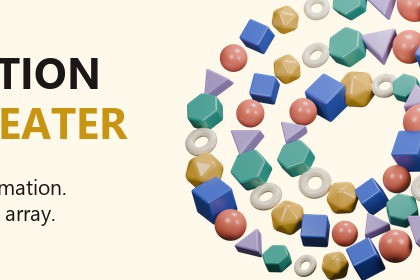
Repeat UI animation across eight layouts. Adjust the stagger, nest arrays, and retime each group with one Progress curve.Developed in Unity 6000.0.26f1 on Windows. The included showcase uses the Built-in Render Pipeline and a custom UI shader. Requires Unity UI 2.0.0. URP, HDRP and other platforms have not been verified for this release. No Asset Store package dependencies.Animate one UI element, repeat it across a layout, and give the copies their own rhythm. Motion Repeater handles the placement and stagger. One Progress curve controls the finished group.Start with the animation you already haveChoose a source object and Animation Clip, set the time range, then preview the result. Change the spacing, playback order or stagger while you work. The source is temporarily hidden during preview so you can see the array clearly.Eight layoutsGrid, Ring, Path, Spiral, Radial, Hexagonal, Scatter and Sprite Shape. Use a path with linear or Bezier interpolation, build concentric hexagonal rings, or fill the visible area of a sprite. Each layout has its own ordering controls.Retime the whole arrayGenerated arrays use a Time Controller. Animate its Progress from 0 to 1 to play the group, hold a value to pause, or run the curve backwards. Source motion and stagger stay inside the composition instead of filling the main clip with curves for every copy.Repeat an array againUse a generated array as the source for another one. The outer progress drives the inner compositions, so layered repeats can still be timed as a group.Shape and colorMove elements along paths, adjust their facing, and add per-element position, rotation or scale offsets. Apply gradients, random colors and sprites. For sprite-shaped arrays, choose alpha or luminance filtering, map luminance to size or opacity, or play a sprite sheet with an animatable progress value.IncludedFull C# source, eight starting presets, an English guide and a scene containing nine animation examples. The editor supports Undo, native Unity Presets and Reset from the window header.Made for Unity uGUI. Requires Unity 6 and Unity UI. The included scene uses the Built-in Render Pipeline. The cover’s 3D artwork illustrates repetition; this package is a UI animation tool, not a 3D cloner.Guide: https://hermityin.github.io/motilayer-tools/motion-repeater/guide.htmlSupport: jyq787899384@gmail.comUnity 6000.0.26f1; Unity UI (com.unity.ugui 2.0.0).Eight layout controllers: Grid, Ring, Path, Spiral, Radial, Hexagonal, Scatter and Sprite Shape.Time Controller with an animatable 0–1 Progress value; shared source clips for newly generated arrays; nested composition evaluation.Layout-specific playback order, reverse order, stagger and source time scale.Path control points and linked Bezier handles; Scene-view handles; facing offset; looping or extended path movement.Sprite alpha/luminance masks; luminance scale and opacity; sprite-sheet frame progress.Per-element transform offsets and selected Image color/sprite targets.Native Unity Presets, Undo and header Reset; full C# source in the MotiLayer.MotionRepeater namespace.Nine examples in one showcase scene; eight presets; English HTML and Markdown guides.No external Asset Store dependencies. Optional 2D Sprite package for sprite slicing.Generated objects use ordinary GameObjects and runtime components. This is not a GPU-instancing system; count, hierarchy depth and source animation complexity affect playback cost. Element counts, path-point counts, target lists and sprite sampling data are fixed at generation. Regenerate to change them.Animation Events, humanoid/root-motion workflows, additive Animator-layer blending and independent child Animators competing with a Time Controller are outside the supported workflow. URP/HDRP and non-Windows targets have not been verified for this release. The showcase uses StandaloneInputModule; Input System-only projects need a compatible EventSystem module.Guide: Assets/MotiLayer/MotionRepeater/Documentation/User Guide.htmlSupport: jyq787899384@gmail.comAI tools assisted source-code development, English copy and documentation. Promotional artwork was modeled and rendered procedurally in Blender using a scripted Geometry Nodes setup. No generative image or audio assets are included in the Unity package.

