






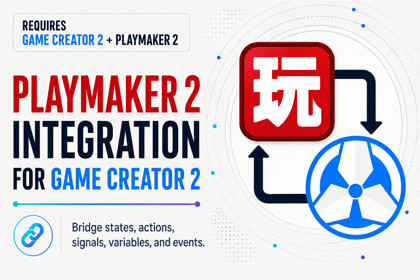
PlayMaker 2 Integration for Game Creator 2
Skyward Games
$10.99
$21.99
50%OFF
(no ratings)
Jump AssetStore
Connect PlayMaker 2 and Game Creator 2 with a beginner-friendly bridge for actions, events, signals, variables, and gameplay context, no custom integration code required.Connect PlayMaker 2 and Game Creator 2PlayMaker 2 Integration for Game Creator 2 connects both visual scripting systems in one simple and beginner-friendly workflow.Use PlayMaker 2 to organize state machines and control high-level game flow while continuing to build actions, characters, interactions, and gameplay systems with Game Creator 2.No custom integration code is required. Install the package, configure the bridge, and start connecting your existing visual logic.✨ Main FeaturesRun Game Creator 2 Instructions from PlayMaker FSMsStart and communicate with PlayMaker FSMs from Game Creator 2Exchange events and signals between both systemsRead and work with variables across your workflowsAutomatically resolve Self, Target, and Player referencesInspect connections and integration statusAccess project overview, diagnostics, and configuration toolsKeep each tool focused on what it does bestUse the integration with any game genreBeginner-friendly setup and visual workflow🧠 A Simple Combined WorkflowUse PlayMaker 2 for:State machinesFlow orchestrationVisual logicHigh-level gameplay decisionsUse Game Creator 2 for:Actions and triggersCharacters and navigationInteractionsGameplay systemsWorld logicThe integration acts as a bridge between them, allowing both systems to communicate without replacing their native workflows.🎯 Automatic Gameplay ContextGame Creator 2 Instructions often depend on contextual references such as:SelfTargetPlayerThe included context provider automatically supplies these references when Instructions are executed from inside a PlayMaker FSM. Manual overrides are also available when you need more control.This helps reduce repetitive setup and makes actions easier to reuse across different objects and scenes.🔁 Events, Signals, and VariablesCreate responsive gameplay by connecting communication between both frameworks.Examples include:Triggering a PlayMaker event after a Game Creator actionSending a Game Creator signal from an FSMStarting gameplay routines from a PlayMaker stateSharing relevant values between visual workflowsReacting to characters, objects, interactions, or world eventsCoordinating larger gameplay sequences across both systems🛠️ Built-In Integration ToolsThe package includes dedicated tools to help you configure and understand your project:Project integration overviewEnvironment and dependency informationIntegration settingsAutomatic project indexingCross-framework reference inspectionContext resolution settingsDiagnostics for potential integration issuesQuick access to common maintenance actionsThese tools are designed to keep the integration clear and manageable as your project grows.👥 Who Is This For?This package is useful for:Beginners working with visual scriptingExisting PlayMaker projects adopting Game Creator 2Game Creator 2 users who want state-machine workflowsDesigners and artists who prefer visual toolsDevelopers who want to reduce repetitive bridge codeTeams using both frameworks in the same Unity project💬 Discord Support Server🌐 Website📘 Online Documentation📋 RequirementsThis integration requires:PlayMaker 2Game Creator 2⚠️ PlayMaker 2 and Game Creator 2 are required, sold separately, and are not included with this package.📌 ImportantThis asset is an integration bridge. It does not replace PlayMaker 2 or Game Creator 2. You should have both products installed in your Unity project before using the included integration features.Key FeaturesBidirectional integration between PlayMaker 2 and Game Creator 2Execute Game Creator 2 Instructions from PlayMaker FSMsTrigger and communicate with PlayMaker FSMs from Game Creator 2Bridge PlayMaker events and Game Creator 2 signalsAccess and exchange variables between both workflowsAutomatic Self, Target, and Player context resolutionOptional manual context overridesProperty bindings and cross-framework referencesProject Overview with integration and dependency statusScene Explorer and project indexing toolsDiagnostics for potential integration issuesTelemetry traces for debugging connected workflowsConfigurable global events and signal relayQuick setup and beginner-friendly visual workflowSuitable for any game genreRequirementsPlayMaker 2Game Creator 2Both dependencies are sold separately and are not included with this package.AI Assistance DisclosureArtificial intelligence (AI) tools were used to assist with the implementation and documentation of this asset. All AI-assisted content was reviewed, refined, and validated by the developer to ensure quality, functionality, and consistency.

