






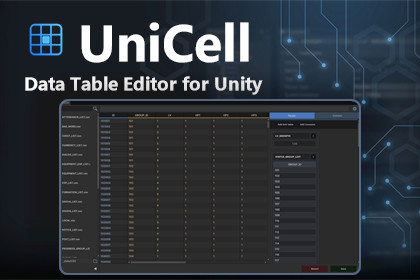
A spreadsheet-style data table editor for the Unity Editor. Edit CSV, TSV, and ScriptableObject tables with column rules, ID formulas, generators, reference lookups, and balance factor cards.UniCell is a spreadsheet-style data table editor that lives inside the Unity Editor. Open CSV, TSV, and ScriptableObject tables in one grid, edit them like a spreadsheet, and keep per-table rules, formulas, and balance settings right next to your data. No more round-trips to Excel or hand-editing text files.Core Features● One grid editor for CSV, TSV, and ScriptableObject (UniCellTableSO) tables● Spreadsheet-style editing: multi-cell selection, copy/paste, undo/redo, column filters, and paging● Column rules, ID formulas, and switch/case rule chains driven by a dependency engine● Generators and reference-table lookups for derived columns● Balance factor cards for tuning numeric columns at a glance● ScriptableObject tables compile into a runtime assembly (Addressables-friendly)● Per-table configuration stored as JSON next to each table, so it versions together with your data● Project-level data and config roots in Edit > Project Settings > UniCell● Guided first run: create the data folder or a sample table straight from the empty editor windowWorkflowCreate a table from Project window > Create > UniCell (CSV / TSV / SO / Sample Table), open it from Tools > UniCell, and choose your data and config folders in Edit > Project Settings > UniCell.※ Proven in real projects — UniCell is the tool we use every day for our own game data.● Supported tables: CSV, TSV, ScriptableObject (UniCellTableSO)● Editor window: Tools > UniCell● Editing: multi-cell selection, copy/paste, undo/redo, column filters, paging● Rules: column rules, ID formulas, switch/case rule chains with dependency tracking● Derived data: generators, reference-table lookups, balance factor cards● ScriptableObject tables compile into a runtime assembly (Addressables-friendly)● Per-table config saved as JSON beside each table; project settings stored in ProjectSettings/UniCellSettings.json● Create menu: Project window > Create > UniCell > CSV / TSV / SO / Sample Table● Settings: Edit > Project Settings > UniCell (data root, config root)● Requirements: Unity 2021.3 or later; Newtonsoft Json (com.unity.nuget.newtonsoft-json, declared as a package dependency)● Optional: Input System package is detected automatically and is not required● Editor-only tool; the generated ScriptableObject table classes are the only runtime component● Documentation included: QUICKSTART.md, KNOWN_ISSUES.md, THIRD_PARTY_NOTICES.md● Support: dev@tribgames.com

