






AnchorKit — Nameplates & world-anchored HUD for UI Toolkit
Coldforge
$13.74
$27.49
50%OFF
(no ratings)
Jump AssetStore
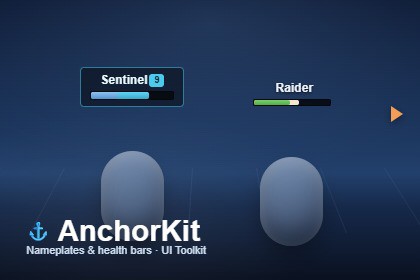
Nameplates, health bars and markers anchored in the world, for UI Toolkit. Billboarding, occlusion, distance LOD, off-screen indicators and pooling, plus a live nameplate builder.AnchorKit pins your UI Toolkit elements to points in the 3D scene and keeps them there — nameplates over heads, health bars on vehicles, markers on pickups, quest arrows on doors. It handles the hard part: billboarding, distance culling, occlusion behind geometry, level-of-detail, off-screen indicators and pooling. Drop in a prefab, point it at your object, and ship.Built entirely on UI Toolkit (UIDocument). Not uGUI. If your HUD is UI Toolkit, this is the world-anchoring layer it has been missing.WHAT IT DOES• Anchor any VisualElement to a transform, a bone or socket, or a fixed world point — top of bounds, centre, or a custom offset.• Screen mode (crisp, fixed pixel size) or World mode (scales and tilts with distance).• Occlusion — a plate hides when world geometry blocks its target, fading smoothly in and out.• Distance LOD — hand a plate from full detail, to a compact form, to a single icon as its target recedes.• Off-screen indicators — a target that leaves the view pins to the screen edge as an arrow that points at it, clear of notches and safe areas.• Update budget and throttling — cap how many plates update per frame and refresh distant ones less often, so a crowd of hundreds stays bounded.• Overlap separation — push stacked plates apart so every one stays readable.• World-driven pooling — elements are recycled as targets come and go; no per-frame allocations.THE NAMEPLATE BUILDERAssemble a plate from parts — status line, name, level, bar, value, armour, distance, icons, off-screen arrow, optional backing — in a ScriptableObject, with a live preview on light and dark backdrops right in the Inspector and a dockable preview window that stays put while you scroll. Seven ready looks are included (Default, Sci-fi, Fantasy, Minimal, Tactical, Slim, Squad). Or anchor your own UXML — AnchorKit anchors any element.DROP-IN AND CODE-LIGHT• Three ready prefabs: Enemy Nameplate, Boss Nameplate, Pickup Marker. Drop one in, set its Target, done.• One-click scene setup from the GameObject menu.• Feed a health bar in a single call — SetValue(current, max) fills the bar and writes the number.• Genre presets: Shooter, RPG, Strategy, Tower Defense.FLOATING COMBAT TEXTRising, fading damage, heal and pickup numbers with accumulation and a hard pool ceiling — a whole extra system, included.BEFORE YOU BUYAnchorKit ships no art. It anchors your element; the sample plates are plain UI Toolkit you can restyle or replace. Gamepad focus and screen flow are not its job — it is the layer between the UI and the world.REQUIREMENTS• Unity 6.3 (6000.3) or newer.• UI Toolkit runtime (UIDocument). Not uGUI.• Built-in, URP and HDRP — nothing in the code touches a render pipeline, and the demo builds its own camera and light, so it drops into any project.A full manual and scripting reference are included.• World- and screen-space anchoring on UI Toolkit (UIDocument)• Billboarding, distance culling and level-of-detail tiers• Occlusion against scene geometry with smooth fade• Off-screen edge indicators with safe-area support• Update budget, throttling and overlap separation for large crowds• World-driven pooling — no per-frame allocations• Nameplate builder with live Inspector preview and a dockable window• Seven ready looks + three drop-in prefabs• Floating combat text (damage / heal / pickup)• Genre presets: Shooter, RPG, Strategy, Tower Defense• Built-in, URP and HDRP — no render-pipeline dependency• Full manual and scripting referenceParts of the code were written with help from an AI assistant.Everything was designed, integrated, and tested by hand in the Unity Editor.

