






3D & 2D Pixel Art Shaders for URP - Realtime Pixelation, Outlines & Dithering
Neprosto Assets
$8.79
$17.59
50%OFF
(no ratings)
Jump AssetStore
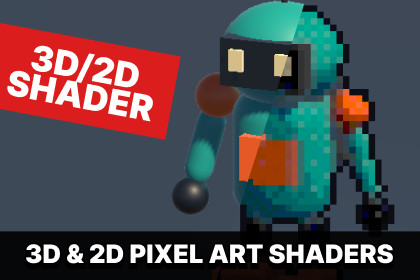
Turn 3D models, sprites, tilemaps and UI into pixel art in real time. Unity 6 URP shaders with per-object controls, outlines, dithering, custom palettes and interactive demos.Turn selected 3D models and 2D artwork into pixel art in real time. Build a consistent visual style with adjustable pixel size, outlines, reduced colors, ordered dithering and custom palettes.Assign pixel materials to the objects you want to stylize, then tune the result while the scene runs. Combine pixelated characters, props, sprites, tilemaps, particles and UI images in the same project.Shape your pixel art stylePixel materials for opaque and transparent 3D meshes, including SkinnedMeshRenderer.Sprite and tilemap rendering through the Universal Renderer or Unity’s native 2D Renderer.Native 2D lighting for sprites using the 2D Renderer.Adjustable outlines, internal geometry edges, lighting bands and light-reactive bevel highlights on the 3D path.Color reduction, ordered dithering and custom palette lookup textures.Independent pixel size, outline width, outline group and stable-grid settings for objects sharing a material.Shared grid anchors for multi-part characters and props.Dedicated shaders for billboard particles and uGUI images, including Mask and RectMask2D.Optional stepped Animator sampling for a lower-frame-rate animation style.Explore the effect immediatelyOpen Demo/Demo.unity and press Play. The 3D comparison appears immediately. Use the MODE buttons to switch between 3D, 2D, 2D URP and Feature Lab. Adjust pixel size and dithering, toggle outlines, pause motion and compare orthographic and perspective cameras.The examples include a robot, a portrait, tilemaps, native 2D lights, a deforming skinned mesh, transparent surfaces, particles and a masked UI image.Source and setup tools includedThe package includes ShaderLab, HLSL and C# source, six prefabs, sixteen materials, a palette editor, renderer settings and an illustrated guide. Editor setup installs the mesh renderer feature on the active Universal Renderer when a pixel mesh material is used in the open scene.Requires URP with Render Graph enabled. See Technical Details for the tested configuration, hardware requirements and validation limits.Tested configuration: Unity 6000.4.7f1, URP 17.4.0, Render Graph enabled.Tested rendering: Windows Direct3D 12 Editor; Direct3D 11 standalone camera-render checks.Renderers: Universal Renderer and native 2D Renderer.Shaders: five user shaders covering opaque meshes, transparent meshes, sprites, particles and uGUI images, plus one internal composite shader.Pixel size: 1–24 screen pixels.Outline width: 0–3 pixel cells.Color levels: 2–64.Lighting bands: 1–8 where supported.Dithering: adjustable 4 × 4 Bayer pattern.Palette lookup: 32³ colors stored in a 1024 × 32 point-filtered texture.Per-object overrides: pixel size, outline width, outline group and stable-grid alignment.Included content: four demo scenes, six prefabs, sixteen materials, two source PNG textures, palette tools and demo renderer settings.Source: ShaderLab, HLSL and C# included.Dependencies: Unity URP, uGUI and native Unity modules. No third-party runtime plugin.Requirements and limitationsThe 3D path requires Shader Model 3.5, four simultaneous render targets and floating-point render-target support. Built-in RP, HDRP, XR and URP Compatibility Mode are unsupported. Other Unity versions, graphics APIs and platforms have not been validated.Transparent intersections retain normal alpha-sorting limitations. Sprite outlines require sufficient geometry and texture padding. Tight or rotated atlases and animated 2D SpriteSkin deformation are unvalidated. Image-file and sprite-sheet export tools are not included.Successful standalone shutdown remains unvalidated on the QA computer: the same native UnityPlayer.dll exit failure occurs in both the demo and an ordinary URP control build without the effect. Standalone camera-render checks completed without captured errors.

