






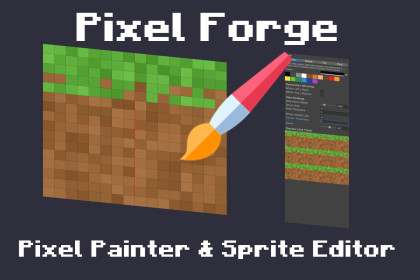
Pixel Forge - Pixel Painter & Sprite Editor
TopsonGames
$8.25
$16.50
50%OFF
(no ratings)
Jump AssetStore
Create, edit, and tile 2D pixel art directly inside the Unity Editor. A lightweight, standalone sprite painter with grid support, mirroring, color palettes, and live 3x3 seamless tile previews.Stop breaking your workflow by switching between Unity and external image editors just to tweak a 2D sprite, fix a stray pixel, or draw a quick pixel art placeholder.Pixel Forge is a dedicated, lightweight 2D pixel art editor built entirely within the Unity Editor. It provides the essential drawing tools you need to create pixel art sprites, tilemaps, and custom pixel images on the fly, without cluttering your workspace or slowing down your machine.Whether you are prototyping a top-down RPG, fixing a 2D platformer tileset or designing symmetric pixel art UI icons, Pixel Forge keeps you focused on game development.Open any existing PNG pixel image in your project, make your edits, and hit save - your 2D assets and textures update instantly in your scene.Key Features:Create 2D Pixel Art & Pixel ImagesCreate new pixel art textures from scratch with custom resolutions or drag and drop existing project PNGs directly into the pixel painter tool. Every change you save is immediately compiled and reflected in your Unity project.Built for Tilemaps & 2D EnvironmentsDesigning floor tiles, walls, or backgrounds? The live 3x3 repeating preview window updates in real-time as you draw. This allows you to check your borders instantly and create perfectly repeating pixel art textures and tilemaps without any guesswork.Symmetry Made Easy for SpritesToggle the center crosshair and enable horizontal mirror drawing to cut your work time in half. This setup is highly effective for designing front-facing pixel characters, symmetric 2D items like swords and shields, or top-down spaceships.Essential Pixel Painter ToolsThe editor features the classic Pen, Eraser, Fill Bucket, and Color Picker. The built-in palette automatically tracks your 8 most recently used colors, allowing you to switch back and forth effortlessly to create your perfect pixel image.Customizable 2D WorkspaceAdjust the pixel grid thickness to your liking, toggle the center line visibility, and use the mouse wheel to zoom anywhere from 1x to 64x magnification. The pixel canvas adapts to exactly what you need.Features:Standalone Editor Window (Dockable anywhere)Live 3x3 wrap-around tile preview 4 Core Tools: Pen, Eraser, Fill (Bucket), and Color PickerEdit existing PixelartHorizontal mirror drawing for symmetryAdjustable, pixel-perfect grid overlayAdjustable center crosshair overlayBuilt-in color palette with standard colors and a "Recent Colors" historyMouse wheel zoom (1x to 64x)Full Undo/Redo history (Ctrl+Z / Ctrl+Y)Quick Save shortcut (Ctrl+S)Supported Formats:Reads and writes standard .PNG files.Automatically creates missing directories when saving new files.Compatibility:Works with Unity 6 and newer.No external DLLs, 100% C# Editor code.No additional packages or dependencies required.Safe to use in any render pipeline (URP, HDRP, Built-in) as it is an Editor-only tool.

