




CullMaster - Rendering Optimization Tool
AnkleBreaker
$33.00
$66.00
50%OFF
(no ratings)
Jump AssetStore
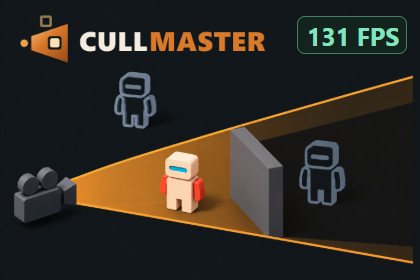
Turn visibility into less work: control rendering, animation, audio, particles and gameplay ticks with dynamic culling, guided setup and tools to measure the result.💬 Join the AnkleBreaker Community! 💬Got a question, feedback, or a feature you'd love to see? Join our Discord - we actively improve our assets based on your input, and it's where we drop our latest announcements and run giveaways.👥 Discord: 👉 https://discord.gg/2D36VUmsYN🌐 Website: 👉 https://anklebreaker-consulting.com👁 Put visibility to work across your game 👁A robot behind a closed door may no longer need to animate. Distant ambience can give up audio priority. Hidden AI can update less often while important gameplay keeps running.CullMaster connects visibility to the work your scene does. Control rendering, animation, audio, particles, physics and your own systems with shared visibility decisions, tailored to each object's role. Use it in busy scenes, interiors with moving doors, procedural worlds and projects that need visibility data for gameplay or server interest.⚙ Choose what hides, and what happens next ⚙Layer the decisions. Combine distance, camera frustum, screen size, dynamic CPU occlusion and portals. Moving occluders need no occlusion bake; cells and door links let you describe connected spaces. Tune thresholds and stability for your scene.Give objects appropriate reactions. Ready-made roles cover scenery, characters, ambience, effects and critical objects. Control renderers and LOD reactions, pause animation or particles, adjust audio priority or optional muting, and let resting physics bodies sleep. Reactions can distinguish why an object is hidden.Keep hidden gameplay ticking. Register your own AI or simulation callbacks with the tick scheduler to run them at a reduced, staggered rate. Choose what may slow down and what must remain active.Account for more than the main camera. Work with multiple observers, separate rendering, audio and simulation relevance, and preserve configured off-screen shadow casters. Pooling and additive-scene lifecycle support help restore affected states as objects leave and return.🔍 Understand the result and measure the value 🔍Use guided scene setup, live tuning, scene checks, hidden-reason diagnostics and an occlusion-buffer view to understand what CullMaster is doing. Compare whole-frame performance with CullMaster OFF and ON using the net gain monitor, alongside internal cost diagnostics.CullMaster works alongside Unity's native culling. The benefit depends on the work your scene can avoid and the cost of making those decisions. The comparison tools retain neutral and slower results, so you can decide which features earn their place in your project.🔌 Extend it to your world 🔌The C# API exposes per-observer visibility, transitions and custom reactions. Bulk registration and origin shifting support your procedural or streamed worlds; an optional Entities bridge supports ECS integration.On a headless server, use per-connection relevance changes as input to your own interest policy. Optional Managers Loader and Networked Managers Loader / FishNet bridges connect startup, reset, shutdown and network roles. Your project supplies the replication adapter and gameplay rules. The bridges do not automatically filter network traffic.📦 Learn with the included scenes 📦First Setup guides you through configuring a scene with the real tools. Feature Hall lets you try individual features. Robot Workshop demonstrates reactions and OFF/ON comparisons. The Interest example illustrates per-connection decisions with a local loopback.Includes editable C# source, role assets, code examples and searchable in-editor documentation. See Technical details for requirements and integration limits.Import from My Assets, then open Tools > AnkleBreaker > CullMaster > Open CullMaster. Start with Scene setup or open First Setup from the Samples menu.🛠️ And also quality & productivity tools for Save Systems, Character Customization, Ballistic Systems, Popups & Notifications, Minimaps, Maps & Compasses, and more.Unity: Unity 6.0+, URP/HDRP; Built-in unsupported. Reference environment: Windows, 6000.0.68f1, SRP 17.0.4.
Required: Unity Burst, Collections and Mathematics (engine module on Unity 6.5+). Reference versions: 1.8.28, 2.6.2/2.6.5 and 1.3.2 respectively. Input System package when the project uses the Input System only, the Unity 6 default. Unity registry dependencies; no Git needed.
Optional: Entities bridge for bounds/visibility data; Managers Loader and Networked Managers Loader / FishNet lifecycle bridges. Bridge source included; external packages installed separately. No loader or network package required for standalone use.
Included: Editable C# source, editor tools, roles, API samples, tests, README, in-editor manual; First Setup, Feature Hall, Robot Workshop and Interest scenes; simplified Welcome/CLICKME.
Start: Import from My Assets. Open Tools > AnkleBreaker > CullMaster > Open CullMaster, then Setup / Scene setup. First Setup is in Samples. Configure Driver, observers, items and reactions.
Tuning: Per-observer profiles, distance/screen-size thresholds, stage switches, hysteresis, hide budgets, roles and tick intervals.
Occlusion/portals: Author box proxies inside solid geometry; split concave shapes. Portals need cells and links. Bounds, capture timing and budgets affect results and response time. Low device tiers can disable occlusion.
Reactions: Pausing can change gameplay. Audio priority helps under voice contention; muting is optional. Physics sleeping targets resting bodies. Custom ticks require registered callbacks.
Integration: Pooling/streaming lifecycle support, not a pool, asset streamer or LOD generator. Headless interest requires your replication adapter and authority rules; no automatic network filtering or anti-cheat guarantee.
Coverage: Windows Mono/IL2CPP and Unity 6.5/6.6 have historical coverage, not exhaustive validation of this release. Current demos have no Android device validation. macOS, Linux, iOS, consoles, XR and WebGL remain unverified, not declared incompatible.
HDRP: Example materials adapt to HDRP. Keep Examples/HDRP/link.xml for HDRP 17 with IL2CPP Medium/High stripping. HDRP is not an Android/iOS target.
Performance: Profile OFF/ON on your hardware; observers and occlusion add CPU work. Gains vary by scene. Interest-demo byte counts are simulated, not measured traffic.Generative AI was used for marketing material only: some backgrounds and supplemental visuals in the store images were generated with AI. Every image shows the package's real features and real in-editor results.During development we used AnkleBreaker MCP For Unity, which lets an AI assistant drive the Unity Editor, to automate editor tasks, testing and screenshot captures. All code and content was reviewed and validated by our team.

