






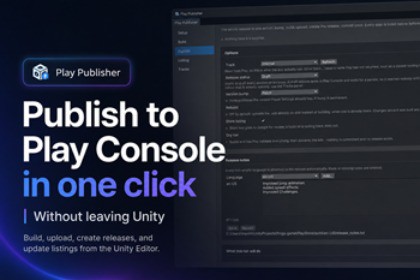
Build, upload, and manage Google Play releases directly from the Unity Editor—without an external publishing toolchain.THIRD-PARTY SERVICE REQUIREMENTPlay Publisher connects to the Google Play Android Developer API using your own Google credentials. Your app must already exist in Google Play Console and have at least one Android App Bundle uploaded manually. A Google Play Console account is required; Google's terms and any Google account or service fees apply separately. Play Publisher adds no subscription or runtime service fee.Ship Android releases without leaving the Unity Editor.Play Publisher brings the Google Play release workflow into one Editor window. Build a signed AAB, upload it through the Play Developer API, create draft or staged releases, promote existing builds between tracks, and maintain localized store listings, screenshots, and release notes.Before anything changes on Google Play, the tool validates the operation and shows a readable plan. Dry runs validate the release shape and discard the Play edit without creating a release.KEY FEATURES- Build a signed Android App Bundle from the active or a named Unity Build Profile.- Run the whole release in one reviewed flow: optional version bump, build, upload, release creation, listing update, and commit.- Create draft, completed, or staged releases and manage rollout state.- Read tracks from Google Play, promote an existing build between tracks, and start, pause, or finish staged rollouts without rebuilding.- Edit localized store titles, descriptions, screenshots, and release notes as plain files that can be reviewed in version control.- Authenticate with Google Application Default Credentials, a service-account key, a workload identity configuration, or optional service-account impersonation.- Use pure C# against the Google Play Developer API: no Ruby, Python, fastlane, bundled DLLs, or UPM package dependencies.- Keep all package code Editor-only, so nothing is included in player builds.CREDENTIAL SAFETYCredentials remain outside the Unity project. Access tokens are held in memory, and keystore passwords live only for the current Editor session. Play Publisher refuses credential files stored inside the project so they cannot be committed or shipped accidentally.REQUIREMENTS AND LIMITATIONS- Unity 6000.0 or newer.- Android Build Support installed for the selected Editor version.- An app already created in Google Play Console, with at least one bundle uploaded manually. The Play Developer API cannot create the first release for a new app.- Google Play Android Developer API enabled in a Google Cloud project.- The publishing identity must have the required app permissions in Google Play Console.- The recommended Application Default Credentials setup uses Google Cloud CLI once during setup; credential-file authentication does not require the CLI.- Google Play's review status is not exposed through the Play Developer API. Use Play Console to check review status.- This package targets Google Play Android release workflows only.Setup and usage documentation are included in Assets/LittleAliceGames/PlayPublisher/Documentation/README.md and Setup.md.- Editor menu: Window > Play Publisher- Supported Unity versions: 6000.0 or newer- Developed and validated with: 6000.4.8f1- Build output: signed Android App Bundle (.aab)- Release operations: upload, draft/completed/staged release creation, promotion between tracks, and staged rollout start/pause/finish- Store operations: localized listing text, screenshots, and release notes- Authentication: Google ADC/authorized user, service-account JSON, external-account/workload identity JSON, and service-account impersonation- Assemblies: two Editor-only assemblies; the core assembly has no Unity engine references- Runtime/player code: none- UPM dependencies: none- Bundled DLLs: none- Third-party components: none; the package communicates with the Google Play Android Developer API under Google's terms- Render-pipeline dependencies: none- Offline documentation: README, setup guide, changelog, and third-party notices included- Support: https://littlealicegames.github.io/#supportCodex and Claude were used to draft and refine portions of the C# implementation, automated tests, and documentation. The developer reviewed, edited, integrated, and tested the resulting work in Unity and .NET, including manual Editor validation and automated regression testing. No generative-AI model or API is included or called at runtime, and the package does not send customer or project data to an AI service.

