






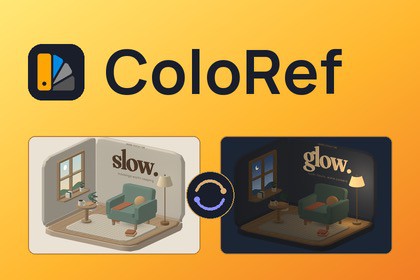
Link Inspector fields to a shared palette of colors and values. Change an entry once and every linked field updates, in the editor and in builds, with variations for themes like Day and Night.ColoRef keeps the colors and values your project shares in one (or multiple) palette and links Inspector fields to them. Change Brand Orange once, and every light, material, UI image, particle system and text linked to it updates, in Edit Mode and in your build.You don't add scripts to your objects or rewrite your components. Hover a field in the Inspector, click the palette button that appears, and pick an entry. It works on Unity's own components and on your scripts alike. By default it works only with Inspector fields, but with an option switch, it can work with any field in any window in the project.Every palette can be treated as a configuration file and used for multiple objects. For example, a palette can be used to store vehicle stats, and each variation carries a different set of stats, which are then easily applied to any vehicle individually or in groups, with creation and application done in a matter of minutes, and future iterations cost nothing, since the values in the vehicles are already linked.How it works1. Create a palette in the Palette Manager (Window > ColoRef > Palette Manager).2. Hover a field, click its palette button and link it to an entry.3. Change a value or switch the variation, and every linked field follows.Fourteen kinds of entriesColors (HDR included), floats, ints, doubles, bools, strings, gradients, animation curves, textures, materials, sprites, fonts, text alignments and font styles.Variations for themesDay and Night, Light and Dark, Team Red and Team Blue: a palette holds a full set of values for each variation. Switch in the Palette Manager without entering Play Mode, with one line of code, or with the Palette Variation Switcher component, which fades between variations and can limit a switch to one scene, one hierarchy or one object.Link, pin or assignLink a field so it follows the palette, pin it to one variation so it ignores theme changes, or assign the value once. Hover an entry to preview it on the field before you choose. Works on several selected objects at once, with Undo.Materials and texture regionsLink shader properties on a material asset, or on one renderer only, without touching the material. Split a texture into regions by color, such as skin, hair and trim, and give each region a palette color. The texture is recolored on the GPU, and the texture file is never changed.uGUI, TextMeshPro and UI ToolkitLink colors, fonts, text, alignments and font styles on uGUI and TextMeshPro components. In UI Builder, link style properties and attributes through palette bindings stored in your UXML.Formats and expressionsShow an entry as text, such as Speed: {value:0.0} km/h, or do math on a number before it's written, such as value * 2. Expressions can read time for simple animated values in Play Mode.Find every linkEach entry shows how many fields use it. The Links window lists them across your open scenes, materials and UXML documents, and the Scene and Game view highlights mark linked objects and point out the ones still unlinked.Palette toolsA harmony generator with six color schemes, gradient and curve presets, search by color description ("warm", "dark"), and import from images, Adobe swatches (.ase, .aco, .act), GIMP palettes, Figma or Sketch JSON, CSS or SCSS variables, CSV and hex lists.Scripting APIRead values, switch themes, react to changes and create links from code, all in the Postica.ColoRef namespace.What's included• Two sample scenes: Chromatic Studio, an interactive design gallery with four art directions, and The Slow Room, a reading nook with a Day/Night switch.• Documentation online at postica.gitbook.io/coloref, with an offline copy in the package.• Full C# source code.Good to know• The Links window counts the scenes you have open, not unopened scenes or prefabs.• Links stored in a material follow the palette in players through preloaded assets. Materials loaded from Addressables or AssetBundles keep their saved values instead.SupportDocumentation: https://postica.gitbook.io/colorefEmail: ggpostica.publisher@gmail.com• Unity 6.0 or newer. Tested on 6000.0, 6000.3, 6000.5 and 6000.6.• Render pipelines: Built-in, URP and HDRP. Samples: Built-in and URP.• Platforms: every build target, Mono and IL2CPP. Editor: Windows and macOS (Intel and Apple Silicon). Not tested on Linux Unity Editor.• Dependency: uGUI (com.unity.ugui, includes TextMeshPro), installed with the package.• Runtime cost: linked fields update only when the palette, the variation or a value changes. There is no per-frame work, except during a variation fade and for expressions that read time.• Texture regions are recolored on the GPU, into one RenderTexture per recolored texture.• Supports Enter Play Mode Options with domain reload disabled.• Undo and multi-object editing in the Inspector.• Full C# source in the Postica.ColoRef namespace.• Documentation: online, with an offline Markdown copy in the package.

