




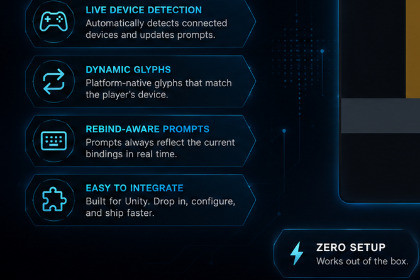
A modular Unity Input System framework for dynamic rebinding, device-aware control icons, and reusable tutorial popups. Suitable for 2D and 3D projects with minimal setup.Ballai Input and Tutorial Framework provides reusable tools for displaying input icons, detecting the active device family, rebinding controls, and presenting interactive tutorials.The system uses ScriptableObject-based configuration and supports Keyboard, Mouse, Xbox, and PlayStation layouts. It automatically builds binding displays from the customer’s Unity Input Action Asset.The core runtime is separated from the optional uGUI integration, allowing developers to customize the presentation or connect their own UI. Tutorial definitions can include input actions, multiple steps, completion rules, automatic dismissal, and informational popups without required input.It is suitable for platformers, action games, RPGs, adventure games, accessibility menus, control screens, and onboarding sequences.Unity Input System integrationDynamic input rebindingAutomatic Input Action and binding discoveryScriptableObject-based icon libraryKeyboard, Mouse, Xbox, and PlayStation icon categoriesDevice family detectionCustomizable icon mappingsReusable uGUI rebinding menuTutorial popup system with multiple stepsInput-aware tutorial instructionsInformational popups without input requirementsConfigurable dismissal modesOptional tutorial progress persistenceEvent-based integration APIClean separation between runtime, uGUI, samples, and editor toolsIncluded demo scene and documentationAI was used as a development assistant for code scaffolding, refactoring suggestions, documentation drafts, debugging analysis, and test planning.I defined the package scope, architecture, public APIs, integration boundaries, asset ownership, and final implementation decisions. I reviewed, adapted, and tested the generated suggestions inside Unity.The icon artwork was supplied by me and was not AI-generated.

