




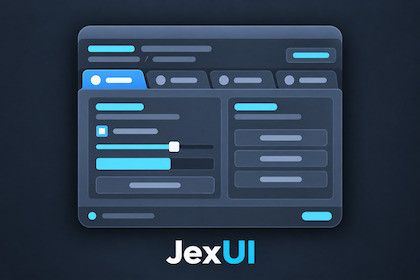
Build screen-space and world-space game interfaces with JexUI, a customizable immediate-mode UI framework for Unity.JexUI is an immediate-mode game UI framework for Unity, designed to help developers create interactive runtime interfaces directly from C# code.Build menus, HUDs, inventory systems, settings panels, and other game interfaces without relying on Unity Canvas components. JexUI supports both screen-space and world-space UI, along with customizable skins and styles.Key FeaturesImmediate-Mode API – Define and control your UI directly from C#.Screen-Space & World-Space UI – Create traditional screen interfaces or interactive UI elements in your 3D world.Common Controls – Buttons, toggles, radio buttons, sliders, progress bars, text fields, and multiline text areas.Advanced Views – List views, grid views, tree views, tabs, foldouts, and scroll views.Popups & Overlays – Context menus, tooltips, notifications, popup panels, and modal dialogs.Interactive Panels – Movable and resizable panels, drag-and-drop, and other interactive behaviors.Layout & Drawing – Layout controls, custom drawing, clipping, text alignment, and measurement.Customizable Appearance – Skins, styles, sprites, and 9-sliced backgrounds.Mouse & Keyboard Input – Support for desktop game interfaces.Included TutorialsJexUI includes 19 tutorial scenes covering the framework's controls, layout features, styling, interaction, and screen-space and world-space functionality.The tutorials contain practical examples and explanatory comments to help you learn the API and integrate it into your projects.Try Before You BuyExplore JexUI through the standalone Windows Control Center demo, featuring an interactive showcase of its controls and capabilities.Download the Windows Demo:https://github.com/RetroGameCraft/JexUI-Demo/releases/tag/JexUI-DemoWatch the Demo Trailer:https://www.youtube.com/watch?v=Wb8sdzL7WRERequirementsUnity 6Universal Render Pipeline (URP)TextMesh Pro packageJexUI is designed for runtime game interfaces and is not a replacement for the Unity Editor's UI framework.AI-assisted tools, including OpenAI ChatGPT, were used during the development process to assist with C# code implementation, debugging, refinement, tutorial examples, and documentation.AI image generation was also used to create the promotional key images for the Unity Asset Store listing.The generated code suggestions were integrated, refined, and tested in Unity as part of the development process. The promotional artwork was iteratively refined to represent the framework's UI functionality and visual style.JexUI is a functional, customizable Unity UI framework, not a collection of AI-generated visual assets.

