




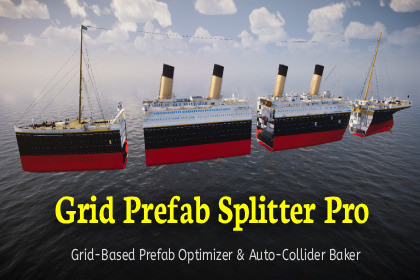
You can instantly boost your game's performance by splitting large, unoptimized prefabs into smaller ones along the (x,y,z) axes, including automatically generated collision bodies and preserved LODs.This tool has also been tested on Unity 2022.3 URP+Build-inGrid-Based Prefab Optimizer & Auto-Collider BakerYou can instantly boost your game's performance by splitting large, unoptimized prefabs into smaller ones along the (x,y,z) axes, including automatically generated collision bodies and preserved LODs.If your game experiences FPS drops due to large environmental elements, modular buildings, or massive vehicles (such as ships, space stations, or aircraft), Grid Prefab Splitter Pro is the best solution.An object can be split along the x, y, and z axes into smaller objects. Tested on massive objects with over 11,000,000 triangles and 225 submeshesUnity cannot efficiently clip individual giant prefabs. Even though the player sees only a fraction of them, the engine renders the entire object. This editing tool automatically breaks down your complex prefabs into smaller, performance-efficient grid blocks, allowing Unity’s built-in features—such as Occlusion Culling and Frustum Culling—to function flawlessly, or enabling you to make better use of other optimization assets.Unity Version: Compatible with Unity 2022.3 LTS, 2023, and Unity 6+.Render Pipelines: Works independently of the render pipeline (Built-in, URP, or HDRP).Platforms: Supports all target platforms (PC, Console, Mobile, and VR/XR).Save dozens of hours of frustrating manual splitting. Grid Prefab Splitter Pro pays for itself within the first 30 minutes of use.

