






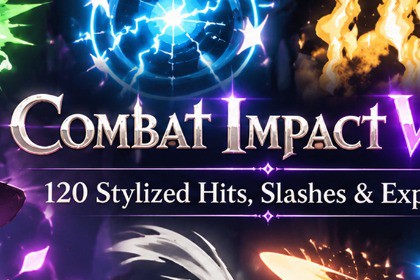
Combat Impact VFX — 120 Stylized Hits, Slashes & Explosions
Livi3d
$37.40
(no ratings)
Jump AssetStore
120 stylized combat VFX: slashes, hits, explosions, ground impacts, weapon trails, auras, deaths, anime toon effects and attack telegraphs. Built-in, URP and HDRP, mobile readySame prefabs in Built-in, URP and HDRP, no conversion needed. Tested: Unity 2022.3 (Built-in, URP, HDRP), Unity 6.0 (URP, HDRP), Unity 6.5 (URP); Windows, Android, iOS, WebGL. URP: Setup window enables Depth/Opaque Texture in one click. Demo works with old and new Input System. Low quality preset for mobile. Custom RP not supported.Combat Impact VFX is a complete set of 120 hand-tuned, stylized combat effects for RPG, ARPG, hack & slash, MOBA and action games. Dense, punchy and readable at any camera distance, with volumetric-looking smoke and fire.Works out of the box in Built-in, URP and HDRP, from Unity 2022.3 LTS to Unity 6. One click Setup window, no shader graph dependencies.WHAT'S INSIDE — 120 PREFABS• 10 Slashes — Light, Heavy, Horizontal, Vertical, Cross, Double, Circular, Spiral, Energy, Ultimate• 12 Hits — Physical, Fire, Ice, Lightning, Dark, Holy, Poison, Critical, Heavy, Boss, Wind, Water• 10 Explosions — Small, Medium, Large, Fire, Magic, Energy, Dark, Holy, Shockwave, Ultimate• 10 Ground Impacts — Dust, Rock, Fire, Ice, Lightning, Magic, Dark, Holy, Crack, Heavy Slam• 10 Weapon FX — Sword, Axe and Spear trails, Hammer, Dagger, Katana, Dual Blade, Magic Sword, Energy Blade, Ultimate Weapon• 8 Weapon Auras (looping) — Fire, Frost, Lightning, Shadow, Holy, Poison, Arcane, Plasma• 12 Combat States — Block, Perfect Parry, Charge Up, Dash + looping Burning, Frozen, Shocked, Poisoned, Stunned, Cursed, Shielded, Empowered• 8 Enemy Deaths — Burn to Ash, Shatter, Disintegrate, Soul Release, Soul Drain, Melt, Essence Burst, Crumble• 6 Heal & Buff — Heal, Mana Restore, Level Up, Power Up, Debuff, Revive• 22 Anime / Toon effects — cel-shaded bursts, slash arcs, impact stars, dust, dodge, shield, heal and more• 6 Charge-ups — gather power and release: Fire, Lightning, Ice, Holy, Shadow, Toon• 6 Gameplay — Attack telegraphs (Circle, Line, Cone), Teleport Out, Teleport In, SummonGAME FEEL BUILT IN• Hit flash — the target flashes on impact, works with any character shader, no code needed• Hit stop (freeze frame), camera shake with distance falloff, anime impact frames and speed lines• Light flashes that follow the element (fire flicker, lightning strobe)• Every effect can be switched off globally (photosensitivity-friendly)EASY TO USE• Effect Browser window: all effects as thumbnails, click to preview in the Scene view without Play mode, drag into the scene• Recolour any effect with one slider (Hue / Saturation / Brightness)• Object pool, Animation Event spawner, ground alignment on slopes, mirror for combo swings• Quality levels High / Medium / Low (Low = ~25% particles for mobile)• Example scene with code recipes: hit, pool + hit stop, charge → release, telegraph → strike, status loop, deathDEMO• Effect browser scene + 12 showcase scenes (one per category) + usage example sceneFull documentation (PDF) with thumbnails and a performance table is included.``````• 120 prefabs (Shuriken particle systems)• 12 shaders (pipeline-agnostic, Built-in / URP / HDRP), 220 materials• 42 textures (64–1024 px, mostly 512), 23 meshes• 25 C# scripts (runtime + editor), full source, namespaced, assembly definitions• 14 demo scenes• Typical hit: ~70 particles; heaviest effect: ~820 particles (High); Low quality ≈ 25% of High• Soft particles, distortion (optional, off on Low), point light flashes (optional)• Supported: Unity 2022.3 LTS, Unity 6.0, Unity 6.x• Render pipelines: Built-in, URP, HDRP• Platforms tested: Windows, Android, iOS, WebGL• Gamma and Linear color space• Works with both the old Input Manager and the new Input System (demo scenes)• No third-party dependencies• Documentation: PDF + READMEAI was used as a development assistant throughout the project. All output was directed, reviewed, tested and approved by the author.Code and shaders: C# scripts, editor tools and HLSL shaders were written with an AI coding assistant (Anthropic Claude) under the author's direction, then iterated and verified in Unity.Effect tuning and demos: the AI assistant helped tune presets and set up the demo scenes, and recorded test videos and screenshots for review.Documentation: the README and PDF manual were drafted with AI assistance and edited by the author.Textures: the demo cave background and the source images for the bat, feather and rose petal textures were generated with AI image tools and then processed into game-ready textures

