






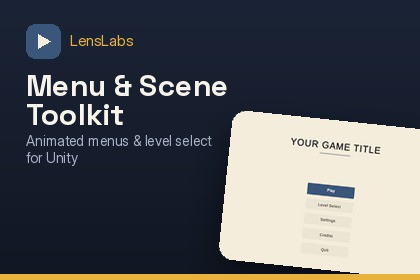
Animated main menu, carousel level select, and a free scene organizer tool - no third-party dependencies.This UGUI (Canvas-based) toolkit does not include any shaders, materials, or rendering-pipeline-specific code, so it is fully compatible with Built-in, URP, HDRP, and Custom Render Pipelines. No pipeline-specific setup or conversion is required.Requires TextMeshPro (Unity's built-in package — you'll be prompted to import it automatically if it isn't already in your project).Ship a polished menu and level-select flow in minutes - not days.LensLabs Menu & Scene Toolkit gives you two production-ready systems plus a free bonus editor tool, all built with zero third-party dependencies.🎮 Animated Main MenuA themeable, fully-animated main menu (Play / Settings / Credits / Quit) complete with scene transitions, a real loading screen, and a lightweight built-in tweening system. Restyle colors, fonts, and animation timing through a single theme config asset — no code changes required.🗂️ Carousel Level SelectionA polished, carousel-based level browser with support for level groups/chapters, lock-and-unlock progression, star ratings, and best-score tracking. Progress saves automatically, and a built-in "Reset Progress" flow protects players from accidental data loss. Every bit of content - levels, groups, unlock rules - is data-driven, so you can add new levels without touching a line of code.🎁 Bonus, Included Free: Scene Color OrganizerAn editor window that builds a standard, colour-coded hierarchy structure for your scenes. Drag categories, move your current selection into them, and save or load your own organization presets across projects.Why developers choose this toolkit:Get a complete menu + level-select flow running in one click with the built-in Setup Wizard and Demo Scene BuilderNo external asset dependencies — everything ships self-containedFully data-driven level/group system — non-programmers on your team can add contentClean, documented, extensible codebase built for Unity 6Full setup and customization documentation is included, covering every configuration point in the toolkit.Unity Version: 6000.4 or later (tested on 6000.4.10f1)Dependencies: TextMeshPro (Unity's built-in package - prompted for auto-import if missing). No other third-party dependencies.Rendering Pipeline: Not pipeline-specific (UI/menu system only - no shaders included)Scripting: C#, fully source-includedTested Platforms:Windows Editor - extensively testediOS Simulator - confirmed workingAndroid Emulator - confirmed workingNot yet tested: physical iOS/Android hardware, WebGL, other desktop platforms, other Unity versionsIncludes:Runtime scripts (menu, audio, scene transitions, input handling)Editor tools (Setup Wizard, Demo Scene Builder, Scene Color Organizer)Generated demo scene + sample contentFull written documentationData-Driven: Level, group, and progression data configured via ScriptableObjects — no code edits needed to add contentVersion: v1.1.0 (foundation release - Pause Menu, HUD, Inventory UI, and Dialogue UI templates planned for future updates)AI assistance was used throughout development as a coding and design collaborator.

