






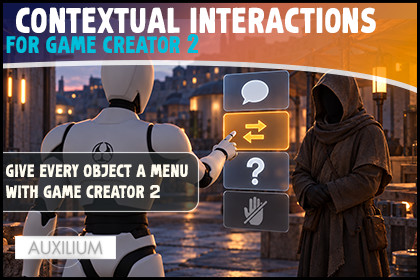
Contextual Interactions for Game Creator 2
Auxilium
$13.85
$19.79
30%OFF
(no ratings)
Jump AssetStore
Give any object a menu of actions in Game Creator 2! List, grid or radial wheel, each choice its own GC2 action. Great for doors, NPCs and chests. Core only, no code.WHAT IS IT 🎯Contextual Interactions for Game Creator 2 gives a single object a whole menu of actions. Walk up to a door and choose Open, Knock or Inspect. Talk to an NPC and pick Trade, Quest or Goodbye. Instead of one interaction per object, the player gets a clean set of choices, shown as a list, a grid, or a radial wheel. It is native to Game Creator 2 and needs only the Core module.The best part: every choice is a normal Game Creator action list, so it can do anything GC2 can do, and every choice has its own conditions, so an option only appears when it makes sense. No code, no custom UI work.ONE OBJECT, MANY ACTIONS 🚪Drop a Contextual Interaction on any object and add as many options as you like. Each option has a label, an optional icon, its own Game Creator Conditions, and its own Game Creator Instructions. When the player picks it, those instructions run, with Self pointing at the object and Target pointing at the player, so one choice can change the door and another can change the character.THREE STYLES 🎡Pick the look that fits your game, and any object can override it for itself:- List: a clean vertical menu, perfect for a few text choices.- Radial: a Rust inspired wheel with a central title, wedge highlighting and mouse sector selection. Lovely with icons.- Grid: a compact two column layout for icon heavy menus.Mouse, keyboard and gamepad all work out of the box.MAKE IT YOURS 🎨The menu draws its entire look from the inspector: show or hide the backdrop, panel, title, hint and wheel ring, set every colour for normal, selected and disabled, and tune panel width, row height, wheel size and font sizes. Prefer your own design? Three editable example prefabs are included. Tick Use Style Prefabs, drop them in, and restyle them freely while the menu fills in the options for you.SMART AVAILABILITY ✅Each option's conditions are checked when the menu opens and again when it is chosen, so a choice can never run after it stops being valid. Options that fail appear greyed out, or hide them entirely with one toggle. A locked door can keep Open hidden until the player has the key, while Knock and Inspect stay available.CONTROL IT WITH VISUAL SCRIPTING 🧠Open and close the menu, check whether it is open or whether a specific option is available, and react the moment the player chooses an option. The menu also freezes the player and the camera while it is open, then restores them on close, so choosing never fights with movement.GREAT FOR 🕹️Adventure and RPG games, immersive sims, survival and horror, point and click, or any Game Creator 2 project where an object deserves more than one thing to do.SUPPORT 💬Fast and friendly support, and we genuinely like good ideas. Come say hi on the Auxilium Discord. If this saves you time, a quick review helps more than you would think.TECHNICAL DETAILSNative Game Creator 2 module. Requires only the Core module. No Inventory, Dialogue or other paid module needed. Works in any render pipeline (URP, HDRP or Built in). Uses the new Input System that Game Creator 2 runs on, for mouse, keyboard and gamepad. No external dependencies. No asmdef required.COMPONENTS 🎯 Contextual Interaction: goes on an object. Holds a Title and a list of Options, each with a label, optional icon, enabled toggle, Game Creator Conditions and Game Creator Instructions. Can override the menu style per object. Auto assigns unique option Ids. Contextual Menu: goes on the Player or a manager. Shows one interactable's options at a time. Builds its whole look from the inspector or uses your style prefabs.OPTIONS 🚪 Per option label, icon, enabled toggle Per option Game Creator ConditionList (availability) and InstructionList (what it does) Self is the interactable, Target is the interacting character Conditions checked on open and on select, so an option cannot run once unavailableMENU STYLES AND LOOK 🎡 List, Grid and Radial (wheel) styles, chosen globally or overridden per object Radial shows up to eight options, with automatic fallback to Grid for more Show or hide backdrop, panel, option backgrounds, selected highlight, title, controls hint and wheel ring Full colour control for backdrop, panel, options, selected, wheel, title, hint and disabled Adjustable panel width, row height, wheel size and inner radius, and option/title/hint font sizes Mouse, keyboard and gamepad navigationCONTROL 🎬 Suspends the interacting player's control while open, restored on close Optional freeze of the active Shot Camera and main camera controller, with an optional specific Camera ShotOPTIONAL PREFAB UI 🎨 Three editable example prefabs (List, Grid, Radial) with a Contextual Menu Prefab View that wires title, options root and option template Tools menu to recreate any missing example prefabVISUAL SCRIPTING 🧠 (Contextual Interactions category) Instructions: Open Contextual Interactions, Close Contextual Interactions Conditions: Contextual Menu Is Open, Contextual Option Available Events: On Contextual Option Selected (with optional option id filter)

