






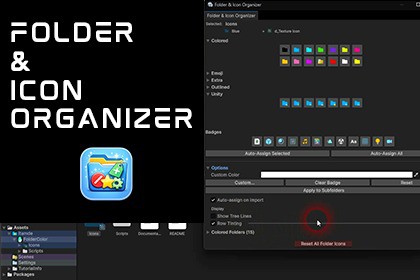
Stop scrolling through a wall of yellow folders. Color-code your project, auto-assign icons, see hierarchy at a glance. 75+ icons, live preview. Zero runtime cost.Organize Your Project Visually – InstantlyYour Project window is a mess. Dozens of identical yellow folders, no visual structure, no way to tell Scripts from Prefabs at a glance.Folder & Icon Organizer transforms your Project window into a structured, color-coded workspace. Import it, right-click a folder, pick a color. That's it.No setup. No configuration. No runtime cost.What Makes It DifferentAuto-assign icons by folder content – the tool scans your folders and assigns matching badges automatically. Scripts, Prefabs, Materials, Textures, Audio – detected and labeled without manual work. One click for a single folder, one click for the entire project.See your hierarchy at a glance – colored tree lines and row tinting turn the flat folder list into a visual map. Parent colors flow down with gradient fade. You instantly know where you are.Preview before you commit – hover any icon and see it applied live on the actual folder. No guessing, no undo loops.Custom Colors14 curated preset colors for instant usePick any color beyond presets with the built-in color pickerAccess from right-click menu, Alt+Click popup, or Editor WindowColor + Badge ComboOverlay a badge on any colored folder – green folder + Script badge, red outlined + Prefab, custom color + Audio12 badge types from Unity's built-in icons: Script, Prefab, Material, Texture, Audio, Shader, Animation, Scene, Font, Mesh, Light, CameraWorks with Colored, Outlined, and Custom Color bases5 Icon Packs (75+ icons)Colored – 14 solid folder colorsOutlined – edge-detected outline variantsEmoji – 27 status/symbol badges (Star, Warning, Lock, Gear, Heart, and more)Unity – asset type badges (Prefab, Script, Material, Shader, and more)Extra – 10 hand-crafted themed icons (Calm, Energy, Flash, Focus, and more)Auto-Icon AssignmentDetects folder content and assigns the right badge automaticallyColored folders get the badge as an overlay; uncolored folders get a badge on the default iconBatch-assign all folders in one clickOptional auto-assign on import – folders update when you add, move, or delete assetsManually assigned icons are never overwrittenVisual HierarchyColored tree lines – vertical lines match parent folder color with gradient fade for depthRow tinting – semi-transparent colored background behind folder rows, adjustable opacity (1%-50%)Both work in tree view and list view, toggle on/off from the Editor WindowSubfolder CascadingPropagate a color to all subfolders with one clickWorks with colors, badges, and any icon combinationFast WorkflowAlt+Click any folder – instant tabbed popup pickerKeyboard shortcuts – Alt+Shift+1-6 for colors, Alt+Shift+0 to reset, Alt+Shift+W for the windowRight-click context menu with every optionEditor Window with collapsible sectionsAll shortcuts fully rebindable via Edit > ShortcutsWorks with any keyboard layout – QWERTY, AZERTY, QWERTZ, DvorakBuilt for TeamsSettings stored in a single JSON file – commit to version control and share colors across your teamFull Undo/Redo support (Ctrl+Z / Ctrl+Y)Multi-selection – color multiple folders at onceHow to UseRight-click any folder > Folder & Icon Organizer > pick a color or iconOr Alt+Click for the quick popup pickerOr use keyboard shortcuts for instant assignmentOr open the Editor Window (Alt+Shift+W) for the full experienceThird-Party ContentAsset uses Unity's built-in editor icons under the Unity Companion License v1.3; see Third-Party Notices.txt file in package for details.RequirementsUnity 2021.3 LTS or later (compatible through Unity 6)Performance100% editor-only – nothing included in buildsZero runtime cost, zero impact on game performance or build sizeNo increase in compile timeNo external dependenciesArchitectureProper Assembly Definition files (.asmdef) for clean compilationNamespaced under Itamde.FolderColorSettings persisted in ProjectSettings/FolderIconOrganizer.json via JsonUtilityVersion control friendly – single JSON settings file, easy to mergeCompatibilityLight and Dark editor themesAll keyboard layouts (QWERTY, AZERTY, QWERTZ, Dvorak)Windows, macOS, LinuxPackage Contents75+ folder icons across 5 packsEditor scripts with full source codeDocumentation includedThis package began as a fully human-made project and was later improved with the assistance of generative AI (Anthropic Claude). Parts of the C# editor scripts and of the included documentation were refined and extended with AI assistance, under human direction, with all code reviewed and tested by the developer. Some of the base folder icon graphics may include AI-assisted elements, subsequently edited by the developer; the other icon variants are composited procedurally by the package's own non-AI icon tool from this artwork and from Unity's built-in editor icons (disclosed in the Third-Party Notices.txt file under the Unity Companion License v1.3).

