






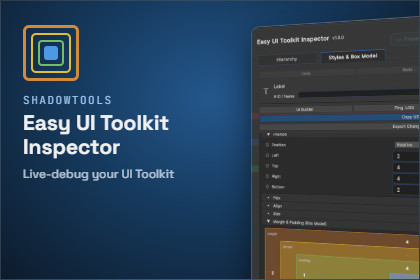
Inspect, pick, and live-edit UI Toolkit interfaces in-game or on a remote build, then review and write every change back into your project.This package is built entirely on UI Toolkit and ships no custom shaders or materials of its own — its compatibility with Built-in, URP, and HDRP is inherent to UI Toolkit rather than pipeline-specific code. The only "Font Material" surfaced by the automated SRP check belongs to Unity's own default runtime theme (imported via unity-theme://default), not to this package's content.Docs • Changelog🔍 Inspect Your UI Toolkit Interfaces, LiveDebugging UI Toolkit at runtime is usually a guessing game. There's no built-in way to see what's actually happening on screen, nudge a margin or a color while the game is running, and trust it'll still be there once you stop testing — you edit blind, then hunt down the right value back in the Editor, over and over.Easy UI Toolkit Inspector changes that. Inspect, pick, and live-edit any UI Toolkit interface while your game runs, on PC, mobile, or a standalone build on a completely different device. Every change you make is tracked and reviewable, so testing in Play Mode becomes real project work instead of guesswork you redo by hand.♦ Change Review, Not Just Live EditEvery edit made in Play Mode is journaled. Stop testing, and a review window proposes exactly where each change belongs (an existing USS class, a new class, or the source file), showing you the exact code before anything is written.♦ A Full In-Game OverlayA draggable, resizable panel with a virtualized hierarchy tree, a vector box-model gizmo, and a style/attribute editor covering 88 properties and attributes across 14 sections. Full Undo/Redo, multi-selection editing, and one-click USS export included.♦ Remote Debugging From the EditorConnect to a standalone build running on another device or PC straight from the Unity Editor, over a lightweight TCP/UDP protocol with one-click discovery. Same 88 properties, same picker, same Undo/Redo, from inside the Editor.♦ Works Anywhere UI Toolkit DoesMenus, HUDs, or a fully UI Builder-driven interface. PC keyboard/mouse, mobile touch, or gamepad. Requires the Input System package, installed automatically.♦ Built to Stay Out of Your Frame BudgetHot paths use pooled buffers and ref/out structs instead of per-frame allocations, so profiling your UI doesn't introduce the very stutter you're trying to diagnose.Features♦ In-Game Debug OverlayA draggable, resizable panel with a virtualized hierarchy tree and #id / .class / type search.♦ Live Style & Attribute Editing88 properties and attributes across 14 sections, mirroring Unity's UI Builder layout.♦ Full Undo/RedoCtrl+Z / Ctrl+Y, including grouped multi-selection edits.♦ Vector Box-Model GizmoMargin/Border/Padding/Content rendered live on screen, with no per-frame allocations.♦ Element PickerStack-cycling and multi-select, usable from the game view or the hierarchy tree.♦ Change Review WindowJournals every edit made in Play Mode, and lets you write it back to an existing class, a new class, or the source file, with a preview of the exact code first.♦ Remote DebuggingFull editing parity with the in-game overlay, from inside the Unity Editor, over a lightweight TCP/UDP protocol with one-click discovery.♦ Gamepad Navigation (Partial)D-Pad/joystick navigation through the hierarchy, plus shoulder-button shortcuts to switch tabs and toggle the picker. It covers browsing and selecting, not typing values, so for a gamepad-first workflow we recommend editing from the Remote Debugger in the Unity Editor instead, with the gamepad used to pick the element on the device.♦ Extensible Icon Library, Input Backend & ThemeOverride any of the three without touching the package itself.♦ Target platformsPC (keyboard/mouse), mobile (multi-touch), and gamepad.Link to documentationhttps://www.shadowtools.fr/#/easy-ui-toolkit-inspector/installationThis package was developed with AI coding-assistant support (Claude, by Anthropic), used mainly to help write automated test coverage, review the codebase for defects, and stress-test design and architecture decisions through iterative back-and-forth with the developer ,every suggestion accepted, reworked, or rejected under direct human review and final validation before being committed. No image shipped inside the package (icons, spritesheets, textures) was produced by AI; they are original artwork.

