






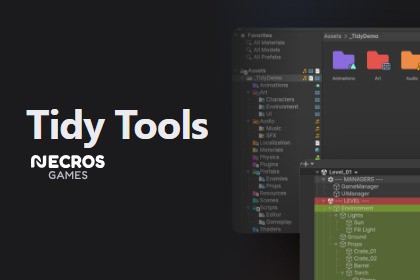
Tidy Tools – Folder & Hierarchy Organizer
Necros Games
$16.50
$33.00
50%OFF
(no ratings)
Jump AssetStore
Colored folders, bookmarks and a back/forward bar for the Project window; colored rows, component icons, a scene switcher and toolbar bookmarks for the Hierarchy. Editor-only, every feature optional Tidy Tools is two editor tools in one package: Folder Tools for the Project window and Hierarchy Tools for the Hierarchy. They don't add new windows to learn. They draw on top of the windows you already use all day and get out of the way. Nothing here ends up in your build. Every feature has its own toggle, so if you only want colored folders and nothing else, that's what you get. Folder Tools (Project window) - Color any folder and put an icon badge on it. Alt+Click opens the palette; multi-selection works. - A slim navigation bar above the toolbar: back/forward history (mouse buttons 4 and 5 work too), recent folders, and bookmarks you drag folders onto. - Automatic icons based on what a folder contains, plus a small minimap of the asset types inside each folder so you can tell Materials from Textures without expanding anything. - Rules: say "everything under Assets/Art is green, every folder named *Editor gets a gear icon" once and it stays that way as the project grows. - Folder notes (shown as tooltips), folder locks that refuse drag & drop, optional asset counts. - Hierarchy lines, zebra striping, background tinting, a minimal mode, and two-line names in the grid view so long asset names stop ending in "...". - Hover shortcuts: E to expand/collapse, Shift+E to isolate, Ctrl+Shift+E to collapse all. Hierarchy Tools (Hierarchy window) - Colored rows and custom icons. Alt+Click a color to apply it to an object and everything under it; children get a paler tone so groups read as one block. - A component strip on every row. Alt+Click an icon to open a floating editor for just that component, right-click for the component menu, or drag the icon straight into an Inspector field. - A scene switcher on the scene header: searchable, with favorites and additive loading. - Bookmarks and a Collapse All button inside the Hierarchy's own toolbar. - An activation checkbox that appears when you hover a row. Alt+Click it to solo. - Rules by name, path, tag, layer or component, so dividers, managers and UI roots color themselves in every scene. - Info badges (tag, layer, static, prefab overrides), a default-parent label, hierarchy lines, zebra striping, minimal mode. - Hover shortcuts: D default parent, A toggle active, F frame in Scene view, X delete, E/Shift+E/Ctrl+Shift+E expand/isolate/collapse, Shift+F isolate in Scene view, Alt+1..9 jump to bookmarks. All rebindable in Unity's Shortcut Manager. Customizable The palette (which colors and icons are offered) is an asset you can edit, export and import as JSON. Icons come from Unity's built-in icon set (over a thousand, searchable) or any texture in your project. Rules, badges styles and every visual option live in one settings page: Tools > Tidy > Tidy Window, or Project Settings > Tidy. Team friendly Colors and icons are stored in a small data asset, not in your scenes or prefabs. No scene file is ever touched. Commit the data asset and everyone on the team sees the same highlights; bookmarks and toggles stay personal. Good to know - Editor-only. Supports Unity 6000.0 through 6000.5. - Full C# source included, with a short PDF guide. - Some features rely on internal Editor APIs. If a future Unity version changes one of them, that single feature switches itself off and logs one warning; the rest keeps working. Works with any project type or genre; it only cares about folders and GameObjects Features - Colored folders and icon badges in the Project window (Alt+Click palette, multi-selection) - Navigation bar: back/forward history, recent folders, drag-to-pin bookmarks - Automatic folder icons and per-folder content minimap - Folder notes, folder locks, optional asset counts - Two-line asset names in grid view, hierarchy lines, zebra striping, minimal mode - Colored rows and custom icons in the Hierarchy, recursive coloring with paler children - Component strip on every row: floating component editor, context menu, drag-to-reference - Scene switcher on the scene header with search, favorites and additive loading - Bookmarks and Collapse All in the Hierarchy toolbar - Hover activation checkbox with Alt+Click solo - Rules engine: color and icon by path, name, extension, tag, layer or component - Hover shortcuts for both windows, rebindable in Unity's Shortcut Manager - Palette editor with 1000+ built-in Editor icons or any project texture; JSON export/import - One settings page for everything (Tools > Tidy > Tidy Window / Project Settings > Tidy) - Data stored in a separate asset; scenes and prefabs are never modified - Editor-only, no runtime code, full C# source included Supported Unity versions Unity 6000.0 to 6000.5 Supported OS Windows, macOS, Linux (Unity Editor) Link to documentation Documentation is included in the package: Tidy Tools Documentation.pdf and README.md in the Tidy Tools folder.An AI coding assistant was used during development to help write and refactor parts of the C# code (including the Unity version-compatibility layer), to generate test scaffolding, and to draft the documentation and store text. All code was reviewed by hand and tested manually on Unity 6.0 through 6.5; no AI-generated art or assets are included in the package.

