






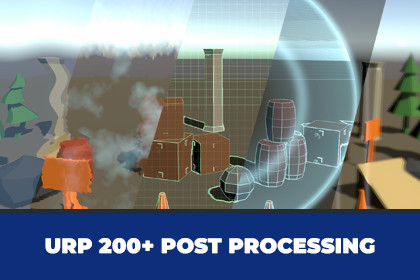
URP 200+ Post Processing Effects by Roam Moon
Roam Moon
$32.99
$65.99
50%OFF
(no ratings)
Jump AssetStore
200 full screen effects for URP in one renderer feature. Ambient looks from a Volume, one-shot hits from one line of code. Identical in 2D and 3D, every effect pre-tuned.200 full screen effects for the Universal Render Pipeline, in one renderer feature.Twenty categories of ten: screen distortion, gameplay feedback, temporal and motion, world interaction, stylized and procedural, shape transitions, impact stamps, elemental, arcane, screen framing, volumetric light, advanced refraction, film and optics, damage and vision, sci-fi HUD, weather volumes, energy fields, psychedelic, cinematic transitions and material overlays.Two ways to use every one of them.For an ambient look, add an override to any Volume, pick a mode and raise Amount. For a hit that plays once and cleans itself up, one line of script: stack.Play(ScreenEffectMode.Shockwave). Both draw through the same pass, so mixing them costs nothing extra.88 of the 200 play once and remove themselves when they finish. 112 loop until you set Amount back to 0. Nothing has to be scheduled, pooled or cleaned up by hand.It does not care what drew your frame. The pass runs on the camera colour, so a 2D sprite game and a lit 3D scene get exactly the same 200 effects with exactly the same settings. No separate 2D and 3D versions to learn.Every effect ships pre-tuned. Picking a mode loads the values that make that effect read properly, so it looks right before you touch anything. Ten settings are shared across all 200, and each effect uses only the ones that mean something to it.One setup step. A renderer feature cannot add itself, so a menu item does it: it finds every URP Renderer asset in your project and adds the feature to the ones that need it. That is the whole installation.Where it runs, and what it costs. The pass injects at Before Rendering Post Processing by default, so the effects sit under your scene's own bloom and tonemapping and grade with the rest of the frame. Any of URP's eighteen injection points can be chosen instead: After Rendering Post Processing puts the effects on top of the grade, and earlier points put them under the transparents or the skybox.The cost is one full screen pass per active effect, the same shape of cost as any other full screen post effect, and it scales with the effects you have running rather than with the 200 in the pack. With nothing running, the feature adds nothing at all: it returns before the pass is ever queued, so an idle frame does not carry an empty pass. An effect whose Amount is 0 is not collected, not drawn and not counted. The stack runs on unscaled time, so a hit effect keeps playing while the game is paused. And when something looks wrong, a Debug dropdown on the renderer feature draws a neutral pass or skips the pass entirely, which tells you whether the effect is wrong or the pass never ran.Two demo scenes are included, one 2D and one 3D, each with a browser that steps through all 200 so you can see every effect before you pick one.Requires Unity 6000.0 or newer and the Universal Render Pipeline. The Built-in Render Pipeline and HDRP are not supported.200 full screen effects in 20 categories of 10, each with its own tuned presetInjects at Before Rendering Post Processing by default, so effects grade with the frame. Any of URP's 18 injection points can be selectedOne full screen pass per active effect. With no effect running, no pass is queued at all200 effects in one material, four shader passes, so shader variant count stays flat as you use more of themVolume override for ambient looks, with Amount at 0 meaning inactive and freeScreenEffectStack.Play for one-shot hits, with overloads for a viewport point, a world position, or a direction aimed at a world position88 one-shot effects that clean themselves up, 112 looping effectsWorks identically in 2D and 3D. The pass runs on the camera colourTen shared settings: Mode, Amount, Speed, Frequency, Falloff, Thickness, Direction, Origin, Tint, Tint 2HDR tints on the 50 stamp effects, so they catch your scene's Bloom instead of reading flatUnscaled time, so hit effects keep playing while the game is pausedUp to 16 effects at once, 8 by default, oldest one-shots dropped first when the budget is full, which is also the ceiling on the per frame costDebug modes on the renderer feature: neutral pass, or skip the pass, for isolating problemsOne menu item to install: adds the renderer feature to every URP Renderer in the projectSwappable texture library for the stamp shapes, as a ScriptableObject you can replaceTwo demo scenes, 2D and 3D, with a browser for all 200 effectsFull C# source for the demo, runtime shipped as a managed pluginUnity 6000.0 or newer, URP only, written against URP's Render Graph

