






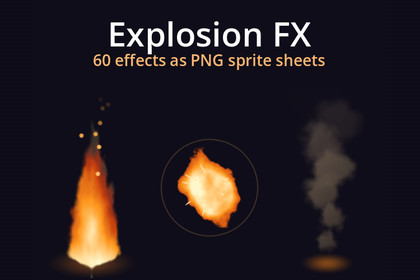
60 animated explosion, fire and smoke effects as PNG sprite sheets: 10 effects in 6 colours, for any engine. Each comes in three sets: 256 px and 128 px HD, and pixel art made at 64 px, not shrunk.Made for URP (2D Renderer or Universal Renderer), where the prefabs and the demo scene render as they are with URP's Sprite-Unlit-Default material. In the Built-in pipeline and HDRP they show magenta until each SpriteRenderer's material is set to Sprites-Default; after that one change they render the same (tested in both).60 animated explosion, fire and smoke effects as PNG sprite sheets: 10 effects in 6 colours, for any engine. Each comes in three sets: 256 px and 128 px HD, and pixel art made at 64 px, not shrunk.Every one plays in the preview video.What's inside6 colours: fire, red, blue, green, purple, white10 effects in each:explosion: a flash, a shock ring, a fireball billowing up into smoke, sparksblast: a small, quick one, for bullets, grenades and cratescluster: a string of explosions going off one after anotherground: a blast on the ground, dirt flung out and a wave of dustmuzzle: a muzzle flash, turned to the barrelfireball: a flying fireball with a trail of flame (loops)fire: a torch or campfire flame with rising embers (loops)burn: a row of flames along the ground (loops)smoke: a column of smoke rising (loops)puff: a puff of smoke, for things appearing, vanishing or landingLoops are seamless; one-shots run 8 to 32 frames.Transparent PNG sheets, 8 frames a row, plus an effects.json with every frame size, frame count, fps, loop and anchor, and a GIF preview of each.Godot 4 player included: ExplosionFX.spawn(self, "fire_explosion", enemy.position), turned with one more argument, and finish() fades a loop out. With a demo: a cannon to fire them from, click to set them off.Import steps for Unity and GameMaker in the README.CompatibilityAny engine that plays sprite sheets: Unity, GameMaker, Godot, Defold, Construct, Phaser, LÖVE, MonoGame.The Godot player: Godot 4.3 to 4.7, tested on both ends and on every renderer.The Godot shaders that render every frame and the package's C# scripts (the effect component and the demo) were written with the help of AI (Anthropic's Claude); no generative image model.Every effect as a prefab with its animation clip, on sprites sliced from the sheets with the pivot on the effect's anchor, and a demo scene; the pixel set point filtered. Unity 6.3+ with URP.Unity 6.3 or later with URP (the prefabs use URP's Sprite-Unlit-Default material).A Documentation.txt in the package's folder says what is where and how to use it.Try the demo scene in your browser: https://pikoulas.com/demos/explosion-fx/

