






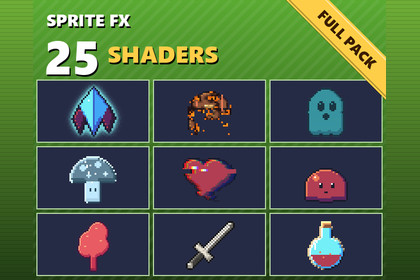
25 drop-in 2D sprite shaders for Unity, built for pixel art. Put any of them on a SpriteRenderer with one line of C#, or as a material from the inspector.Works in any pipeline: the effects are unlit sprite shaders. Tested in Built-in, URP (2D and Universal Renderer) and HDRP. In HDRP the colours come out under HDRP's default exposure and post-processing unless the camera turns them off.25 drop-in 2D sprite shaders for Unity, built for pixel art. Put any of them on a SpriteRenderer with one line of C#, or as a material from the inspector.SpriteFX.Flash(player); // hit flash, own material back afteryield return SpriteFX.DissolveOut(enemy).Wait(); // then Destroy(enemy.gameObject)SpriteFX.Apply(chest, "glow_outline").Set("glow_color", Color.yellow);What's insideflash — hit flash to any colouroutline — pixel-perfect, outside or inside, 1–16 pxglow outline — soft, pulsing, HDR-readydissolve — noise or directional, glowing edgeburn — charred band and flickering emberspalette swap — up to 8 colours, enemy variantssilhouette — flat or shaded tintpixelate — whole-pixel stepswind sway — grass and trees, out of phaseshine — sweeping highlight for pickupshologram — scanlines, flicker, glitchesfreeze — icy recolour, frost rim, glintsglitch — row jumps and RGB splithue shift — static or rainbow cyclingstone — petrify, desaturate, sepiawave — underwater, heat, dreamblink — invincibility framespulse tint — poison, heal, charge-upjelly — squash and stretch from the basegradient map — recolour through any gradientchromatic — split channels, optional wobblecloak — refracts what is behind itrim light — directional inner edge lightinvert — hit-stop negative framesdither fade — pixel-art fade, no translucencyEvery setting is a slider in the material's inspector, with sensible defaults.Noise snaps to texture pixels, so dissolves and burns stay crisp on pixel art.SpriteFX helper: Flash, Blink, DissolveOut/In, BurnOut, DitherOut/In, or animate any setting of any effect with Animate(...). Effects give your own material back when done.Outline and glow can grow the sprite's quad, so unpadded sprites still get a full outline.The SpriteRenderer's colour and flip carry through every effect.Demo scene with every effect running; click a sprite to hit it.CompatibilityUnity 6.3 or later, in any render pipeline: Built-in, URP (2D or Universal Renderer) and HDRP.Either input handler for the demo: the Input Manager or the Input System.The shaders, the package's C# scripts and the Python code that draws the demo's sprites pixel by pixel were written with the help of AI (Anthropic's Claude); no generative image model.The sprite shaders, SpriteFX as C# source, and a demo scene with every effect on a pixel-art sprite. Unity 6.3+, any render pipeline.Unity 6.3 or later, in any render pipeline: Built-in, URP (2D or Universal Renderer) or HDRP.A Documentation.txt in the package's folder says what is where and how to use it.Try the demo scene in your browser: https://pikoulas.com/demos/sprite-fx/

