






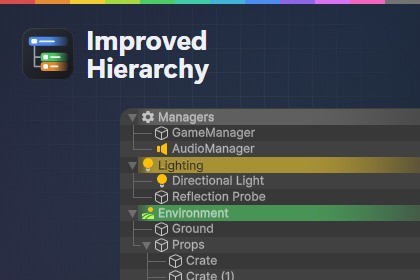
Adds custom icons, row colours, tree lines, a scene switcher, component quick-actions, multi-copy, play-mode saves, folder styling, git badges, and inspector attribute drawers, + more editor goodiesCompatable with all Unity 2022 LTS +HierarchyCustom icons & row colours — right-click any GameObject icon to pick from 35+ built-in favourites, your own textures, or colours. Soft gradient tint that does not wash out labels or icons.Tree lines — optional parent→child connector lines in the indentation gutter for deep hierarchies.Component icon strip — mini-icons for every component on each row. Click to toggle, Shift+click to select, Alt+click to pop out.Inline scene selector — ▾ chevron on the scene row opens a searchable scene list with favourites (Ctrl+Shift+O). Works alongside Unity’s native search bar.Smart layout — component icons shrink gracefully on narrow windows instead of overlapping object names.InspectorSave & Copy buttons on every component header (built-ins included).Save — toggle play-mode value preservation (restore on exit Play Mode).Copy+ — toggle components into a multi-copy buffer.Multi-Copy Buffer — collect components from anywhere, paste onto one or many GameObjects at once. Fully Undo-able.Attribute drawers for cleaner custom inspectors: [Tab], [Foldout], [Button], [ShowIf] / [HideIf], [ReadOnly], [Required], [MinMaxSlider], [ProgressBar], [InfoBox]Project windowFolder colours & custom icon badges — right-click any folder → Customize Folder.Git VCS badges — yellow dot for modified, red for untracked (git on PATH required).Workflow extrasScene Selector — search, favourites, single-click open, Ctrl+click additive load.Inspector Manager — curate your favourite icon library.Clean uninstall — per-object data lives in InspectorIconLibrary.asset, not on GameObjects.Unity version2022.3 LTS minimum; tested on Unity 6 / 6.4PlatformEditor only (Windows, macOS, Linux)Runtime impactNone — editor assemblies onlyDependenciesNone required.Data storageAssets/Editor/InspectorIconLibrary.assetUndoSupported on all editor mutationsAI was used to develop and currate this plugin, Cursor was used for this.

