






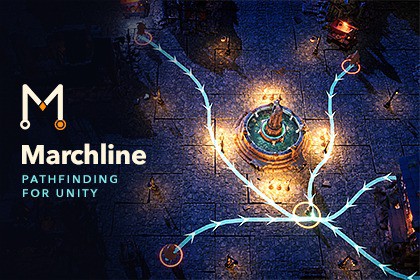
Marchline — RTS Pathfinding & Crowd Navigation
Latheesh V M
$69.29
$98.99
30%OFF
(no ratings)
Jump AssetStore
Move 50,000 agents with one line of code. Deterministic pathfinding and crowd navigation with flow fields, formations, chokepoint rerouting, multi-storey maps, live obstacles and bit-exact replays.Marchline’s simulation doesn’t handle rendering or include shaders, so you don’t need to convert anything when switching pipelines. The crowd renderer uses the active pipeline’s default material with GPU instancing enabled, or your own instancing-enabled material. Built-in uses the Standard shader. Custom SRPs work if they provide a default material.Move entire armies with one line of code. Get started in under 60 seconds.Marchline brings deterministic pathfinding and crowd navigation to RTS games, tower defence, colony sims and horde games. Its Rust core handles the simulation, while your C# keeps things simple.Move one unit:agent.MoveTo(target);Move an entire army:navWorld.MoveGroup(selected, clickPoint);Built for armiesGroup orders automatically share flow fields, so sending 1,000 units to the same point costs barely more than sending 50.Keep units in formation with keepFormation: true.Anticipatory steering and collision handling prevent overlaps, while arrival logic lets crowds settle without stacking or endless jostling.When units jam a chokepoint, Marchline raises the cost of that route so the crowd can find another way through.Run crowds of 50,000 agents with deterministic LOD tiers and instanced rendering. MarchlineCrowd needs no per-agent GameObjects.Navigate multi-storey worldsConnect floors with stairs, one-way drops and teleporters.Set capacity limits on doors. Units queue deterministically, and closing a door during a crossing holds the queue until it reopens.Keep crowds on separate floors independent. Units on a bridge don’t disrupt units on the road below.Shared destinations work best. Each distinct cross-layer goal builds its own multi-floor field, so keep concurrent destinations across floors to a handful. Budgeted layered planning is on the roadmap.Record, replay and inspectRecord a session and step through it tick by tick in the editor.Save and load the exact simulation state, even mid-battle, on stairs or in a queue.Replay recordings across platforms. A session recorded in a browser replays identically on desktop.Deterministic to the bitThe fixed-point maths core produces identical simulations on Windows, macOS, Linux (x64 and arm64) and WebAssembly.Golden-hash tests check results on every push, with the full five-platform test matrix running for every release.Planning budgets count work units instead of elapsed time, keeping navigation deterministic for lockstep multiplayer and replays.A C ABI lets headless servers run the same simulation.Respond to a changing worldAdd MarchlineObstacle to moving objects. Incremental rebakes update navigation automatically, with no manual scan step.Place buildings mid-wave, demolish walls and scan worlds using physics.Sealed-off goals report Unreachable. Agents retry automatically when a route opens.See what your units are doingSelect a unit in the Explain panel to see what it’s doing and why.Inspect routes with the flow-field overlay and congestion heatmap.Track navigation work with the per-tick budget profiler.Review recorded sessions with the replay scrubber.Easy to adoptStart with two components: Nav World and Marchline Agent.Choose presets for RTS, tower defence, colony sim and horde games.Migrate gradually with the NavMeshAgent-compatible shim and guides for Unity NavMesh and A* Pathfinding Project.Explore four demo scenes: Mini RTS, Chase for action AI, Feature Lab with hotkeys for each capability, and the Citadel, a 12,000-agent siege of a two-storey keep that saves session replays to disk.Where Marchline fitsMarchline uses grid-based navigation with stacked 2D floors. It suits buildings, bridges and large crowds.It doesn’t provide a Recast-style smooth 3D navmesh, free-flying navigation, vehicle kinematics or streaming open worlds. Its layers don’t represent arbitrary curved terrain. For a game centred on a single hero moving across curved ground, a navmesh is a better fit.LicenceMarchline uses the standard Unity Asset Store EULA as a Tools/Extension Asset. Each developer who accesses the package or source files needs their own seat.No runtime activation, subscription or royalties.Asset uses the Rust Standard Library and the crates bundled in its build under the MIT License and the Unicode character data it includes under the Unicode License v3; see Third-Party Notices.txt file in package for details.Docs: marchline.devSupport: support@marchline.devUnity 6000.3 LTS or newer (uploaded from 6000.3.25f1); full E2E suite on Unity 6, including Mono and IL2CPP player buildsPlatforms: Windows x64, macOS universal (signed and notarised), Linux x64, iOS, Android arm64 and WebGL (synchronous mode)Render pipelines: Built-in, URP and HDRP. Marchline ships no shaders, so you don’t need to convert anythingNative core: Rust with zero dependencies and prebuilt binaries for each platform. Includes all C# wrapper source, with no Asset Store or registry package dependenciesDeterminism: Q32.32 fixed-point core produces bit-identical results across all platforms. Golden-hash CI checks five platforms per release, and work-unit planning budgets support lockstep multiplayerMeasured performance on Apple M2 Max, single core, measuring core simulation ticks rather than full rendered frames: 10,000 agents with rotating goal reissues take approximately 2 ms/tick, including avoidance and collision; 50,000 agents with crowd LOD average approximately 18 ms/tick, with a P99 of approximately 21 ms; a 256 × 256 flow-field build takes approximately 1.5 msIncludes: 4 demo scenes, NavMeshAgent-compatible shim, offline documentation, Explain panel, flow-field overlay, congestion heatmap, navigation budget profiler and replay scrubberNo DRM, activation or network callsThis package contains no AI-generated content: no 3D models, textures, materials, audio or images. Its demo scenes are built from Unity primitives. An AI coding assistant was used during development for code review, test scaffolding and documentation drafts; the Rust core and C# integration were written by the developer.

