






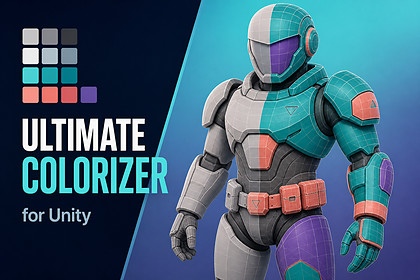
Ultimate Colorizer - Palette Swap, Recoloring & Material Variants
Szekeres
$10.99
$21.99
50%OFF
(no ratings)
Jump AssetStore
Recolor textures, sprites, materials, meshes, tilemaps and characters without modifying source assets. Includes palette swaps, runtime dye channels, batch tools, full C# source and a WebGL demoCreate faction colors, rarity variants, outfit dyes, palette swaps, material variants and reskinned Tilemaps without duplicating your source art.Ultimate Colorizer is a non-destructive recoloring and runtime character-customization toolkit for Unity. Define changes once in a reusable RecolorProfile, then apply them through no-code components, Editor tools, batch processing or the documented C# API.Demo Showcase | View Online DocumentationYour original assets stay untouched:• Runtime material recoloring uses MaterialPropertyBlock, so shared materials are not mutated.• Texture operations generate new copies and leave source textures unchanged.• Tilemap colors are stored per cell instead of being written into shared tile assets.• Material variants are created as separate materials.When the base artwork changes, rerun the profile to regenerate its color variants.Use Ultimate Colorizer for texture and sprite recoloring, team or faction colors, rarity palettes, equipment dyes, character creators, cosmetic systems, material variants and recolored tilesets.Try it before you buy it.The interactive WebGL showcase contains eight hands-on labs covering live texture recoloring, mask previews, palette and harmony generation, shader analysis, mesh and Tilemap recoloring, character dye channels, cosmetic slots, batch processing and SDK discovery.No-code or fully scriptedFor the shortest setup, add an Ultimate Colorizer component, assign a target, choose a color or profile, enable Apply On Start, and press Play.The same recoloring engine is available through a documented C# API. Automatic application defaults to off and does not overwrite a state already applied from code, so existing customization systems can adopt the package gradually.Texture and sprite recoloringCreate deterministic texture and sprite variants with:• Color replacement with configurable tolerance• RGB, weighted RGB and CIE76-approximation distance modes• Palette remapping• Hue, saturation and value adjustments• Tint and multiply• Gradient maps• 1D LUT mapping• Sprite-rect and sprite-sheet recoloring• Contact-sheet generationMasks are first-class data, with threshold, channel, UV-rectangle, dilate, erode and combine operations.All texture processing runs locally on the CPU. The same source, profile and settings produce the same output, making the workflow suitable for repeatable Editor jobs and automation.Palettes and local color analysisCreate reusable PaletteAsset libraries with named, role-tagged colors, contrast checks and duplicate validation.Ten harmony and palette-generation modes are included: complementary, analogous, triadic, monochrome, value ramp, split-complementary, tetradic, saturation ramp, warm and cool.PaletteJsonUtility imports and exports the same JSON format used by the runtime API, so palettes can move between projects and tools.Smart color analysis clusters a texture's dominant colors and classifies practical starting roles such as skin, cloth, metal, emission, shadow, highlight, warm, cool and neutral. It runs locally and is not a hosted or generative-art service.Shader-aware material recoloringUltimate Colorizer analyzes the shader assigned to a material and reads its available color and texture properties instead of assuming one fixed naming scheme.Included profiles cover:• Built-in Standard• URP Lit• HDRP Lit through the adapter system• Shader GraphBase color and emission properties are resolved automatically for common pipeline shaders. Runtime tinting uses MaterialPropertyBlock, while Editor workflows can generate separate material variants and reusable material presets.Unusual production shaders can be supported through a custom shader profile or SDK adapter.Meshes and TilemapsMesh tools include vertex-color replacement, UV-island and UV-rectangle data, submesh descriptors, material-slot maps, channel maps, skinned-mesh helpers and renderer-hierarchy scanning.Tilemaps can be recolored with per-cell replacement, palette swaps, HSV shifts, multiply, tint, global tint and color extraction. Colors are stored on the Tilemap, allowing one shared tile asset to appear differently in separate cells.Runtime character dyes and cosmeticsBuild character creators and cosmetic systems with:• Named dye channels such as skin, hair, cloth, armor and weapon• Renderer and material-property bindings• Palette-constrained color choices• Cosmetic slots that toggle GameObjects• Saved looks and PlayerPrefs persistence• uGUI slider integration• Deterministic seeded randomization• Human-readable JSON state• Compact synchronization-oriented state with a checksumInvalid compact payloads are rejected with a failure result and message rather than throwing an unhandled exception.Batch processing, SDK and CIRecolorBatchProcessor supports deterministic output naming, dry runs, progress, cancellation, skipped-item and per-item error reporting, plus JSON and CSV reports.The extension SDK supports custom:• Shader profiles• Recolor processors• Palette generators• ValidatorsHeadless validation and batch workflows can be called from CI through -executeMethod, and tests can run through -runTests.Editor toolingIncluded tools:• Recolor Studio• Palette Browser• Material Preset Library• Batch Processor• Preset Marketplace• Welcome windowReady-wired GameObject menu commands create a material-tint cube, material-tint sphere, sprite-tint object or runtime dye controller with full Undo support.Evidence you can inspect• The WebGL showcase executes the real runtime API and displays live processing, shader-analysis, state-validation, batch and SDK output.• Full C# source is included across the Runtime, Editor and UI assemblies.• No managed DLLs, obfuscated code, native plugins or hidden hosted processing layer.• EditMode and PlayMode tests are included and run in Unity's Test Runner or headlessly.• Five focused sample scenes cover texture recoloring, material variants, mesh recoloring, runtime cosmetics and character customization.Known limitationsStated up front, because discovering them after purchase is worse.• HDRP is adapter-based, not certified. Built-in and URP are supported and verified. Test the included HDRP adapter and profile in your own HDRP project before relying on them in production.• Custom shaders may need a profile. Standard pipeline shaders and Shader Graph are covered, but a heavily customized shader may require an SDK profile or adapter.• Texture processing is CPU-side. This makes output deterministic and automation-friendly, but large textures take real processing time. The WebGL showcase uses 256×256 samples for responsiveness.• Smart analysis does not art-direct. It clusters and classifies colors as a starting point; final palette choices remain creative decisions.• No generative art or cloud processing. The package does not create imagery, upload assets or require a hosted service.• Editor windows do not run in WebGL. The browser showcase demonstrates runtime systems and generated output; the Editor windows themselves are included in the Unity package.• Mesh vertex recoloring requires mesh data. The mesh needs a vertex-color channel, and runtime mesh access requires Read/Write to be enabled.RequirementsUnity 6000.0 or newer.Built and uploaded from Unity 6000.0.62f1.Render-pipeline support:• Built-in Render Pipeline — supported and verified• Universal Render Pipeline — supported and verified• High Definition Render Pipeline — adapter-based and not certifiedSupportszekipapa77@gmail.comCore architecture• Main namespace: UltimateColorizer• Runtime assembly: UltimateColorizer.Runtime• Editor assembly: UltimateColorizer.Editor• UI assembly: UltimateColorizer.UI• RecolorProfile ScriptableObject stores targets, palettes, regions, operations and runtime channels• RecolorTarget and RecolorTargetType identify texture, material, mesh, sprite, Tilemap, renderer and character targets• IRecolorProcessor implementations select themselves according to target type• RecolorProcessingService routes work through RecolorProcessorRegistry• Processing returns a RecolorResult containing generated objects and validation issues• Profile-driven workflow shared by no-code components, Editor tools, batch jobs and the C# APIRecolor operations• Replace Color• Replace Palette Entry• Hue Shift• Saturation / Value• Gradient Map• Tint• Multiply• Emission Color• Material Property Set• Vertex Color Replace• LUT MapNon-destructive behavior• Material runtime application uses MaterialPropertyBlock• Shared materials are not mutated by runtime tinting• Texture processors create new output textures• Source textures remain unchanged• Material variants are created as separate materials• Tilemap recoloring stores color per cell rather than modifying shared tile assets• Profiles can be rerun after source artwork changesNo-code components• RecolorMaterialApplicator — applies renderer color through a property block• SpriteRecolorApplicator — applies color to a SpriteRenderer• TextureRecolorApplicator — assigns a generated texture to a material texture slot• RecolorRuntimeController — drives multiple named dye channels• CosmeticSlotApplicator — toggles cosmetic objects assigned to slots• RecolorRuntimeSliderUI — connects uGUI HSV sliders to a runtime dye channel• Optional Apply On Start behavior• Automatic-application options default to off• Automatic application does not replace a state already applied through code• Material color and texture fields become dropdowns populated from the assigned renderer's shaderGameObject menu commands• Material Tint Cube• Material Tint Sphere• Sprite Tint Object• Runtime Dye Controller• Created objects are pre-wired• Full Unity Undo supportTexture processing• TextureRecolorProcessor• TextureRecolorUtility.ReplaceColor• Configurable color tolerance• Alpha preservation• RGB distance• Weighted RGB distance• CIE76 approximation• Palette-entry replacement• Hue shifting• Saturation and value adjustment• Tinting• Multiplication• Gradient mapping• Deterministic CPU-side outputMasks• TextureMaskUtility• Threshold mask• Channel mask• UV-rectangle mask• Dilate• Erode• Mask combination• Mask preview in the Texture LabLUT processing• TextureLutUtility• 1D LUT mapping• 3D strip LUT support• Identity 3D LUT-strip generationSprites• Sprite-rectangle recoloring• Sprite-sheet processing• Contact-sheet generation• Palette extraction• Masked sprite recoloringSmart color analysis• SmartColorAnalysisUtility• Dominant-color clustering• Local processing• No hosted service• No generative-art functionality• Practical role classification:• Skin• Cloth• Metal• Emission• Shadow• Highlight• Warm• Cool• NeutralProcedural texture generation• Gradients• Palette strips• Checker textures• Deterministic noise• Radial masks• Identity 3D LUT strips• Demo and sample textures generated by package codePalettes• PaletteAsset• Palette libraries• Named colors• Semantic roles• Contrast checks• Duplicate validation• Reusable profile references• Runtime and Editor accessPalette generation• PaletteGenerator.Generate(seed, mode, count)• Complementary• Analogous• Triadic• Monochrome• Value Ramp• Split Complementary• Tetradic• Saturation Ramp• Warm• Cool• Seeded generationPalette interchange• PaletteJsonUtility• JSON import• JSON export• Shared Editor and runtime format• Malformed input fails without partially applying data• Clear failure reportingMaterials and shader analysis• MaterialRecolorUtility• MaterialVariantUtility• MaterialShaderAnalyzer• MaterialAdapterRegistry• Detection of exposed color properties• Detection of exposed texture properties• Likely-PBR classification• Render-pipeline detection• Best-profile matching• Base-color resolution order:• _BaseColor• _Color• First detected color property• Emission support for _EmissionColor• Emission support for _EmissiveColor• Runtime application through MaterialPropertyBlock• Material-variant generation• Material Preset LibrariesIncluded shader profiles• Built-in Standard• URP Lit• HDRP Lit adapter profile• Shader Graph• Project-specific profiles supported through the SDKMeshes• Vertex-color replacement• Configurable tolerance• UV-island data• UV-rectangle masks• UV bounds• Submesh descriptors• Material-slot maps• Channel maps• Renderer-hierarchy scanning• Skinned-mesh variant helpers• Runtime mesh-data access requires readable meshes• Vertex replacement requires a mesh color channelTilemaps• TilemapRecolorUtility• TilemapRecolorProcessor• Per-cell color replacement• Palette swaps• HSV shift• Multiply• Tint• Global tint• Color extraction• Per-cell colors stored on the Tilemap• Shared tile assets remain unchangedRuntime character customization• RecolorRuntimeController• Named dye channels• Renderer bindings• Palette-constrained channels• Skin channel• Hair channel• Cloth channel• Armor channel• Weapon channel• Cosmetic slots• Saved looks• Runtime slider integration• Inspector and scripted workflowsRuntime state• RecolorRuntimeState• ToJson• FromJson• Human-readable JSON format• CompactRuntimePayloadCodec• Compact synchronization-oriented payload• Payload checksum• Invalid payload rejection• Failure message rather than an unhandled exception• RuntimeCustomizationStore• PlayerPrefs persistence• Demo sample: 2,308-byte JSON state• Demo sample: 239-byte compact stateCharacter randomization• CharacterRandomizer• CharacterRandomizationRules• Deterministic output from a seed• Locked channels• Palette constraints• Reproducible generated looksBatch processing• RecolorBatchProcessor• Deterministic naming• Dry-run mode• Progress reporting• Cancellation• Per-item errors• Skipped-item reporting• JSON reports• CSV reports• Batch workflow available through Editor tools and automationValidation• Validation reports• Missing-script checks• Broken sample-reference checks• Duplicate-channel checks• Release-issue checks• Runtime-state validation• Headless validation supportSDK and extension registry• Custom shader profiles• Custom processors• Custom palette generators• Custom validators• Attribute-based discovery• Extension registry• Demo discovery output for registered extensionsCI and command-line use• UltimateColorizer.Editor.Validation.HeadlessValidationRunner.RunAll• Headless invocation through -executeMethod• Tests runnable through -runTests• Batch and validation workflows suitable for CIEditor windows• Tools > Ultimate Colorizer > Recolor Studio• Texture workflow tab• Material workflow tab• Mesh workflow tab• Character workflow tab• Runtime workflow tab• Validation tab• Preview tab• Palette Browser• Material Preset Library• Batch Processor• Preset Marketplace• Welcome windowInteractive showcase• WebGL interactive demo• Eight sections:• Welcome• Texture Lab• Palette and Presets• Material Lab• Mesh Lab• Tilemap Lab• Character Runtime• Batch / SDK / QA• Guided-tour mode• Runtime self-check• Runtime-state validation• Sample batch execution• SDK extension discovery• Live texture before/after comparison• Live mask inspection• Shader-analysis readout• Tilemap per-cell recoloring• Character dyes and cosmetic slotsSample scenes• Texture recolor• Material variants• Mesh recolor• Runtime cosmetics• Character customization• Five focused sample scenes plus the interactive showcaseTesting• EditMode tests included• PlayMode tests included• Tests runnable through Unity Test Runner• Tests runnable headlessly through -runTests• Runtime and Editor systems ship as inspectable sourceEngineering• Full C# source• No managed DLLs• No obfuscated code blobs• No native plugins• No P/Invoke• No runtime network calls• No hosted processing service• No account• No API key• No subscription• No third-party runtime SDK• CPU-side deterministic texture processing• Single searchable HTML manualCompatibility• Unity 6000.0 or newer• Built and uploaded from Unity 6000.0.62f1• Built-in Render Pipeline supported and verified• Universal Render Pipeline supported and verified• HDRP available through adapters but not certified• Standard and Shader Graph property analysis• Works with Unity's Input System package• Works with the legacy Input Manager• Runtime UI helpers use uGUI• Test suite uses Unity Test FrameworkKnown technical boundaries• HDRP requires project-side verification• Heavily customized shaders may need an SDK profile or adapter• Large CPU texture operations require processing time• WebGL showcase uses small 256×256 texture samples for responsiveness• Smart analysis clusters and classifies colors but does not make artistic decisions• Editor windows cannot execute inside a browser• Mesh vertex operations require appropriate vertex and readability data• No generative image creation• No cloud processingThis package was built with AI-assisted development tools. Primarily Claude Code for the C# implementation, with a smaller amount of assistance from GPT-based models via Codex. All generated code was reviewed, edited and integrated by hand rather than shipped as produced.No AI image generation was used for any screenshot store image. Every screenshot is a direct capture of this package's own demo scene running in UnityThe written documentation and store copy were drafted with AI assistance and edited by hand.

