






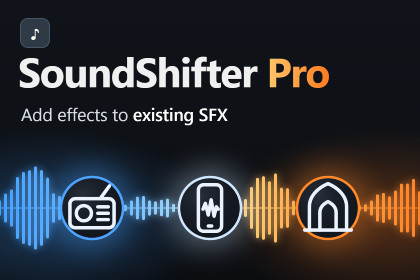
Turn any voice line or sound effect into a phone call, cathedral, robot or monster. 34 tuned effects, folder batch processing, stereo-safe WAV export. Editor-only: nothing added to your build.urn the audio you already have into something new.SoundShifter Pro is an editor tool for game developers who need variations of a voice line or a sound effect without opening a DAW. Drop in a clip, pick an effect, hear the result at once, and save it as a new file. Or point it at a whole folder and process hundreds of clips in one go.Everything happens inside the Unity Editor. There are no runtime scripts, nothing is added to your builds, and your original files are never modified.What it is good forCharacters: give NPCs, enemies and bosses their own voice: robot, monster, ghost, demon, giant, chipmunk, fairy, elder, narrator, alien.Places: put a line in a cathedral, cave, canyon, stadium, bathroom, underwater or deep space.Comms and props: telephone, walkie-talkie, intercom, PA system, megaphone, bad connection.Retro and lo-fi: VHS tape, gramophone, 8-bit console, glitch.Genre-neutral: fantasy, sci-fi, horror, retro or modern — the effects are meant as building blocks, not a fixed style.How it worksOpen Tools ▸ CoreBit ▸ SoundShifter Pro and drop in a clip.Choose an effect. One Intensity slider goes from subtle to extreme, and reverb effects have a Tail Length slider.Compare with the original (A/B), loop it, click the waveform to play from that point.Shape the result with the Finish panel: effect mix, loudness matching, silence trimming, fades and 16-bit, 24-bit or 32-bit float WAV.Save one file, or use the Batch tab for many.Made to keep speech readable. Creature voices keep the original consonants, reverbs are pre-delayed, and tails are trimmed instead of hanging on, so words stay understandable under heavy effects.Batch processing. Drop folders or clips onto the queue, choose one effect or tick several (each clip is saved once per effect), decide where the files go, and press Process All. New files can copy the import settings of their originals. Existing files are never overwritten (a number is added, or the file is skipped).Keeps your audio format. Mono, stereo and multichannel clips are supported at any sample rate, and results are saved with the same channel count and sample rate as the source.Fine-tune and reuse. The Edit tab exposes the whole effect chain (envelope, compressor, EQ, filter, pitch, chorus, flanger, ring modulator, tremolo, LFO, bit crush, distortion, delay, reverb). Save your own presets and export or import them as a file to share between projects and machines.CompatibilityThis asset was developed and tested on Unity 6.3. Older Unity versions have not been tested and may show problems. Please try it in a copy of your project first if you use an earlier version.Good to knowEffects are rendered offline in the editor. There is no real-time mode, microphone input or runtime API.The source clip must be readable (Load Type not "Streaming"). A one-click "Make readable" button is included.Output is WAV. Heavy effects can take about a second to preview on longer clips.Includes full C# source code and a PDF guide, and the effect list can be extended with your own effects.34 voice effects in five categories: Comms (6), Space (8), Creature (7), Character (9), Lo-Fi (4)Intensity slider on every effect; Tail Length slider on reverb and echo effectsFinish panel: effect mix (wet/dry at matched loudness), loudness matching or peak normalization (−1, −3, −6 dBFS), silence trimming with adjustable threshold, fade in and outLive preview with A/B compare, loop and click-to-seek; original waveform drawn behind the resultBatch tab: queue by selection, folder or drag and drop; one effect or several per clip; output next to the original or into a folder; custom name suffix; add a number or skip on existing files; copy import settings; progress bar with cancelMono, stereo and multichannel audio at any sample rate; channel balance preservedWAV export in 16-bit, 24-bit or 32-bit floatFull effect chain for fine-tuning; user presets with JSON import and exportEditor window built with UI Toolkit; three colour themes (Graphite, Midnight, Daylight)Pure C#, no dependencies, one editor-only assembly (nothing included in builds)Independent of render pipeline (Built-in, URP, HDRP)Full source code and PDF documentation includedTested on Unity 6.3Some parts of the marketing materials were created with the help of AI tools.The store description draft was AI-assisted and then fully rewritten by the publisher.

