






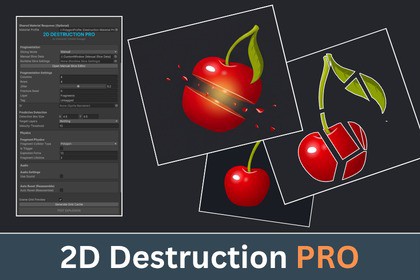
A Unity 2D toolkit for Auto Grid, Manual Slice and runtime slicing, with fragment pooling, reassembly and export tools.Compatible with Unity 6000.3.13 and higher. Works seamlessly with both the New Input System and the Legacy Input Manager.💥 2D Destruction Pro - Slice. Break. Shatter. Reassemble.A powerful 2D destruction toolkit for Unity that lets you create pre-fractured objects and real-time slicing gameplay with an easy editor workflow.💥 Create breakable & destructible objects🍉 Build Fruit-Ninja-style slicing🧩 Design your own fragment shapes⚡ Slice objects dynamically at runtime🔄 Break objects apart and reassemble them📱 Includes performance controls for mobile projects🛠️ Create Destruction Your WayManual Slice EditorCreate exactly the break pattern you want using:Straight • Polygon • Rectangle • Pencil • Auto Grid • VoronoiEdit individual fragments, adjust vertices, preview colliders, configure fragment properties, and export the finished object as a ready-to-use prefab.⚔️ Runtime SlicingSlice objects during gameplay using Line, Segment, or Path cuts.Fragments can even be sliced again, allowing recursive destruction with configurable safety limits.💥 Physics & ReassemblyGenerated fragments support automatic:Colliders • Rigidbody2D Physics • Pooling • Fragment Data • Reassembly✨ What's New in 2.1?⚡ Runtime Asset Generator – Turn a sprite into a runtime-slice-ready object faster.🎨 Parent Sprite Outlines – Display outlines on both intact objects and fragments.🛠️ Improved Colliders & Outlines – Better generation and handling for exported objects.📱 Mobile Starter Profiles – Quick starting configurations for slicing, physics, and pooling.🎮 Updated Samples – New runtime slicing examples, demo prefabs, and tutorial workflows.📦 Export & UseExport your work as:PNG Fragments • Image Prefabs • Destruction-Ready PrefabsThen drag the prefab into your scene and start building.⚙️ More Included✅ Voronoi Fracturing✅ Custom Fragment Editing✅ Runtime & Recursive Slicing✅ Fragment Pooling✅ Reassembly System✅ Material Profiles✅ Fragment Metadata & Lineage✅ Geometry & Runtime Safety Limits✅ C# API & Lifecycle Events✅ Jobs / Burst Support✅ Managed C# Fallback✅ Sample Scenes & Demo Prefabs🎯 Great ForSlicing Games Destructible Environments Physics Games Puzzle Games Breakable Props Shatter EffectsOne toolkit. From custom-designed destruction to real-time slicing.Technical DetailsEditor Slicing: Straight, Polygon/Region, Rectangular, Pencil, Auto Grid, and Voronoi FractureRuntime Slicing: Line, finite segment, and ordered path cutsRecursive Slicing: Re-slice generated fragments with configurable safety limitsFragment Editing: Selective cutting, vertex editing, geometry preview, and per-fragment settingsPhysics: Rigidbody2D with PolygonCollider2D, BoxCollider2D, or no colliderFragment Pooling: Built-in pooling with configurable capacityReassembly: Restore fragmented objects to their original stateFragment Metadata: IDs, ancestry, generation depth, area, bounds, ratios, and cut dataMaterial Profiles: Configure mass, physics, explosion force, gravity, lifetime, fade, and fragment behaviorExport: PNG fragments, image prefabs, and destruction-ready prefabsRuntime Asset Generator: Create runtime-slice-ready objects directly from spritesAPI & Events: C# slicing API with validation, completion, fragment creation, failure, and reassembly eventsPerformance: Managed C# backend with optional Jobs/Burst support and automatic fallbackSafety Controls: Configurable fragment, vertex, depth, geometry, path, speed, and pool limitsOutlines: Parent sprite and generated fragment outline supportSamples: Manual slicing, polygon fragmentation, runtime swipe slicing, demo scenes, and prefabsUnity Version: 6.xRender Pipelines: Built-in / URP / HDRPMarketing images were generated using AI tools.AI tools were used during the development process for coding assistance, documentation assistance, and marketing image generation. The final package, code, documentation and marketing materials were reviewed and validated as part of the release process.

