






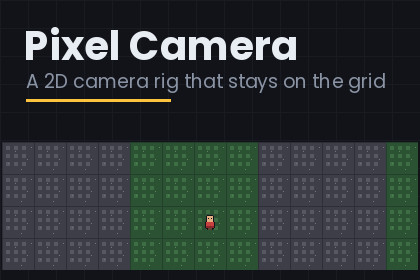
Pixel Camera - 2D rig that stays on the grid
Rasterloom
$15.39
$21.99
30%OFF
(no ratings)
Jump AssetStore
Follow, rooms, parallax and shake for pixel art - and it finds the thing that is actually causing your jitter.Give an orthographic camera this component and it follows your player without ever landing between pixels.It does five things every frame, and the order is the whole design. It aims at the target - or at the weighted centre of several. It moves that aim point only as far as leaving the dead zone requires. It eases towards it, frame-rate independently. It clamps the visible rectangle inside the current room or map. Then it adds shake and rounds the result onto the pixel grid.Snapping last is not a detail. Snap before clamping and the camera can end a frame a pixel outside the map. Snap before easing and the easing quantises into a stutter, because a frame that should move the camera a third of a pixel moves it either none or one. The unrounded position is kept in a field and only the rounded one is ever written to the transform, so rounding error cannot accumulate - and parallax layers have a smooth number to read instead of a staircase.This package is complete. No trial, no watermark, no time limit, source included.THE CAMERA IS SNAPPED AND MY ART STILL SHIMMERSThis is the most common thing people ask about, and the camera is almost never the cause. There are three culprits, and this package handles all three.Your player is between pixels. A sprite parked at x = 1.4703 does not become sharp because the camera is exact; what gets sampled is the difference between the two. Put the SpriteRenderer on a child and add Pixel Snap Visual to it: the child is rounded, the parent keeps the true position your movement code and your Rigidbody2D own. Snapping the player's own transform instead is the obvious fix and the wrong one - a body whose position is rewritten every frame fights the solver.Your Rigidbody2D is not interpolating. Physics steps fifty times a second and the screen draws more often, so with Interpolation set to None the body holds still for a frame and then jumps, and a faithful camera reproduces the jump. The inspector looks at your target and tells you, with a button that fixes it.Your parallax layers are computed from a rounded camera. A factor below one applied to a staircase gives a staircase with uneven steps. Pixel Parallax Layer reads the rig's unrounded position and rounds once, at the end, against the same grid.And the editor window scans your whole open scene, lists every sprite that is off the grid with the size of its error, and snaps them all with one press.ROOMS ARE RECTANGLES, NOT COLLIDERSTick Use Rooms, drop Pixel Camera Room components in, and drag their corners out in the scene view. The rig frames the smallest room the target is standing in, so a side chamber drawn on top of a hall wins.Each room chooses how the camera arrives: a cut, a glide at the usual half-life, or Slide Seconds - a straight move over exactly that long, which is the screen-by-screen transition of a top-down classic, the one where the player is held still for precisely as long as the screen takes to move. Easing is the wrong tool there, because easing never quite arrives.The collider-and-trigger way has four failure modes that cost people an evening each: an unassigned shape fails silently, a shape whose object starts inactive builds an empty cache, the cache has to be invalidated by hand after a zoom change, and damping lets the camera drift outside the shape before it is pulled back. A serialised rectangle has none of those, needs no physics module at all, and costs two comparisons to test.THE DEAD ZONE, AND WHY EXIT-CENTRING LURCHESWhile the target is inside the dead zone the camera does not move at all - a character who turns around, jumps, or paces two steps either way should not drag the entire screen with them. When the target leaves, the camera moves just enough to put it back on the edge, not to centre it. Centring on exit makes the camera travel half the dead zone in one go, every time the line is crossed, and the lurch arrives exactly when the player is trying to read the screen.THE ROOM THAT IS SMALLER THAN THE SCREENWhen the map is narrower than the view on an axis there is no position that satisfies both edges at once. Clamping in the usual order snaps to whichever edge is tested last, and the room appears to jump sideways as the player moves. This rig centres that axis instead - the only answer that looks deliberate, and what a one-screen room wants anyway.WHAT AN ULTRAWIDE MONITOR SHOWS FOR FREEA level composed for 16:9 opens up on a 21:9 monitor and hands the player a view they were not meant to have yet: the boss waiting past the door, the corridor's dead end, the seam where the tileset stops. Unity's own advice is to compose for the narrowest ratio and let wide screens see more, which is no advice at all for a game built out of rooms.Set Max Visible Width to the number of art pixels the widest screen may show. The camera pillarboxes past that, centred, and the composition holds on every monitor. Max Visible Height does the same vertically, and Respect Safe Area keeps the picture clear of a phone's notch.SEVERAL TARGETS, AND ZOOM THAT FITS IN WHOLE STEPSFill Extra Targets and the aim point becomes the weighted centre. Tick Zoom To Fit and the rig steps the zoom out in whole numbers until everything is on screen. Whole steps rather than a smooth scale: a continuous zoom-to-fit spends the entire transition at fractional zoom, which is the state this package exists to avoid.And it does not pump. A plain fit walks straight into that bug: two players drift apart and cross the exact distance at which zoom 3 stops fitting, the fit says 2, the camera zooms out - and at zoom 2 they fit at 3 again, so the screen pumps in and out several times a second. Here, zooming out happens at once, because the alternative is a target off screen; zooming back in waits for a margin of slack and then moves one step.LOOK AT SOMETHING ELSE FOR A MOMENTrig.FocusOn(theDoorThatJustOpened, 1.5f); - the camera frames that instead and eases back on its own when the time runs out. The dead zone, the bounds and the rooms all keep working against the new point, and there is no state to unwind afterwards. The thing every game needs twice and nobody wants to write a state machine for.SHAKE IN WHOLE PIXELS, AND A PUNCHAdd trauma from your own code and forget about it: Shake(0.6f). It drains by itself, and it adds rather than sets, so three quick hits build instead of the third cutting the second short. The amplitude is trauma squared, so a hit arrives hard and leaves quietly.There is no rotational shake, on purpose. Rotating an orthographic camera by a degree and a half puts every sprite edge at an angle the pixel grid cannot express. The offset is rounded to whole art pixels before it is applied, so a shake can never be the thing that puts the camera between them.On top of the noise there is a directional punch: rig.Punch(awayFromTheHit, 0.7f). Noise says "something happened"; a punch says "something hit you from over there". With noise alone, a bullet from the left and a mine underfoot look identical. Noise and punch are summed and rounded once, together, so the pair still lands on a whole pixel.And the shake runs on unscaled time by default, so a hit-stop that freezes Time.timeScale does not freeze the shake with it - which is the opposite of what the freeze is for. The follow stays on scaled time: the world has stopped, so the camera should stop chasing it.SPLIT SCREENThe rig sizes itself from its own camera's viewport rather than from the whole window, so two cameras each owning half the screen both show the right amount of world at the right zoom. Sizing from the window instead - which is what most camera scripts do - shows a half-height camera twice as much world as it should, and it is invisible until the day you add a second player.WHAT THIS DELIBERATELY DOES NOT DOSub-pixel scrolling - rendering the world into a low-resolution target and drawing that target one sub-pixel off, so the camera glides while the art stays crisp - is not in here. It is a real technique and it looks lovely. It also needs a render target sized to the pipeline in use, a blit that differs between the built-in pipeline and URP, and it fights parallax layers and screen-space UI, which are drawn at full resolution and so do not glide with it. This package is built the other way round: everything in it works in any pipeline with nothing installed. If you need sub-pixel scrolling, Unity's own Pixel Perfect Camera with Upscale Render Texture is where to start, and this rig will still do the following and the framing underneath it.THIS AND UNITY'S PIXEL PERFECT CAMERAThey are not the same job and they do not fight. Unity's component handles the upscale: it sets orthographic size and can render to a low-resolution target. It does not follow anything, and it has no dead zone, no bounds and no shake. This rig handles the movement, and sets orthographic size itself so it works with no packages installed at all.One pairing is worth knowing about: Upscale Render Texture together with a smoothly eased follow is the combination people report as jitter. The inspector notices that component and says so.GETTING STARTED1. Open Demo/Pixel Camera Demo.unity and press Play. The walker does laps, the camera cuts between two rooms at the middle, and the far blocks parallax.2. Turn off Snap To Pixel Grid while it runs. The striped ruler is there for that moment.3. Window > Rasterloom > Build Pixel Camera Demo builds the same arrangement into a scene you already have - a floor, a ruler, a parallax layer, a walker whose sprite sits on a snapped child, two rooms and a configured camera.4. On your own camera: add the rig, set Pixels Per Unit to match your art, set Zoom, drag your player into Target.Pixel Camera Rig - dead zone, frame-rate independent easing, look-ahead measured in seconds of the target's own velocity, per-axis follow locks.Pixel Snap Visual - rounds a moving sprite onto the camera's grid via a child object, leaving the parent transform and its Rigidbody2D untouched.Pixel Parallax Layer - parallax computed from the camera's unrounded position and rounded once, at the end, onto the same grid.Pixel Camera Room - rooms as serialised rectangles with scene-view handles; the smallest room containing the target wins, and it cuts at the doorway. No colliders, no cache, no physics module.Inspector diagnostics: the target's Rigidbody2D interpolation (with a one-click fix), the target's own grid error, Unity's Pixel Perfect Camera and its mode, and whether the Game view divides by the zoom - all by reflection, so nothing is depended on.An editor window that scans the open scene for off-grid sprites and snaps them.Map bounds that centre an axis the room is too small to fill instead of snapping to an edge.Max Visible Width and Height in art pixels - an ultrawide monitor cannot reveal the room you were saving.Safe-area handling, so a phone's notch does not eat part of the picture.Rooms arrive by cut, glide or fixed-duration slide.Fitted zoom with hysteresis, so two targets on the boundary cannot make the screen pump.Trauma-based shake, quantised to whole art pixels, with no rotation - plus a directional punch, and unscaled time so a hit-stop does not freeze it.FocusOn(target, seconds) - frame something else for a moment, and return without any state to unwind.Sizes itself from its own camera's viewport, so split-screen cameras are right.Several targets with weights, and zoom-to-fit in whole steps.Fixed reference resolution with letterbox bars, without the Pixel Perfect package.Whole-number zoom, or auto zoom that keeps a given vertical resolution.A demo scene you can open, and a menu item that builds the same arrangement into a scene you already have. The scene holds nothing but sprite renderers, one camera and this package's own components, so no render pipeline can fail to draw it.PixelGrid, CameraFraming and CameraShake are plain C# with no scene dependencies, usable from a level importer or a test.Twelve-page PDF manual and a readme. Source included, nothing obfuscated.Unity 6000.0 or newer, any render pipeline. No packages to install, and no input is read, so the Input System setting cannot break it.Distinct namespaces, assemblies, type names and menu paths from the other Rasterloom tools.The C# source, the PDF manual, the readme and this store text were written with the help of a large language model (Anthropic Claude), then reviewed, compiled and validated in the Unity editor before submission. No generative image model was used for the art: the four demo sprites are drawn by a deterministic Python script, and the screenshots are rendered by the same kind of script.

