






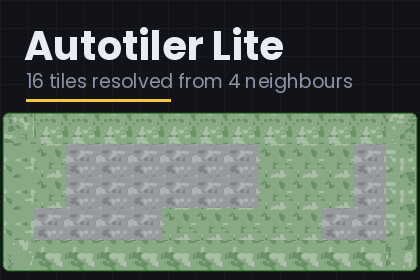
Give a tile sixteen sprites and paint. Edges, corridors and outside corners resolve themselves from the four cells around each one. Free and complete: no trial, no watermark, source included.Give a tile sixteen sprites, paint with it, and edges, corridors and outside corners resolve themselves from the four cells around each one.Four neighbours is the easy half of auto-tiling, and it is easy for a reason worth knowing: there are sixteen possible neighbourhoods and sixteen sprites, so the mask is the index. Nothing has to be folded and no rule has to be applied. A cell resolves in one array read.This package is complete. No trial, no watermark, no time limit, source included.THE IMPORT SETTINGS ARE NOT COSMETICThree defaults quietly ruin a tileset, and all three produce a map that looks almost right, which is the hardest kind of bug to find. Compression puts colour artefacts along the one-pixel seam where two tiles meet. Mip maps soften every tile the moment the camera is not at 1:1. A Tight mesh trims transparent border pixels, and two tiles trimmed by different amounts stop lining up. The window sets Point filtering, no compression, no mip maps, Full Rect and extrude zero.TWO TERRAINS THAT MEET FLUSHPut terrain B in terrain A's "also counts as mine" list and terrain A in terrain B's. Neither draws an edge against the other, so the two read as one continuous piece of ground that changes material. It only has an effect between tiles on the same tilemap, which the demo shows.WHERE FOUR NEIGHBOURS STOPSFour neighbours cannot express an inside corner. A cell whose four sides are all terrain is mask 15 whether its diagonals are terrain or not, so the same sprite is drawn in both cases - and one of those two cases wants a small notch, where the terrain curls around a corner. One of the screenshots draws the same shape both ways and rings the cell that differs.Getting that right needs all eight neighbours: 256 neighbourhoods, 47 distinct appearances, because a diagonal only counts when both orthogonals beside it are present. The full Rasterloom Autotiler ships that fold as a checked lookup table, plus a slicer that cuts a 47-tile sheet without detaching sprite references already placed in your scenes, and fill variants so open ground stops repeating.If sixteen tiles is all your art has, this package is not a cut-down anything. It is the whole job.GETTING STARTED1. Import the package.2. Window > Rasterloom > Build Autotiler Lite Demo - builds a working map and a chart of all sixteen neighbourhoods in your open scene.3. Window > Rasterloom > Autotiler Lite - select your own sixteen sprites, press Read selection, then Create Auto Tile Lite.Sixteen sprites per tile, in mask order: N=1, E=2, S=4, W=8. The mask is the index, so a cell resolves in one array read.Optional linking, so two terrains meet flush on the same tilemap.An editor window that builds the tile from a selection and fixes Point filter, compression, mip maps, mesh type and extrude.A demo builder: a working map plus a chart of all sixteen neighbourhoods, drawn by the tile asset itself.Two demo terrains, sixteen 32 px sprites each, from the Rasterloom Top-Down Tileset.Six-page PDF manual and a readme. Source included, nothing obfuscated.Unity 6000.0 or newer, any render pipeline. No packages to install and nothing added to your project manifest.Distinct namespaces, assemblies, type names and menu paths from the full Autotiler, so both can sit in one project.The C# source, the PDF manual, the readme and this store text were written with the help of a large language model (Anthropic Claude), then reviewed, compiled and validated in the Unity editor before submission. No generative image model was used for the art: the demo sprites come from the Rasterloom Top-Down Tileset, drawn by deterministic Python scripts, and the screenshots are rendered by the same kind of script.

