






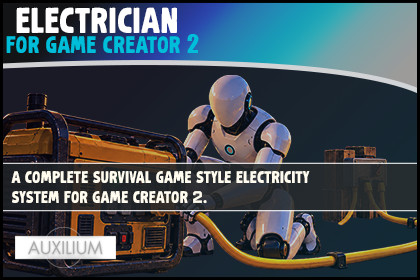
Electrician is a complete, survival game style electricity system for Game Creator 2.POWER YOUR WORLD 👨🔧Electrician is a complete, survival game style electricity system for Game Creator 2. Drop a generator into your scene, run cables out to your lights and machines, wire them through switches, and watch the whole place come to life. Sources make power, cables carry it, switches cut it, and your props run on it, all native to Game Creator 2 so your world reacts to power with the nodes you already know.The best part is that your players can do the wiring themselves. They walk up to a generator, drag a live cable from one socket to the next just like they would in a survival game, and light up the base one wire at a time. They can cut a cable and rewire it, split one generator across a whole street, or throw a single switch to plunge everything back into darkness.Under the hood a real circuit solver tracks how much power each source makes and how much every prop needs. It shares the watts out by priority and browns out the lowest loads when a generator is pushed too hard, so overloading actually means something. And every moment that matters, a light flicking on, a switch thrown, a generator sputtering out of fuel, is a Game Creator event you can hang a quest, a sound or a scare on. No code required.Built for survival, base building, horror, puzzles and immersive sims, or any world where power should feel real.⚡ DRAG CABLES IN GAMEYour player aims at a socket, clicks, and drags a live, sagging cable to another socket to wire the base at runtime.🔌 PLUG AND PLAY POWERDrop a Power Source on a generator and a Power Consumer on a prop, connect them, and it turns on. No code required.🎚️ SWITCHES AND SPLITTERSKill a whole row of lights with one switch, or split a single generator across many cables with a junction.🛢️ FUEL THAT RUNS DRYGenerators can burn fuel that drains over time and splutters out, then roars back to life when you refuel.✂️ CUT AND REWIREFlip the tool to cut mode and pull cables back out. Rewire the base however you like, whenever you like.💡 LIGHTS, ANIMATIONS, ANYTHINGA powered prop can switch on any number of lights, drive an Animator, or run any Game Creator action you want.✨ GLOWING LIVE CABLESCables light up with power pulsing along them while the circuit is live, and go dark the moment it is cut. URP shader included.🧠 A REAL POWER GRIDA circuit solver shares watts across the network, honours priority, and browns out the lowest loads when a generator is overloaded.⚠️ REACT TO EVERYTHINGEvents fire on powered, unpowered, overload, switch toggled, fuel empty, refuel and more. Hang quests, sounds and scares on them.📦 OPTIONAL INVENTORYFuel the generator from a gas item and feed cable from a spool, using your existing Inventory nodes. It is never forced on you.🎨 LIVE INSPECTOR GAUGESA fuel tank, output and circuit load read out right in the Inspector so you can watch power flow as you play.🧩 8 DROP ON COMPONENTSPower Source, Power Consumer, Power Switch, Power Junction, Power Socket, Cable, Power Wiring Tool and Power Wiring HUD.🎛️ 26 GAME CREATOR 2 NODES12 instructions, 4 conditions and 10 events, all under one tidy Electrician menu.🧠 CIRCUIT SOLVERA union find graph groups sockets into circuits, compares supply against demand, and powers consumers by priority. Overloaded loads brown out cleanly.⚡ RUNTIME WIRING TOOLRaycasts to sockets, shows a live preview cable, clicks to connect, has a second mode to cut, and can spend an optional length budget.✨ URP CABLE FLOW SHADERAn unlit flow shader energises only while the circuit is live. It is driven per cable through a material property block, so no materials are instanced.📦 OPTIONAL INVENTORY LAYERFuel and cable use your existing Inventory nodes through simple recipes. The asset compiles and runs on Game Creator 2 core with no Inventory present.📄 PDF MANUALQuick start, every node explained, wiring recipes and a troubleshooting table.REQUIRESGame Creator 2 core. Optional Game Creator 2 Inventory. Universal Render Pipeline for the glowing cable shader. Built and tested on Unity 6.

