






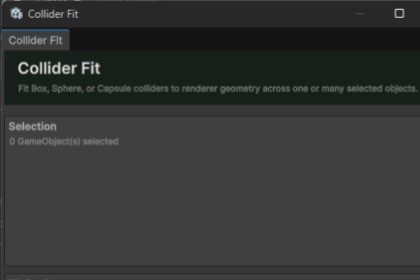
Create fitted primitive colliders for your models in seconds.Collider FitCreate fitted primitive colliders for your models in seconds.Collider Fit is a Unity Editor tool designed to automatically generate and fit Box, Sphere, and Capsule Colliders around your GameObjects.Instead of manually resizing collider centers and dimensions for every prop, character component, environmental object, or prefab, Collider Fit calculates the required collider bounds automatically.It also supports batch processing, allowing multiple objects to be fitted at once.Supported Collider TypesCollider Fit can automatically generate:Box CollidersSphere CollidersCapsule CollidersCapsule Colliders can be aligned along the:X AxisY AxisZ AxisFeaturesAutomatically fit Box CollidersAutomatically fit Sphere CollidersAutomatically fit Capsule CollidersX, Y, and Z capsule orientationBatch process multiple selected GameObjectsInclude child renderers when calculating boundsOptional inactive child supportMesh Renderer supportSkinned Mesh Renderer supportPer-axis collider paddingAutomatically configure collider centerTrigger collider optionReplace existing primitive collidersLive Scene View collider previewGameObject menu integrationUndo and Redo supportScrollable and resizable Editor interfaceClean custom Editor UINo third-party dependenciesNo runtime overheadBatch Collider CreationNeed colliders on an entire collection of scene objects?Select multiple GameObjects and Collider Fit can generate fitted colliders for all of them using the same configuration.This is useful for:Environment propsImported asset packsModular level piecesFurnitureRocksContainersCharacter componentsDestructible objectsPrototype geometryPrefab librariesChild Renderer SupportCollider Fit can calculate bounds using renderers located underneath the selected object.This makes it useful for prefabs where visible geometry is spread across multiple child GameObjects.Both Mesh Renderers and Skinned Mesh Renderers are supported.Live PreviewEnable the Scene View preview to inspect the estimated collider before applying it.Adjust padding, collider type, axis, and other options while previewing the resulting collider directly in your scene.Simple WorkflowSelect one or more GameObjects.Open Collider Fit.Choose Box, Sphere, or Capsule.Adjust padding and fitting options.Preview the result.Apply the colliders.Collider Fit is designed to turn repetitive collider setup into a fast Editor operation.CompatibilityDesigned for modern Unity versions, including Unity 6.No additional packages or third-party dependencies are required.AI was used to make the Documentation and the description of the package.

