




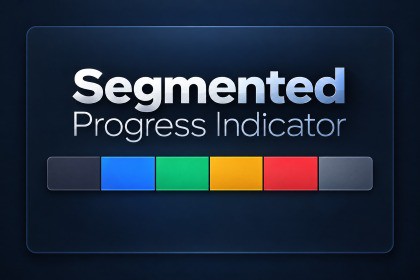
Reusable uGUI component for staged progress and independent status slots, with six states, runtime APIs, custom Inspector, prefabs, samples, and tests.Segmented Progress Indicator is a reusable Unity uGUI component for displaying staged progress or multiple independent status slots.Use it for startup initialization, scene loading, content preparation, quest or mission stages, multiplayer ready checks, player or device connection states, crafting queues, and batch task results.The component supports six explicit states: Pending, Active, Completed, Warning, Failed, and Skipped. Multiple segments can be Active at the same time. Active segments use a gentle alpha pulse based on Time.unscaledDeltaTime.Create the indicator directly from GameObject > UI > Segmented Progress Indicator, configure the initial segment count and state in the custom Inspector, or control it at runtime through SetSegmentCount, SetSegmentState, and SetStates.The included Basic Usage sample demonstrates practical progress-step and status-slot presets, runtime segment-count changes, individual and batch state updates, multiple Active segments, Reset, Clear, and width changes.The indicator uses a simple instance pool. Increasing the segment count creates only missing segments, while decreasing the count or calling Clear retains generated instances for reuse.The package displays application-provided states only. Networking, downloads, quest logic, device detection, and other domain behavior remain the responsibility of the consuming application.KEY FEATURES- Six states: Pending, Active, Completed, Warning, Failed, and Skipped- Runtime-configurable segment count- Multiple Active segments- Equal-width uGUI layout- CanvasGroup.alpha pulse using Time.unscaledDeltaTime- Individual and batch state APIs- Segment instance reuse- Inspector-configurable initial segment count and state- Optional automatic initialization during Awake- Non-destructive schematic Inspector preview- Hierarchy creation menu- Ready-to-use prefabs- Basic Usage sample with practical use-case presets- English and Japanese documentation- EditMode and PlayMode tests includedEDITOR WORKFLOW- Create from GameObject > UI > Segmented Progress Indicator- Custom Inspector for initial configuration- Default initial configuration: 6 Pending segments- Initialize On Awake can be disabled- Canvas is created automatically when none exists- Prefab connection is preserved- EventSystem is not created automaticallyRUNTIME API- SegmentCount- SetSegmentCount- SetSegmentState- GetSegmentState- SetStates- ResetStates- ClearTECHNICAL INFORMATION- Minimum supported Unity version: 6000.3.8f1- Validated with Unity 6000.3.8f1- UI system: Unity uGUI- Required Unity package: com.unity.ugui 2.0.0- Runtime namespace: SegmentedProgress- Runtime assembly: SegmentedProgress.Runtime- Editor assembly: SegmentedProgress.Editor- External runtime dependencies: None- TextMeshPro dependency: None- Input System runtime dependency: None- Render-pipeline-specific shaders or materials: None- Compatible render pipeline selections: Built-in, URP, and HDRP- License: Unity Asset Store EULAINPUT COMPATIBILITYThe core Runtime does not use input APIs. The Basic Usage sample selects a compatible EventSystem input module for Input System, Legacy Input Manager, or Both input configurations.PERFORMANCEThe Indicator itself has no Update method. Only Active segments update alpha each frame. Manual profiling in Unity 6000.3.8f1 confirmed 0 B GC Alloc for SegmentedProgressSegment.Update during normal pulse frames.KNOWN LIMITATIONS- No built-in text labels or icons- No built-in click interactions- No tooltips- No scrolling or multi-row wrapping- No automatic networking, workflow, quest, or connection logic- No Scene View live preview or Edit Mode pulse preview- Unity versions older than 6000.3.8f1 have not been validatedOpenAI ChatGPT and OpenAI Codex were used as development assistants during parts of product planning, C# implementation, automated test authoring, and documentation drafting.The publisher defined the product requirements and architecture, reviewed and edited the AI-assisted output, integrated it into the package, and performed compilation, automated testing, and manual validation in Unity 6000.3.8f1.The asset does not include runtime AI functionality, external AI services, AI model files, or AI-generated marketing images.

