




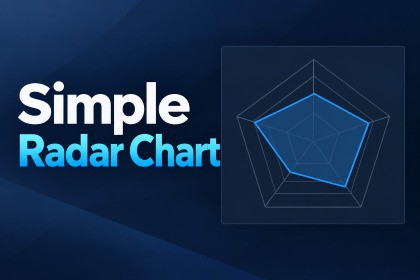
A simple, reusable Unity uGUI radar chart with multiple series, runtime updates, optional animation, style presets, and custom inspectors.Simple Radar Chart is a reusable Unity uGUI component for displaying radar charts, also known as spider charts.Create charts with 3 or more axes, configure an independent Min / Max range for each axis, display one or multiple data series, and update values at runtime through a small and straightforward API.The included RadarChartAnimator can optionally interpolate runtime value changes and smoothly retarget when a new value arrives during an active animation.RadarChartStyle ScriptableObject presets make it easy to reuse visual settings. Default and High Contrast presets are included, and custom inspectors provide reference validation, style preview, and convenient animation settings.The asset includes a ready-to-use prefab, four sample scenes, and offline documentation.Included samples:BasicMultiple SeriesAnimationStyle PresetsRequirements:Unity 6000.3.8f1 validatedUnity uGUITextMeshProSimple Radar Chart has no render-pipeline-specific dependency and does not include third-party assets.Current version does not include a built-in legend, tooltip, point markers, value labels, or shader effects.- Unity uGUI based radar / spider chart- Minimum axis count: 3- Independent Min / Max range per axis- Single-series and multiple-series rendering- Runtime SetValue API- Explicit Refresh API- Optional runtime value animation- Mid-animation retargeting- Animation uses unscaled time- TextMeshPro axis labels- Reusable RadarChartStyle ScriptableObject- Default and High Contrast style presets included- Responsive RectTransform resizing- Reusable configured prefab- Custom inspectors for RadarChart, RadarChartAnimator, and RadarChartStyle- Four included sample scenes- CPU-generated uGUI mesh- No ComputeShader required- No custom shader dependency- No render-pipeline-specific package dependency- No bundled third-party assets- Validated with Unity 6000.3.8f1OpenAI ChatGPT and OpenAI Codex were used to assist with C# implementation, test design, code review, and documentation drafting.AI-assisted outputs were iteratively reviewed, modified, and integrated by the publisher. The final implementation was validated with automated EditMode, Editor, and PlayMode tests, manual Unity Editor checks, clean-project sample validation, and the Unity Asset Store Validator.No AI or machine-learning functionality is included in the asset at runtime.

