




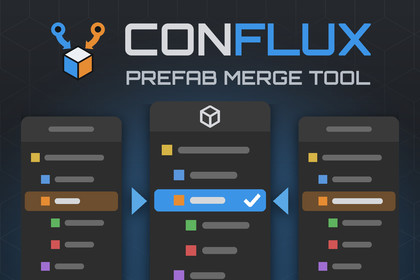
Resolve Unity prefab merge conflicts by meaning instead of by text. Per-property three-way diffs, three synchronized panels, and a merged preview you can open in Prefab Mode.Conflux is a prefab merge tool for Unity, resolving three-way conflicts property by propertywith a live merged preview you can open in Prefab ModeWebsite: https://confluxmerge.comForum thread: https://discussions.unity.com/t/conflux-prefab-merge-tool-for-unity/1733311A prefab is component types, references and nested overrides. None of that survives beingcompared as lines of text, so a text-based merge tool ends up offering you one whole side orthe other, and whichever you take throws away work somebody did. Conflux parses all threesides into an object model, compares them field by field, and rebuilds the result throughUnity's own APIs, so Unity does the serializing.Features• Every GameObject, component and property classified against the common ancestor: added,removed, changed on one side, changed the same way on both, or a real clash. Clashes are theones that block Apply, and the count you have to bring to zero is the first thing on thetoolbar.• Anything only your side did survives, and is shown. A merge that quietly keeps the incomingversion of everything it can auto-resolve is how work goes missing with no conflict markeranywhere; here a change nobody disagreed with is simply kept, marked as yours, and carries acontrol for the one other answer there is, which is to throw it away on purpose.• Take a whole branch, one object, its components, or a single property from one side in aclick. Every level has the same control, so you can settle the bulk of a merge fast and thenrefine only the parts that need it.• Ours, Merged and Theirs side by side, hierarchies and inspectors, with selection andscrolling in step across all three.• Every control reports what it covers, so you can see at a glance which side each part of theresult came from, and which parts were taken from both.• Every control is also a progress bar over what it covers. A branch part way through showshow much of itself is settled, and the topmost one is the whole file, so you can see where theremaining work is without expanding anything.• The merged result opens in real Prefab Mode and rebuilds as you decide. It's the actualprefab, built by the same call that writes it.• Apply says what it will change in the file on your side before it overwrites it: what'sadded, removed, moved and which property of which object ends up different.• Apply offers to back up the pre-merge version of your side before it overwrites anything,to a folder outside Assets/ so it never becomes a second prefab in your project.• Apply reads the written file back through Unity's own loader and compares it with the resultyou approved: every object, every component and its position, every value, every reference. Ifthey differ it says so, naming what and where, and where your backup went. Silence means thefile on disk is the merge you signed off.• Every object keeps its fileID, which is how a prefab's objects are named from outside thefile. Variants built on the prefab, scenes holding an instance of it, and anything referencinga particular object inside it all go on working after a merge, including the objects the mergetakes from the other branch. The read-back check compares identity as well as content, becausea renumbered prefab looks perfectly fine from the inside and breaks everything around it.• Apply writes the file and stops there. No git add, no p4 resolve, no svn resolved: markingthe conflict resolved stays your call, after you've looked at the result.• Prefab variants and nested prefab instances are read against the prefab they come from, sotheir panels show the hierarchy they inherit rather than the handful of stubs the filecontains, and a per-branch override lands on the object it belongs to.• An object a branch deleted from a variant stays deleted. A variant records its removalsinstead of leaving the object out of the file, so a tool reading only the override list handsback what somebody deliberately took away. Here the object is marked deleted on that side andyou decide, and a delete on one side against an edit on the other is a clash, not a silentwin. Components removed from an instance behave the same.• Works with Git, Subversion, Mercurial, Perforce and Plastic SCM. Detection is automatic,and only the step that fetches the three versions differs, so the window and every decision init are the same whichever you use.• Sibling order, component order and reparenting are tracked as separate decisions, so areorder on one branch and an edit on the other can both survive. A list only one branchrearranged is kept as that branch left it; what you are asked about is both branchesrearranging the same list differently.• Where both branches appended to the same list, take both. It works for references, forstrings and for lists of your own structs, without Conflux knowing anything about the type.• Show only the kinds you care about. The toolbar's tally is also the filter: uncheck a kind andit leaves the hierarchies and the inspector together, rows and markers and property rows alike,while an object stays on screen as long as anything under it still matters. Reorders aredeliberately not a switch, since an order decision covers a whole list and a filtered list isnot one you can answer for. Nothing is hidden from the write: the outstanding count still countsall of it, and Apply is still blocked by what you cannot see.• Built for a branch merge, not one file. The conflict list counts how many already hold amerged result, and applying one opens the next that still needs merging.• Sixteen sample conflicts included, so you can try it properly before a real merge iswaiting on you, including a generated scene of several hundred objects if you want to seehow it holds up at size.• Editor-only, full C# source, no dependencies beyond the version control CLI you alreadyhave.• Runs in the Unity Editor on Windows, macOS and Linux: paths and processes go through theplatform's own APIs, with no hardcoded separators or Windows-specific calls.• Built for small and very large prefabs alike. Every panel is version-gated and cached, thehierarchies draw only the rows on screen, and the inspector renders only the selected object,so a prefab with thousands of objects stays responsive. On the largest, the live preview stepsaside automatically so each decision stays instant.Already using Unity's Smart Merge?Smart Merge (UnityYAMLMerge) is a command-line merge driver. It resolves what it can, thenhands you a conflicted file for everything it can't, with no way to see what either branchactually did. It has no interface and was never meant to have one. Conflux starts where itstops: it shows you both sides and the result, and lets you decide.Good to know: prefab conflicts are the intended scope, with scene (.unity) support still awork in progress. A component with your own [CustomEditor] shows that inspector read-onlyabove its rows, and the decisions stay on the rows underneath. Plastic SCM needsits external merge tool pointed at Conflux once. A variant whose base prefab is also conflictedwon't open until you resolve the base first. A nested prefab that one branch unpacked isflagged rather than merged, because Unity leaves nothing to match the two sides by. Full listof known limits on the website.--Every prefab conflict used to be the same lost afternoon. Git hands you two walls of YAML itcan't reconcile, the merge tool offers one side or the other, and whichever you take throwsaway somebody's work. The times the file wouldn't open afterwards were annoying. The times itopened fine and was quietly broken were worse.If you hit a conflict this can't handle, send it my way. Real broken prefabs are the onlything that makes a merge tool better.• Editor-only. Nothing ships in a build and nothing runs at runtime.• Unity 2021.2 or newer. PrefabStageUtility moved out of the Experimental namespace in2021.2, which sets the floor; the rest of the API surface has been stable since 2018.3.• No third-party dependencies and no external services. It uses the version control CLIalready on your machine.• Full C# source included, no DLLs, and no C# 8+ syntax, so it keeps compiling on thelanguage versions that came with older editors.• Render pipeline agnostic. Built-in, URP and HDRP all behave the same, since the tool drawseditor UI and never touches rendering.• Requires a working copy under Git, Subversion, Mercurial, Perforce or Plastic SCM, andthat system's CLI on PATH.• Plastic SCM has no conflict list to poll, so it hands each conflict to an external mergetool. Conflux generates the launcher; you point Plastic at it once. The other four can beconfigured the same way, which is what makes `git mergetool` open a conflict in an Editorthat's already running.• Perforce and Plastic use exclusive checkout. Apply runs `p4 edit` if the file is read-only,and never clears the read-only bit behind the server's back.• Unity does the serialization. The merged prefab is written withPrefabUtility.SaveAsPrefabAsset, which keeps the tool largely immune to prefab-formatchanges. The one thing edited afterwards is the numbers that identify objects, putting backthe ids of the objects the merge took from the other branch, and the file is read back andcompared before you are told it worked.• Interface in English, Portuguese, Spanish and French, with more by request. A translationis one JSON file named by its languagecode, and any key it omits falls back to English, so a partial one is perfectly usable.• If a merge comes out wrong, the window's tab menu exports a single zip holding the threestaged versions, your decisions and your Unity version, so a bug report can be reproducedrather than described. It asks first and transmits nothing.• Includes an EditMode test suite covering parsing, diffing and resolution as plain data, themerged result as real Unity objects with their values and component order asserted, and thewritten file read back and compared. Some of it runs against captured real conflicts shippedwith the package.AI was used to help formatting the documentation for the package and also assist with the bullets points in the description

