




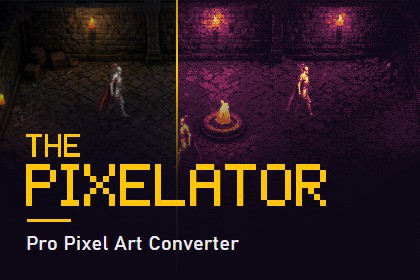
Turn concept art, photos, and sprite sheets into clean pixel art in one click. Content-aware sampling, palettes, dithering, outlines, and flat shading, with a live preview. Offline, editor-only, no AISupported Unity Versions:Unity 2021.3.45f2 or laterAny image in -> Production-ready pixel art out!Deterministic, offline image processing: no AI models, no cloud, no network. The same input and settings always produce the same output.The Pixelator converts textures, sprites, and full sprite sheets into clean, crisp pixel art not by simply shrinking them, but with a content-aware sampling engine that locks every pixel onto the dominant color of its source region. Edges stay sharp, shapes stay readable, and nothing turns to mush.Feed it concept art, photos, or high-res game assets, tune the look in a live before/after preview, and press Convert. You get standard PNG assets with pixel-perfect import settings, ready to drop into your game.One click on a sprite sheet converts every sprite assigned. Rects, pivots, and slice borders are rebuilt automatically at the new resolution.SMART CONVERSION ENGINEContent-aware sampling in gamma-correct linear color, so blends never go muddy or haloedResolution control: by downscale factor, longest side, target width, or target heightUpscale Output: optional sharp nearest-neighbor re-enlargement at 2x, 4x, 8x, or back to near source size, for engines and UIs that want big pixelsSampling modes: crisp, Balanced, and SmoothFlat Shading: turns realistic images into hand-painted, cel-shaded game artEdge Emphasis: pre-sharpening keeps fine details alive at tiny resolutionsDespeckle pass: removes stray pixels for clean, deliberate-looking resultsHard or soft alpha: with adjustable cutoff for perfect silhouettesCOLOR & STYLEAuto Palette: builds an optimized 2–64 color palette from the image itselfBuilt-in fixed palettes: retro Green 4, Vivid 16, Fantasy 16, GrayscaleCustom palettes from any image: drop in your own swatches. 6 swatch palettes includedOrdered Bayer dithering: (2×2, 4×4, 8×8) with strength controlColor grading: brightness, contrast, and saturationOutlines: darken or Solid Color, 1–8 px, placed inside, outside, or on the edgePRODUCTION WORKFLOWBatch convert singles, multi-selections, or entire foldersFull sprite-sheet support: every cell resampled independently with zero bleeding between sprites, and names, rects, custom pivots, 9-slice borders, and custom physics shapes rebuilt.Keep World Size rescales Pixels Per Unit so converted sprites keep their exact in-scene dimensionsLive before/after preview with pop-out zoom window for pixel-level inspectionPresets: save/load complete configurations as shareable JSON files. 9 production-ready presets included (characters, environments, photos, retro, icons)Non-destructive by default: sources are never touched; outputs are new PNGs imported as pixel art automatically (Point filtering, no compression, no mipmaps)Replace Originals mode: convert the assets your scenes already use, in place. Every asset keeps its GUID and sprite IDs, so scenes, prefabs, SpriteRenderers and AnimationClips keep working with no rewiring. An automatic backup of each original (file and import settings) is saved beside it first, and turning backups off requires explicit confirmationFITS YOUR PROJECT100% Editor tool that ships nothing into your builds, with zero runtime overheadOutputs standard textures that work with every render pipeline (Built-in, URP, HDRP)Clean, compact UI that expands only when you need the detailFull C# source code includedDOCUMENTATION & SUPPORTOffline HTML documentation and quick-start guide, a full online before/after gallery with the exact settings used for every sample, and direct email support. I answer personally.THIRD-PARTY CONTENT: This asset contains no third-party components. All code, presets, swatch images, documentation, and the demo scene with its sample art are original work by the publisher and are covered solely by the Unity Asset Store EULA; see the Third-Party Notices.txt file in the package for details. The demo sample art was created with generative AI tools. Other artwork in the screenshots is used for demonstration only and is not included in the package.Editor-only tool (asmdef, Editor platform). Nothing is added to buildsContent-aware downsampling with weighted box coverage and dominant-color clustering, computed in gamma-correct linear color with premultiplied alphaK-means++ palette generation; perceptually weighted color matchingMulti-threaded processing (parallel rows) for fast batch conversionsReads PNG/JPG sources losslessly from disk, other formats (PSD, TGA, ...) captured via GPU blit, no import settings need changing, Read/Write enabling is not requiredSprite metadata rebuilt through the modern ISpriteEditorDataProvider API, with automatic fallback when the 2D Sprite package is absentOutputs standard PNG files with automatic pixel-art import configuration (Point filter, uncompressed, no mipmaps, Full Rect sprite meshes)Presets stored as plain, diffable JSON, safe for version control and team sharing. Editor-only tool (asmdef, Editor platform) — nothing is added to builds, no runtime assemblyContent-aware downsampling with weighted box coverage and dominant-color clustering, computed in gamma-correct linear color with premultiplied alphaK-means++ palette generation; luma-weighted color matchingMulti-threaded processing (parallel rows) for fast batch conversionsFully deterministic: fixed-seed palette clustering and order-independent parallel rows, so the same input and settings always produce byte-identical outputDecodes PNG/JPG sources straight from the file, bypassing import compression; other formats (PSD, TGA, ...) are captured via GPU blit, so no import settings need changing and Read/Write is not requiredSprite metadata rebuilt through the modern ISpriteEditorDataProvider API: rects, pivots, alignment, 9-slice borders and custom physics/mesh outlines are rescaled and rewritten, with automatic fallback when the 2D Sprite package is absentReplace Originals keeps the asset GUID (the .meta is carried across, even for PSD/JPG sources re-created as PNG) and keeps sprite IDs stable through the name-to-fileID table, so existing scene, prefab and AnimationClip references never break. Backups are made with AssetDatabase.CopyAsset, so they carry full import settings under their own GUIDOutputs standard PNG files with automatic pixel-art import configuration (Point filter, uncompressed, no mipmaps, Full Rect sprite meshes)Presets stored as plain, diffable JSON, safe for version control and team sharingTested on Unity 6000.3.11f1 and 2021.3.45f2Portions of this asset were created with the assistance of AI tools, under full human direction and review:Source code & documentation: I developed the C# editor tooling and conversion engine with the help of an AI coding assistant, working from my design and specifications. I human-reviewed, compiled, and tested every line in the Unity Editor before release. The conversion algorithms themselves are conventional, deterministic image processing (weighted sampling, k-means palette generation, ordered dithering) — the tool does not use AI/ML at runtime and requires no network connection.Store page & documentation text: Drafted with AI assistance and human-edited.Demo images: The package ships one demo scene with three AI-generated sample images by the publisher (a dungeon background and a knight walk cycle, included as the originals plus their pixel-art conversions. The before/after samples shown on this store page and in the online gallery are AI-generated illustrative content. This tool's deterministic algorithm produced the pixel-art halves.

