




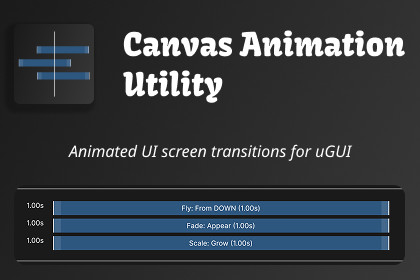
Build animated uGUI screen transitions on a visual timeline. Fly, Fade, Scale, Rotate and Event callbacks, Edit Mode preview and scrubbing, plus a simple canvas-stack navigation API with back support.Canvas Animation Utility is a uGUI workflow package for building polished, animated screen transitions — without writing animation code.Arrange enter and exit animations as clips on a visual timeline right in the inspector. Drag to adjust delay and duration, multi-select and copy/paste clips between components, and sync behaviours between the Enter and Exit tracks. Then preview everything in Edit Mode — play, pause, or scrub with the draggable playhead, no Play Mode needed.Built-in behaviours: Fly (auto-detects direction from the element's position on the canvas), Fade, Scale, and Rotate — each with per-behaviour delay, duration, and easing presets or a custom curve.Need to trigger game logic mid-transition? Turn on experimental features in the Canvas Utility panel to add the Event behaviour — a marker you drop on the timeline that invokes a UnityEvent the moment playback reaches it, perfect for playing sounds, spawning effects, or enabling input partway through a transition. It's opt-in while it's being finished, and it compiles out of your project entirely until you switch it on.At runtime, drive your UI with a simple canvas-stack navigation API: OpenCanvas(), CloseCanvas(), and OnBackPressed() handle screen history for you. SCREEN canvases participate in the stack; OVERLAY canvases (popups, HUDs) open on top without affecting it.Animations play through DOTween (free version supported) with a guided setup window, and a built-in coroutine fallback when DOTween isn't configured. Full source code included, plus a complete demo scene to explore.- Unity 6000 or newer recommended; requires uGUI (com.unity.ugui).- DOTween integration (free version sufficient) with a guided setup window (Tools > Canvas Utility > Setup DOTween); built-in coroutine fallback when DOTween is not configured.- Canvas Utility panel (Tools > Canvas Utility > Canvas Utility Panel) with an Experimental Features toggle that adds or removes the CANVAS_UTILITY_EXPERIMENTAL scripting define for the active build target.- Full C# source code included — no DLLs.- UICanvasComponent with SCREEN and OVERLAY canvas types; runtime navigation via CanvasUtility extension methods (OpenCanvas, CloseCanvas, OnBackPressed, OnSceneChange) with open/close callbacks and instant (non-animated) mode.- UIAnimationComponent with separate Enter and Exit tracks; behaviours: Fly (off-screen, percentage, or fixed-distance offsets), Fade, Scale, Rotate, and Event (experimental, opt-in).- Event behaviour (experimental): a diamond marker on the timeline that invokes a UnityEvent when playback reaches it, with a nameable label and an option to also fire when the animation is skipped to its end state. Callbacks only fire in Play Mode — Edit Mode preview never triggers them. Requires the CANVAS_UTILITY_EXPERIMENTAL scripting define, enabled from the Canvas Utility panel; with it on the timeline's Add menu lists it as Event (Exp), and without it the behaviour is not compiled into the project or a player build.- Per-behaviour Delay, Duration, and easing — full set of easing presets or custom animation curve.- Timeline inspector: drag-to-adjust clips, multi-select, undo/redo, copy/paste across components, Enter ↔ Exit sync, and auto-scroll/extend when dragging near the view edge.- Edit Mode preview: play, pause, stop, and playhead scrubbing; save-safe (saving a scene or prefab mid-preview never writes preview state to disk).- Setup validation with inspector warnings and scene-view highlighting of the object a selected clip belongs to.- Wait For Previous To Close option to hold a screen's enter animations until the previous screen finishes exiting.- Supports Enter Play Mode Options (domain reload disabled) via automatic static-state reset.- Demo scene with a complete portrait UI flow included.To create custom editor functionality which required complex manipulation.

