






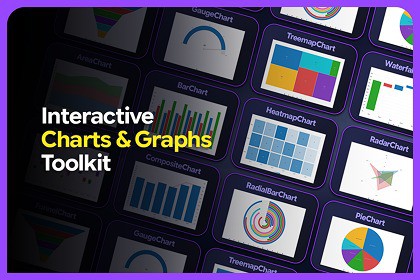
Create polished, animated, interactive charts in Unity UI Toolkit. Choose 16 chart types with runtime APIs or Editor workflows, plus themes, legends, tooltips, hover, labels, and hit-testing.Build polished, animated, and interactive charts directly inside Unity UI Toolkit with the Interactive Charts & Graphs Toolkit.Designed for both developers and designers, the toolkit provides two flexible workflows: create charts through a fluent runtime API in code, or design them visually in the Editor using ChartPreviewAsset and render them at runtime.Choose from 16 chart types with shared support for themes, animations, legends, tooltips, hover interactions, value labels, hit-testing, and customizable chart configurations.Key Features16 interactive chart typesCode-first Fluent Chart APIVisual Editor workflow with live previewRuntime chart creation and updatesChartPreviewAsset workflowCustom themes and reusable ChartThemeAsset assetsBuilt-in Light, Dark, Pastel, Midnight, Corporate, and Sunset themesAnimated value transitionsInteractive hover effectsLegends with visibility togglingCustomizable tooltipsValue labelsRuntime point addition, updates, replacement, and removalRolling data windows for live chartsCSV data import and exportJSON data import and exportPNG chart exportSample chart assetsDemo scenesRuntime demo scriptsNo third-party dependenciesIncluded Chart TypesLineBarAreaPieRadarScatterCompositeHeatmapFunnelGaugeWaterfallTreemapCandlestickBulletBox PlotRadial BarEditor WorkflowUse the dedicated Interactive Charts & Graphs Toolkit window to build and preview charts without manually creating the chart UI.The Editor provides:Chart type selectionData EditorCSV / JSON importSample data generationSeries and point editingChart-specific configurationLegend and tooltip configurationTheme editingBuilt-in theme presetsLive chart previewJSON / CSV exportPNG exportSave and Duplicate workflows for ChartPreviewAsset assetsRuntime WorkflowCreate charts directly from code using the fluent Chart API, or render charts that were designed in the Editor through ChartPreviewAsset.CreateElement().RuntimeChart provides convenient methods for updating live data, including:AddPointUpdatePointRemovePointAtRemoveLastReplacePointsClearRuntime PNG exportThis makes the toolkit suitable for live dashboards, telemetry displays, dynamically changing datasets, and other runtime data visualization interfaces.Compatibility & RequirementsUnity Version: 2022.3 LTS+Rendering Backend: Unity UI ToolkitUI System: UIDocument / VisualElementRuntime Requirement: Active UIDocument with a valid UI Toolkit panelThird-Party Dependencies: NoneDependencies: Unity built-in UI Toolkit onlyFramework & WorkflowAsset Type: Editor & Runtime FrameworkBuild Workflows:Code-first Fluent Chart APIEditor-designed ChartPreviewAsset workflowRuntime API: IncludedRuntime Chart Updates: SupportedLive Preview: IncludedData SystemData Model: ChartDataSource → ChartSeries → ChartDataPointSupported Data Structure: Ordered ChartSeries / ChartDataPoint listsDictionary-Shaped Datasets: Not supportedRuntime Data Updates: SupportedRolling Data / Max Points: SupportedInteraction & AnimationAnimation: SupportedEasing Modes:LinearEaseOutCubicEaseOutBackHover Interaction: SupportedHit Testing: SupportedTooltips: SupportedLegends: SupportedValue Labels: SupportedLegend Visibility Toggle: SupportedThemes & CustomizationChartTheme: SupportedChartThemeAsset: SupportedCustom Theme Editing: SupportedBuilt-in Theme Presets: IncludedPer-Series Color Overrides: SupportedPer-Point Color Overrides: SupportedData Import & ExportCSV Import: SupportedCSV Export: SupportedJSON Import: SupportedJSON Export: SupportedPNG Export: SupportedEditor ToolsChart Type Picker: IncludedData Editor: IncludedConfig Editor: IncludedTheme Editor: IncludedLive Preview Panel: IncludedSample Data Generator: IncludedQuick-Paste / Bulk Data Editing: IncludedSave & Duplicate Chart Assets: SupportedIncluded ContentDemo Scenes: 2Editable Demo Scripts: 2Sample ChartPreviewAsset Files: IncludedSample ChartThemeAsset Files: IncludedReadme / Help Documentation: IncludedPackage & Source CodePackage Format: Precompiled managed assemblies (.dll)Unity Asset Formats: ChartPreviewAsset / ChartThemeAsset (.asset)Core Source Code: Not includedDemo Script Source Code: Included (.cs)Support and FeedbackWe value your feedback and are here to help!Reach out to 300 Mind via our contact page, email us directly, or join our Discord community for support, updates, and discussions.Our team is ready to help with any questions you might have about setup, implementation, or customization.

