






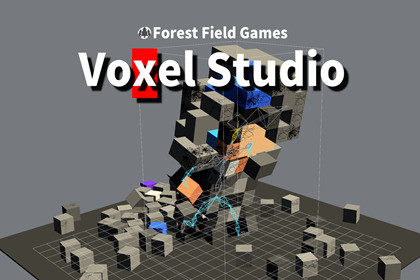
Import MagicaVoxel .vox files, generate optimized Unity meshes, preview rigging, and create destructible voxel objects for URP projects.The included runtime and editor preview shaders use URP. The Built-in Render Pipeline and High Definition Render Pipeline (HDRP) are not currently supported or tested. To use the package with another render pipeline, custom shader and material adjustments may be required.Voxcel Tool is a Unity editor and runtime toolkit for bringing MagicaVoxel .vox models into Unity.Import voxel models, generate meshes and materials, preview rigging data, save reusable assets, and build destructible voxel objects that react to runtime damage. The package provides editor tools for preparing voxel content and runtime components for interactive voxel destruction.Key FeaturesImport MagicaVoxel .vox filesGenerate Unity meshes from voxel dataCreate and save reusable mesh, material, and prefab assetsPreview voxel models directly in the Unity EditorConfigure bones and preview rigging dataCreate destructible voxel objectsApply localized damage using configurable voxel brushesSeparate disconnected voxel islands after destructionGenerate collision geometry for destructible objectsIncludes example .vox files and documented workflowsRuntime and Editor code are separated into assembly definitionsTypical Use CasesDestructible environments and propsVoxel characters and objectsRapid prototyping with MagicaVoxel modelsRuntime damage and fragmentation effectsPreparing voxel assets for Unity projectsRequirementsUnity 6Universal Render Pipeline (URP)Tested with Unity 6000.3.17f1 and URP 17.3.0This package focuses on MagicaVoxel .vox files. Support for other voxel formats is not currently included.Supported Unity VersionUnity 6000.3.17f1 or later within the tested Unity 6 releaseCompatibility with other Unity versions has not yet been verifiedRender PipelineUniversal Render Pipeline (URP)Tested with URP 17.3.0Built-in Render Pipeline and HDRP are not currently supportedSupported File FormatsMagicaVoxel .vox.qb and other voxel formats are not currently supportedPackage ContentsEditor tools for importing and editing voxel modelsRuntime voxel data structures and mesh generationRuntime destructible voxel componentsRigging setup and preview toolsURP vertex-color shadersSample .vox modelsExample workflows and offline documentationEditable C# source codeEditor ToolsVoxel model importMesh and material generationModel previewBone assignment and rigging previewMesh, material, and prefab asset savingDestruction preview and configurationRuntime FeaturesVoxel grid generationRuntime mesh generationLocalized voxel damageConfigurable damage brushesDetection and separation of disconnected voxel islandsCollider generation for destructible objectsProjectile-based destruction componentsDependenciesUniversal Render Pipeline 17.3.0No external web service or account is requiredNo runtime network connection is requiredCode StructureRuntime and Editor code are separated using assembly definitionsRuntime assemblies do not depend on UnityEditorUser-declared namespaces are used throughout the packageSource code is included and editableIncluded SamplesBasic ImportDestruction RuntimeTested EnvironmentUnity 6000.3.17f1URP 17.3.0Windows EditorKnown LimitationsOnly MagicaVoxel .vox files are supportedURP is requiredVery large or dense voxel models can increase mesh-generation time, memory usage, collider complexity, and runtime destruction costRuntime performance depends on voxel count, generated geometry, collider settings, and the number of destructible objectsCompatibility with mobile, console, XR, Built-in Render Pipeline, and HDRP has not yet been verifiedOpenAI Codex was used as an AI-assisted development tool during the creation of this package. It assisted with portions of the C# implementation, code refactoring, debugging suggestions, documentation, package organization, and preparation of the Asset Store metadata.All AI-assisted output was reviewed, edited, and integrated by the publisher. The package does not include generative AI or machine-learning functionality, does not connect to an AI service at runtime, and does not collect or transmit user or project data for AI training.

