




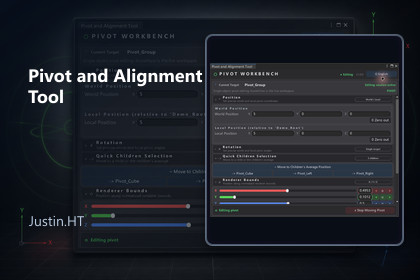
A bilingual Unity workbench for precise pivot editing, bounds placement, child-based positioning, and grid snapping without visually moving grouped children.Pivot and Alignment Tool makes group-pivot work direct and repeatable. Select a valid parent Transform, enter an edit session, then place or rotate its pivot in world or local space while the children keep their visible world placement. Use exact values, a direct child, the children's average, normalized Renderer Bounds, or a configurable snap grid.The package also includes parent and wrapper helpers, Undo-aware operations, a runtime API, a self-contained primitive-based Demo scene, English and Chinese Editor UI, and two embedded PDF user guides.Core features• Exact world and local pivot position and rotation controls.• Fast placement at a child, child average, bounds corner, face center, or bounds center.• Uniform or per-axis grid snapping for Scene handle movement.• Parent and wrapper helpers for targets that cannot be edited directly.• Undo integration plus runtime APIs for pivot, alignment, and bounds calculations.• English and Chinese UI, a self-contained Demo, and bilingual PDF guides.Quick start1. Open the included Demo scene and select Demo_Root/Pivot_Group.2. Open Pivot and Alignment Tool from the Tools/HT menu.3. Choose Move / Rotate Pivot and select an exact, child-based, bounds, or snap-grid placement method.4. Stop the edit session and use Unity Undo whenever you need to revert.Typical workflowsCenter group pivots using hierarchy bounds; align a pivot with a child or the average of direct children; place a pivot at a bounds corner or face; and normalize pivots using repeatable coordinates and grid increments.Unity 2022.3 or newer. Validated with Unity 2022.3.62f3 on Windows.Editor workflow with a runtime pivot/alignment API. Package-owned core code is supplied as protected DLLs, not editable source.Select a valid parent Transform; parent/wrapper helpers are available where direct editing is unsuitable.Includes a primitive-based Demo scene and offline English and Chinese PDF guides.No external service, telemetry, account, or additional service fee is required. Pivot operations are deterministic and local.ChatGPT Image2 was used for marketing-image presentation, backgrounds, and layout around Unity Editor captures. The tool does not use generative AI at runtime and does not send user project data to an AI service.

