




Cavitoon - Toon Cavity, Screen Space Curvature & Contours Shader Lite
DanilBond
$0.0
(no ratings)
Jump AssetStore
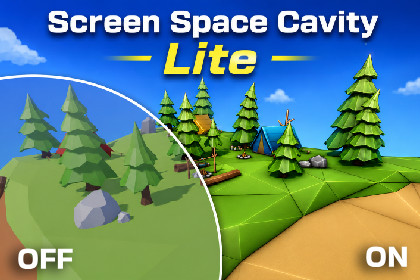
Free world-space cavity and contour enhancement for Unity 6 URP. Brighten convex edges, darken creases and contacts, and give stylized scenes clearer shape with one Renderer Feature.Make stylized shapes easier to read - without editing every material.Cavitoon Lite is a free world-space cavity effect for Unity 6 and the Universal Render Pipeline. It brightens convex details with Ridge and darkens creases, intersections, joints, and contact areas with Valley. The result adds clear shape definition to toon, low-poly, and stylized scenes while preserving the original scene colors and camera alpha.The effect is installed once as a URP Renderer Feature. It works from camera depth and normals, so standard opaque URP materials do not need a custom Cavitoon material or shader replacement.HighlightsWorld Radius measured in Unity scene unitsIndependent Ridge and Valley strength controlsAdjustable attenuation for tighter or broader cavity response4, 8, and 16 sample quality levelsMaximum projected pixel radius for stable close-up renderingStable deterministic sampling designed to reduce camera-motion noiseAutomatic installation from the Tools > Cavitoon menuScene View and Game Camera supportIncluded demo scene, renderer setup, Quick Start, and full documentationOriginal camera alpha is preservedCavitoon Lite is ideal for evaluating the World cavity workflow, improving modeling previews, or adding stronger depth and contact definition to a stylized project.Need more creative control?Upgrade to Cavitoon Pro for:Screen curvature mode for fine pixel-scale detailsBoth mode combining World cavity and Screen curvatureSeparate Ridge and Valley colorsMultiply, Additive, and Overlay blend modesUnity Layer and Rendering Layer masksDistance Fade and world-space Height FadeGet Cavitoon Pro: https://assetstore.unity.com/packages/slug/399036- Tested with Unity 6000.3.14f1 and Universal Render Pipeline 17.3.0- Requires Unity 6, URP, and Render Graph- URP Render Graph Compatibility Mode is not supported- Built-in Render Pipeline and HDRP are not supported- Implemented as a Scriptable Renderer Feature with a full-screen raster pass- Requires shader model 3.5 or newer- Reads the camera color, depth, and normals textures- Requests depth and normals automatically; URP may add a depth/normals prepass- Does not require the global URP Opaque Texture option- World Radius is measured in scene units and projected through the active camera- World quality options: 4, 8, or 16 depth samples per affected pixel- Maximum sample count: 16 depth reconstructions per affected pixel- Supports perspective and orthographic cameras- Supports Forward, Forward+, and Deferred URP renderers when valid depth and normals resources are available- Default injection point: Before Rendering Transparents- Available injection points: Before Rendering Transparents, Before Rendering Post Processing, and After Rendering Post Processing- Supports Game Cameras and optional Scene View rendering- Preview and Reflection Cameras are skipped- Designed for opaque and alpha-clipped geometry with correct DepthOnly and DepthNormals passes- Regular transparent materials do not generate cavity information- Standard URP Lit, Simple Lit, and Unlit materials are supported- Custom shaders must provide matching DepthOnly and DepthNormals passes- Screen-space limitation: hidden, off-screen, and fully occluded geometry cannot contribute- Non-uniform foveated rasterization is currently unsupported- Includes C# source, HLSL/ShaderLab source, automatic installer, custom Inspector, demo content, Quick Start, and documentationThird-Party AssetsSome models and environments shown in screenshots/videos are third-party assets used for demonstration only and are not included in the package.Showcase assets from Sketchfab are used under CC BY licenses with attribution to their respective authors.AI tools were used as development assistants for code drafting, debugging, documentation, and test planning. The product design, visual direction, feature requirements, Unity integration, testing, and final technical decisions were handled and validated by the publisher. All AI-assisted output was manually reviewed and adapted before inclusion.

