




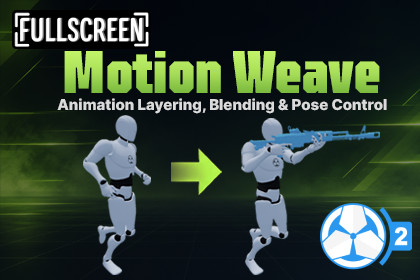
Motion Weave gives Game Creator 2 layered states more control, with per-region and directional blending for poses and animations without creating new baked clips.Motion Weave for Game Creator 2Game Creator 2 lets you layer states to combine animations. Motion Weave gives you more control over how those layered animations affect your character, with individual weights for different body regions and movement directions.Fine-tune how much a layered animation affects the Body, Head, Arms, Legs, and Fingers, and adjust its weight based on whether your character is idle, moving forward, backward, or strafing. You can also make pose corrections without modifying or baking new animation clips.🎯 Better Control Over Layered StatesInstead of treating a layered animation as one complete pose, Motion Weave lets you control exactly how much of it is applied.5 Body Regions: Body, Head, Arms, Legs, and FingersCustom Blend Weight: Set individual blend values for each regionDirectional Blend Weight: Use different values for Idle, Forward, Backward, Left, and RightMultiple Overlays: Run and control several independent overlay states at onceFor example, you can use an aiming pose at 100% on the right arm, while keeping the legs at 0% and allowing some of the torso movement to come through.🧭 Direction-Based BlendingA layered pose can look different depending on how the character is moving.Motion Weave lets you set separate blend weight values for:IdleForwardBackwardLeftRightDiagonal movement is automatically blended between the configured directions.This gives you more control over how much an overlay affects the character depending on their current movement.🛠️ Adjust Poses Without Editing AnimationsNeed to move a hand slightly, correct an arm position, or adjust a head pose?Motion Weave lets you apply muscle adjustments directly to the layered state without modifying the original animation.Your source animation stays untouched, and the correction is applied at runtime.Use the Motion Weave workspace to preview and adjust your body weights, directional blend weight, and pose corrections in Unity.⚡ Run Multiple Motion Weave StatesRun multiple Motion Weave States on the same character and let them work together.For example:Layer 10 - AimLayer 11 - ReloadAim can stay active while Reload temporarily takes over the body regions it needs. When Reload ends, Aim is already active underneath it.The same setup can be used for things like Aim + Recoil or other temporary actions.Each overlay layer can be started, stopped, or replaced independently.🎮 Useful ForMotion Weave is useful for character actions you want to layer over your existing Game Creator 2 states:Aiming weapons and holding shieldsCarrying lanterns, radios, and flashlightsPointing, gesturing, and other small actionsRecoil and hit reactionsHolding an injured arm or other body part📦 What's IncludedFull Source CodeGame Creator 2 InstructionsDocumentation & Setup Guide🔗 Links🌐 Website | 📖 Documentation | 💬 DiscordPer-region animation blend weightDirection-based blendingMultiple independent overlay statesRuntime Humanoid muscle adjustmentsNon-destructive pose correctionsDedicated preview workspaceFull source code includedNote: Motion Weave requires Humanoid characters and animations.

