






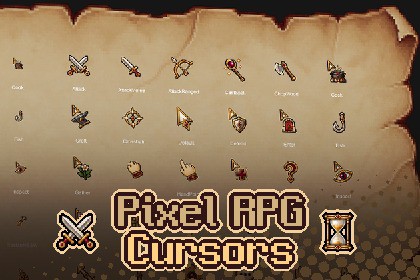
A Unity-ready set of 35 pixel RPG cursors in two color themes and 32/64 px sizes, including pressed states, animations, pre-measured hotspots, editor tools, and a demo scene.Pixel RPG CursorsPixel RPG Cursors is a complete Unity-ready cursor collection for RPG and adventure games.The pack combines 35 pixel-art cursor types with two coordinated color sets, individually refined 32 px and 64 px versions, pressed states, animated cursors, pre-measured hotspots, a runtime cursor system, editor tools, and a demonstration scene.Use the included cursors immediately, or connect your own finished PNG cursor files to the same workflow.Included Content35 cursor types — 15 System / 2 Hand / 18 RPG Action2 color sets — Gold & Burgundy / Gold & Deep Teal32 px and 64 px versions, separately refined for each size25 Pressed states4 animated cursors — Wait (4 frames), HandGrab, Talk, Enter (3 frames each)Pre-measured hotspot coordinates for every cursorOriginal transparent PNG filesRuntime scripts, editor tools, documentation, and demo sceneThe RPG action set covers combat, dialogue, trading, inspection, loot, item use, unlocking, gathering, woodcutting, fishing, cooking, crafting, repair, and more.Ready to Use in UnityAdd CursorManager to your scene once, attach CursorTrigger to a UI element or Collider, and select a CursorData asset.Hover switching, matching Pressed states, and animation playback are handled automatically without additional code.CursorManager — manages the default cursor, active cursor, size selection, Pressed states, and animationCursorTrigger — switches cursors automatically when hovering over UI elements or CollidersAutomatic Pressed States — displays the matching variant while the mouse button is heldBuilt-in Animation Playback — automatically plays Wait, HandGrab, Talk, and EnterUnscaled Time Support — animations continue during loading screens and paused gameplayPixel-Exact Software Cursor — displays cursors at their original texture sizeAuto Size By DPI — selects the 32 px or 64 px set based on display scalingMulti-Monitor Support — updates the cursor size when the game window moves between monitors with different scalingEditor ToolsCursor Preview — browse every cursor, switch between 32 px and 64 px, preview animations, and zoom from 1× to 8× without entering Play ModeHotspot Crosshair — visually verify the exact click position of each cursorOptional Custom Cursor Support — if you later add your own completed PNG cursor files, Generate From Folder can create or update CursorData assets, group animation frames, connect matching Pressed variants, and measure initial hotspotsReference-Safe Updates — existing CursorData assets are updated in place so scene references remain intactSetup Triggers On Selection — quickly configures matching CursorTrigger components under the selected UI objectDemo Scene IncludedThe demonstration scene contains interactive hover areas for all 35 cursor types. Enter Play Mode to test every cursor, Pressed state, and animation directly with your mouse.• 70 cursor assets — 35 types x 2 colour sets• 276 textures — 138 at 64x64, 138 at 32x32• 8 animated cursors (3-4 frames, 8 fps)• 25 types with a pressed-state texture• PNG, uncompressed RGBA32, no mipmaps, Point filter, Read/Write enabled• Hotspot pre-measured per cursor• 4 runtime scripts + editor preview/generator tools• Hover-to-swap component, no code required• Legacy Input Manager and Input System both supported• Windows, macOS, Linux standalone• 1 demo scene, PDF documentationGenerative AI was used during the creation process. Every included cursor was manually edited, refined at the pixel level, and quality-checked for production use.

