




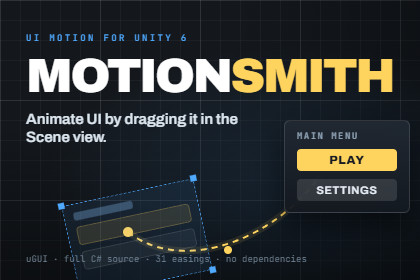
Animate UI by dragging in the Scene view instead of typing numbers. Hover, press and idle states that layer instead of fighting. uGUI, zero dependencies.Motionsmith contains no rendering code, no materials, shaders or renderers - so it behaves identically on Built-in, URP, HDRP and any custom SRP. It only drives RectTransform, CanvasGroup and Graphic. The included demo scene is pipeline-neutral too: a screen-space-overlay Canvas and a plain camera, with no lights or materials.This is a uGUI (Canvas) package. UI Toolkit (UXML/USS) is NOT supportedMost UI animation tools ask you to type numbers into a component, or to build a timeline.Motionsmith asks you to drag the element where you want it to come from.Select any UI element and its starting pose appears in the Scene view as a ghost, with itsreal rotation and scale applied. Drag the ghost to set where the motion begins. Drag a knobfor the angle it spins in from, a corner for scale, and handles to bend the path it travelsalong. Then scrub it, or play it, without ever entering Play mode. What you see is whatruns.Everything you author is stored as an offset from wherever your layout already puts theelement, never as an absolute position. Redesign the layout, move the element, change theanchors, and the motion still works. The same clip can drive elements of completelydifferent sizes and positions.STATES THAT LAYER INSTEAD OF FIGHTINGEvery element has four independently authored states: show/hide, highlight while hovered orselected, press while the pointer is down, and a looping idle. They are composited ratherthan queued, so a button can slide in, swell on hover, squash on click and breathe whileidle all at once, without the states overwriting each other. Most tools make you keep thoseon separate channels to avoid conflicts. Here you do not have to.Channels that no enabled state uses are never written, so your own scripts can keep drivingthe same element's colour or position without being fought over.IS IT CUSTOMIZABLE?Every value that affects how a motion feels is exposed and tunable: distance, angle, scale,opacity, colour, duration, delay, easing and overshoot, per state. Nothing is hardcoded andnothing is hidden behind a black box. Full C# source is included, no DLLs.Reusable motions are ScriptableObject presets. Author "MenuPopIn" once, reference it fromforty buttons, and retuning the whole menu is one asset instead of forty components. Ninepresets are included to start from, and the Scene-view handles edit preset assets directly.WHAT IS IT SUITABLE FOR?Any project with a uGUI interface, in any genre. Menus, HUDs, pause screens, popups,inventory grids, dialogue boxes, level-select screens, mobile UI, tutorial callouts. It isgeneral-purpose UI motion, not tied to a genre or an art style.It is a tool, not an art pack, so nothing about it needs to match your visual style.BUILT FOR REAL PROJECTSShow and hide return a handle that works as a callback, a coroutine yield, or an await, so"fade out, then deactivate" is one line. Handles always complete, even when a motion isinterrupted or the object is destroyed, so an await can never hang.The details that usually bite are handled: raycasts stop reaching an element the moment itstarts hiding, Layout Group conflicts are detected with a one-click fix, and the oversizedframe delta after a scene load cannot swallow an entrance before it draws.NO DEPENDENCIESMotionsmith implements its own easing and its own ticking. There is no tweening library toinstall first, nothing to import before it compiles, and no wall of errors on a freshimport. 31 built-in easing curves plus custom AnimationCurve support.REQUIREMENTSUnity 2022.3 LTS or newer. uGUI (com.unity.ugui).UI Toolkit (UXML/USS) is NOT supported.Full manual and a demo scene included.COMPONENTS- Motion Element - drop on any UI element, four composited states per element- Motion Group - plays a set of elements as one staggered cascade- Motion Preset - a reusable motion as a ScriptableObjectCHANNELS- Move - with multi-point paths, up to 8 points, in two styles- Rotate - Z rotation, relative to the element's laid-out rotation- Scale - as a multiplier of the element's own scale- Fade - via CanvasGroup alpha- Tint - a Gradient sampled across the motion, Multiply or Override modePATHS- Bezier Pull - one smooth curve, points tug it into shape- Waypoints - the route passes exactly through each point, with per-point roundness- Traces L-bends, rectangles, and closed circular orbits- Progress distributed by distance, so unequal legs travel at a steady speedSTATES- Main - show and hide- Highlight - hover, and optionally keyboard/gamepad selection- Press - held while the pointer is down- Idle - looping, ping-pong or restart- Composited: positions and rotations add, scale, alpha and tint multiplySCENE-VIEW AUTHORING- Ghost preview of the starting pose, with real rotation and scale applied- Draggable handles for position, angle, scale and every path point- Edit-mode preview: play in, play out, or scrub by hand, without Play mode- Handles author whichever state is selected, including preset assetsEASING- 31 built-in easing curves- Custom AnimationCurve support- Adjustable overshoot for Back and ElasticGROUPS- Sources: direct children, all descendants, or a manual ordered list- Five orderings: in order, reverse, random, from centre, from edges- Separate show and hide orderings- One completion handle covering the whole cascadeSCRIPTING- PlayIn / PlayOut / Toggle, plus immediate show/hide- MotionHandle usable as a callback, a coroutine yield, or an await- UnityEvents and C# events for start and completion, both directions- Void wrappers so Button.onClick can call them from the inspectorWORKFLOW- Multi-object editing- Copy, paste and reset clips between elements and presets- Layout Group conflict detection with a one-click fix- Warns when a Button drives the element on its own GameObject- Scaled and unscaled time, so menus animate at timeScale = 0INCLUDED- Full C# source, no DLLs- 9 presets: Pop In, Slide Up, Slide From Left, Fade, Drop In Arc, Hover Grow,Press Squash, Breathe, Float- Demo scene- ManualCOMPATIBILITY- Unity 2022.3 LTS or newer- uGUI (com.unity.ugui). UI Toolkit (UXML/USS) is NOT supported- Works on Built-in, URP, HDRP and custom SRPs - no rendering code at all- No third-party or Asset Store dependencies- Tested on 2022.3 LTS and Unity 6I used an AI coding assistant (Claude, by Anthropic) to write source code and documentation from my specifications, across an iterative development process that I directed, reviewed and tested.Where it was used:- Runtime C#: the components, easing functions, path evaluation and playback logic- Editor C#: the custom inspectors, Scene-view handles and edit-mode preview tooling- Documentation: the manual, README and changelogWhat was not AI-generated:- The product concept and all design decisions, including the Scene-view drag-to-author approach the asset is built around, the four-state model, the path model, and the scope of every feature- Testing and verification, which I carried out in the Unity editor. Several behaviours were changed in response to problems I found using it in a real project.The package contains no AI-generated art, audio, textures, models or fonts. It is C# source, ScriptableObject presets, one demo scene and documentation. It has no third-party dependencies and redistributes no third-party code; the easing functions implement the standard Penner equations, which are long-established public-domain mathematics.

