




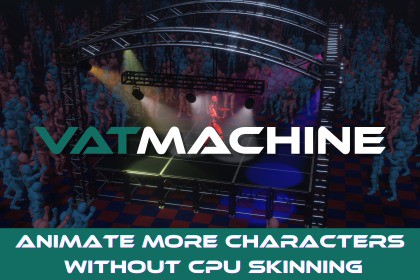
VATMachine - GPU Animator & VAT Baker
Finite Machine Studio
$32.99
$65.99
50%OFF
(no ratings)
Jump AssetStore
VATMachine moves character deformation from CPU skinning to GPU-driven Vertex Animation Textures, reducing CPU overhead for crowds while retaining graphs, blends, LODs, sockets, and animation events.Documentation | SupportVATMachine is a complete Vertex Animation Texture baker and runtime animation system for Unity.Bake skeletal and mesh-based animations into textures, then play them through ordinary MeshRenderers using the included GPU playback shader. The generated VAT prefabs no longer require Unity Animators or SkinnedMeshRenderers at runtime, making VATMachine ideal for crowds, NPCs, creatures, RTS units, background characters, and repeated animated props.Unlike a basic VAT exporter that stops after generating textures, VATMachine provides the animation tools needed to use those assets in real gameplay.Key FeaturesAnimator-style visual graph with Entry, Any State, and Exit nodesSmooth transitions and scripted crossfadesBool, Float, and Trigger parametersTransition conditions, exit times, priorities, offsets, and interruption settings1D blend trees for smooth locomotion and parameter-driven animationPer-state looping, playback speed, and speed multipliersFrame-based animation events with string parameters and object referencesEvents supported by regular states and blend-tree motionsBaked animation sockets for weapons, hats, backpacks, VFX, and other attachmentsSocket poses remain blended during animation transitions and blend treesBake and play multiple LOD meshes using a shared animation clockGPU instancing support for compatible repeated charactersSmooth interpolation between baked animation framesOptional animated normals and tangents for correct dynamic lightingPacked normal/tangent storage for lower memory usage and fewer texture samplesTarget profiles and GPU-memory estimates before bakingPreview animation states and blend trees in the EditorBake single-mesh or multi-part animated charactersComprehensive documentation with complete runtime scripting APISupports both URP and HDRPIncluded examples demonstrate crowds, LOD playback, animation events, socket switching, and third-person character control.Note: Some scenes, environments, and third-party assets shown in the screenshots and demonstration videos are for presentation purposes only and may not be included in this package.Asset uses "First Person + Third Person | Character Controllers" by Unity Technologies under the Unity Companion License; see Third-Party Notices.txt file in package for details.Unity VersionTested with Unity 6000.4.11f1Render PipelineURP and HDRPSource RequirementsLOD 0 requires an Animator and Animator Controller for animation samplingSupports one or multiple renderers under the source objectSupports SkinnedMeshRendererAdditional LOD sources do not require separate Animator ControllersGenerated OutputOne VATAnimationData asset per baked clipPosition Texture2DArrayPacked basis texture or separate normal and tangent texturesURP/HDRP VAT playback materialsPlayback prefab containing MeshRenderers, MeshFilters, and VATAnimatorLODGroup when LOD baking is enabledOptional removal of the baked bone hierarchyAnimation SystemAnimator-style state graphAnimation states and 1D blend treesBool, Float, and Trigger parametersExit-time and condition-based transitionsTransition blending, offsets, priorities, and interruptionsDirect Play and Crossfade runtime methodsPer-state animation eventsString and Unity Object event parametersBaking OptionsSample rate from 1 to 120 FPSRGBAHalf and RGBAFloat precisionOptional normal and tangent bakingPacked Quaternion or separate normal/tangent storageCurrent GPU, Desktop High, Desktop Conservative, and Custom target profilesTexture layout validation and estimated GPU-memory usage before bakingRenderingShader: VAT Machine/URP/VAT PlaybackSupports Base Map, Base Color, Metallic, Smoothness, Normal Map, Height Map, Occlusion, and EmissionSupports shadows, depth-only rendering, and depth normalsCompatible instances sharing the required mesh, materials, and VAT data can be GPU-instanced to reduce batches and draw callsPlatform NotesTarget hardware must support the texture limits selected during bakingMobile texture limits vary between devices; use a Custom target profile and test on the intended hardwareBaked animations are specific to their source mesh and LOD layoutClips used in transitions and blend trees must have compatible mesh and LOD layoutsRuntime IK, bone modification, and animation retargeting are not available after bakingCharacter movement and root motion should be controlled through gameplay codeDependenciesURP/HDRPCinemachine is used only by the third-person demonstrationIncluded ExamplesCrowd DemoLOD DemoAnimation Events and Socket DemoThird-Person Controller Demo

