




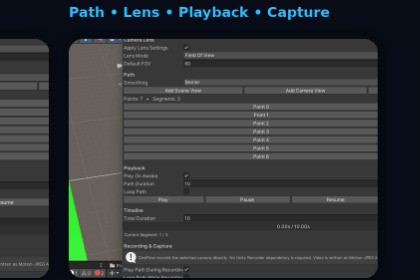
Cinematic camera path and capture tool for creating, previewing, timing, and recording camera shots directly in Unity.CineFlow is an Editor-focused camera path and cinematic capture tool for Unity 2022.3 LTS and newer. Core features do not require a specific render pipeline. The included sample uses URP Pipeline. CineFlow does not require Built-in Render/HDRP; sample visuals may vary depending on your project's render pipeline settings.CineFlow is a Unity Editor tool for creating and controlling cinematic camera paths with an integrated workflow for path editing, previewing, timing, and capture.Create camera paths using Scene View or Camera View points, then control how the camera moves between them with Linear or Bezier smoothing. Preview your shot using playback controls and inspect the path duration and current segment.CineFlow also provides camera lens controls, including Field of View settings, and optional per-segment timing for precise A-to-B camera movement.When your shot is ready, use CineFlow's integrated capture workflow to record the selected camera path as video or capture screenshots. Configure recording FPS, quality, output format, resolution/aspect settings, and save locations directly from the tool.CineFlow is designed for game developers, technical artists, cinematics artists, environment artists, and anyone who needs a fast way to create controlled cinematic camera shots inside Unity.• Multi-point cinematic camera paths• Scene View and Camera View point creation• Linear and Bezier path smoothing• Camera lens and Field of View controls• Path playback with Play, Pause, Resume, and Stop• Timeline and segment information• Optional per-segment A-to-B timing• Chained and unchained camera points• Integrated video recording• Screenshot capture• Configurable video FPS and quality• Configurable video output format• Configurable screenshot format• Custom video and screenshot save locations• Resolution and aspect-ratio controls• Path recording and playback controls• Editor-based workflow• Included sample scene• Offline documentation and quick-start guidanceAI-assisted development was used for C# code development, debugging, editor UI implementation, documentation, and feature design. The generated material was reviewed, modified, integrated, and tested in Unity by the publisher. Final functionality, architecture, integration, and testing were completed and verified by the publisher.

