




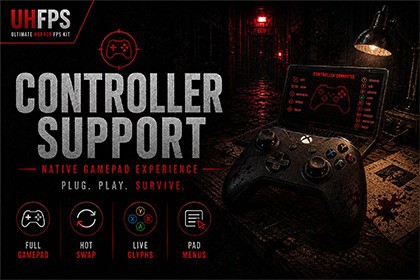
Turn UHFPS into a gamepad-ready horror experience - pad play that feels native from the first stick tilt.Controller Support for UHFPS turns your Ultimate Horror FPS Kit project into a true gamepad-ready horror experience. Pick up a pad and feel the difference - player control, menu navigation, and live device prompts that keep up the moment you hot-swap between them.Controllers are recognized as you play, prompts stay in sync with what’s in your hands, and the options menu lets players rebind without breaking immersion. From title screen to the darkest rooms of your level, pad play feels native from the first stick tilt.⚠️ Dependency NoticeThis asset requires UHFPS – Ultimate Horror FPS Kit and Unity’s New Input System (com.unity.inputsystem) and is designed exclusively for the UHFPS framework.💠 Pipeline SupportCompatible with HDRP and URP📒 Resources🎮 Windows Demo (URP)🎮 Windows Gameplay Demo (HDRP)👥 Discord🎮 Key FeaturesEasy integration into existing UHFPS projectsFull gamepad coverage for player, interaction, UI, and menusRealtime controller detection with seamless keyboard ↔ pad hot-swapDevice-matched glyphs for Xbox, PlayStation, Switch, Steam Deck, and generic padsController rebinding in the UHFPS options menuWelcome Hub for Project Setup, Scene Setup, and debug toolsMenu Setup wizard for Main Menu, Level Manager, and Game ScenePlayer Setup wizard for examine, drag, and puzzle inputRuntime-ready prefabs and example setups included⚡ OverviewBuilt exclusively for UHFPSFast and simple integrationOptimized for horror FPS developmentCompatible with HDRP and URPDesigned for immersive horror gameplayDemo scenes and example usages includedDocumentation and demo builds included🔌 IntegrationsPuzzler for Ultimate Horror FPS KitUltimate Horror FPS KitVibe Engine - Controller Haptics🎯 Perfect ForHorror FPS GamesSurvival Horror ProjectsInteractive ExperiencesKeyboard and Gamepad PlaythroughsBe sure to check out our publisher page for additional UHFPS gameplay systems and future releases.RuntimeGamepad binding injection for UHFPS Input System actionsRealtime device family detection and glyph switchingMain Menu, Pause, and Load Game controller UX companionsFPView pad examine, drag, and puzzle inputInventory and focus-safe virtual mouse handlingEditorWelcome Hub (Project, Setup, Technical, Power Mode, Debug)Menu Setup and Player Setup wizardsIn-editor API Reference and ChangelogIncluded ContentDemo scenes (All UHFPS Demos)Controller glyphs, bindings, and settings assetsDocumentation and API referenceAI has been used to create promotional images

